80
VX6020
Selecting a Map Location as the Destination
1. If you are on the Map screen, tap to return to the
Navigation menu.
2. In the Navigation menu, tap the following buttons:
, .
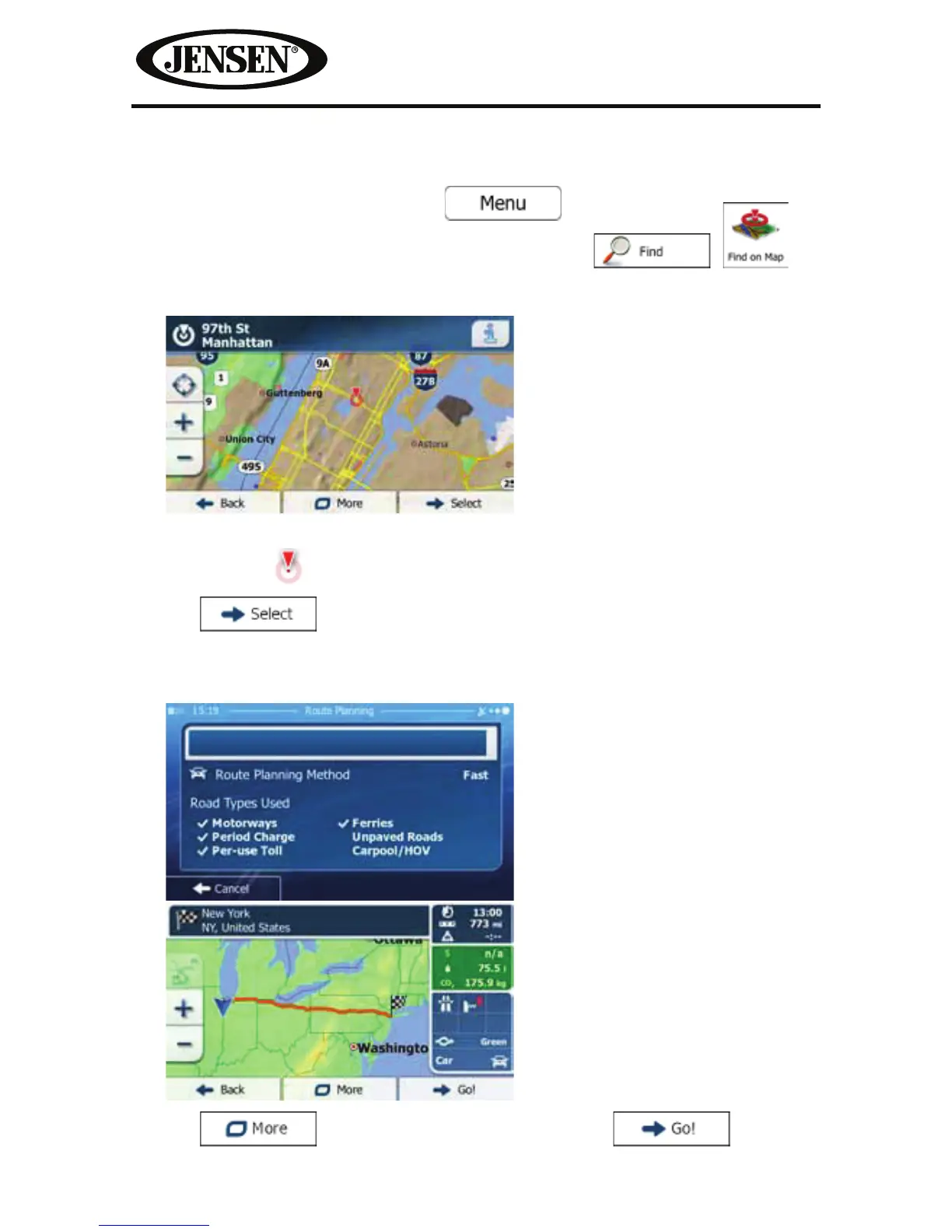
3. Locate your destination on the map: move and scale the map as needed.
4. Tap the location that you want to select as your destination.
The Cursor (
) appears.
5. Tap
to select the Cursor as the destination.
6. After a short summary of the route parameters, the map appears showing the
entire route. The route is automatically calculated.
Tap
to modify route parameters, or tap and start
your journey.



 To Next Page