40
VX6020
RADIO TUNER OPERATION
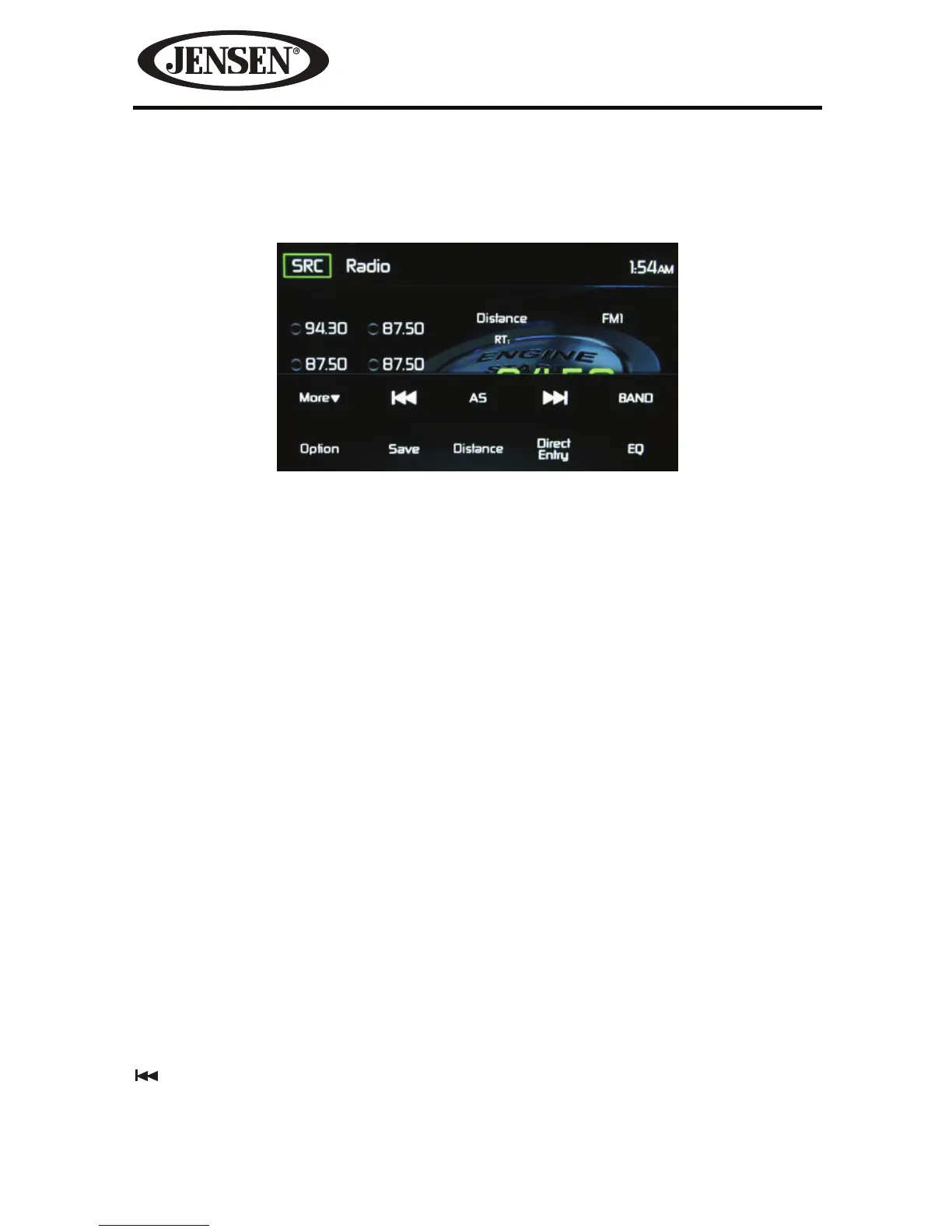
Radio Tuner TFT Display
SRC: Touch to view the SOURCE MENU and select a new playback source.
Radio: Displays the current source.
Time Display- This indicator displays the time as entered by the user in the
Settings Menu.
Preset List- Provides a display of the preset frequencies. Touch to recall a preset
station. The radio can store 6 FM1, 6 FM2, 6 FM3, 6 AM1 and 6 AM2 frequency
presets.
Local/Distance- Displays the local distant setting.
Stereo- Displays stereo radio signal reception.
FM1- Displays the current preset frequency band .
P 1 through P6- Displays the current preset frequency within the preset
frequency band that currently playing.
107.7 MHz:- Displays the radio station frequency that is currently playing.
More ( S/T )-
Touch the S/T icons to display the next or previous page of the
Disc menu.
Previous/Manual Seek- Touch this icon to momentarily seek the previous
available radio station or touch and hold to manually tune the radio in 200KHz
increments. Default mode is resumed after 10 seconds of inactivity.
Figure 28. Radio Tuner TFT Display Screen



 To Next Page