22
VX6020
SYSTEM SETTINGS
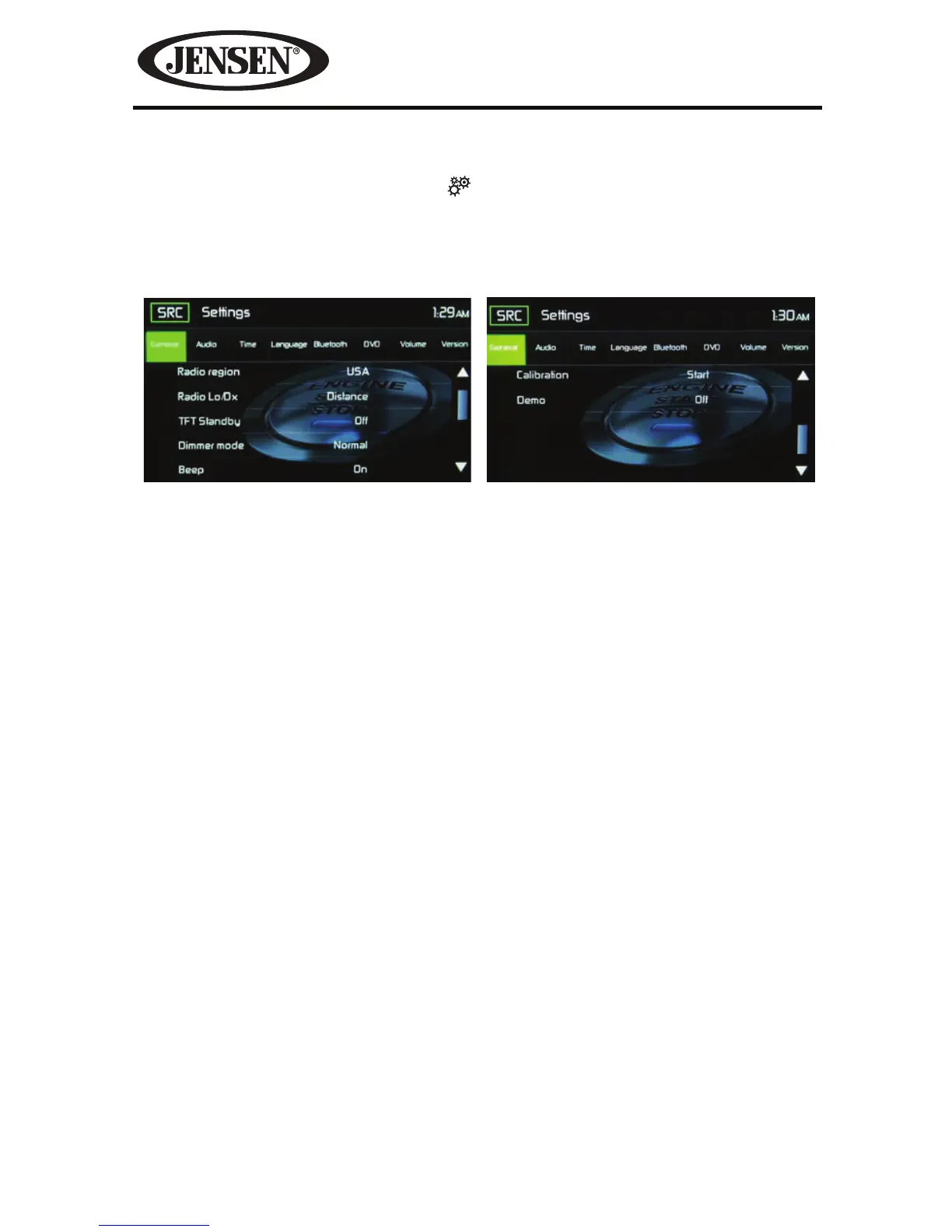
To access System Settings, touch the icon on the Main Menu screen. There are
eight System Settings Sub-menus that are used to adjust the performance of each
option of the VX6020. Touch a desired Sub-Menu (General, Video, Sound, Time,
Language, Bluetooth, DVD or Volume) and the Sub-menu will appear highlighted
in green. The features available for adjustment will appear on the screen.
Adjusting a Sub-Menu Feature
1. Touch the Sub-Menu feature to be adjusted.
2. Touch the S or T icon to view the previous or next feature page, if applicable.
An options list appears on the right.
3. Touch the desired feature option once to make selection then touch again to
conrm selection.
General Sub-menu Features
Radio Region- USA, China, Japan, Europe, Europe (LW) and Orient (OIRT)
USA frequencies:
t AM Frequency Spacing - 9kHz / 10 kHz
t AM Frequency Band - 522 kHz ~ 1710 kHz
t FM Frequency Spacing - 50kHz / 200 kHz
t FM Frequency Band - 87.5 MHz ~ 107.9 MHz
Radio Range- Touch the Distance or Local to increases or decreases radio tuning
sensitivity to receive local or distant stations.
TFT Standby- Touch OFF, 10s or 20s to set the unit’s front panel TFT LCD screen to
stay ON continuously or to blackout the screen after 10 or 20 seconds.
Dimmer Mode- Touch Night, Day, Normal or Brightness to set the unit’s front panel
TFT LCD screen to be adjusted for day and night conditions.
Beep- Touch OFF or ON to turn the selection conrmation beep ON or OFF.
Figure 9. System Settings Screens



 To Next Page