46
VX6020
iPod®/iPhone® CONTROLS
Accessing iPod® Mode
The user can control an iPod®/iPhone® using the touch screen to access, albums,
songs, videos, etc.
NOTE: For basic connectivity, the iPod®/iPhone® must be connected to the unit
using the iPod®/iPhone® adapter cable that came with the iPod/iPhone (also
available separately). For iPod®/iPhone® video playback, use an adapter cable
equipped with a USB connector and a 3.5 mm AV jack. Be sure your iPod®/iPhone®
has the latest Apple rmware installed to avoid connectivity issues.
The unit will automatically switch to iPod® mode when an
iPod®
, iPod® touch or
iPhone® is plugged into the front panel mini
USB connector. Also the
iPod® can be
accessed from the Main Menu Screen by touching the iPod® icon
(only available
when an iPod® or iPhone® is connected to the front panel mini USB connector)
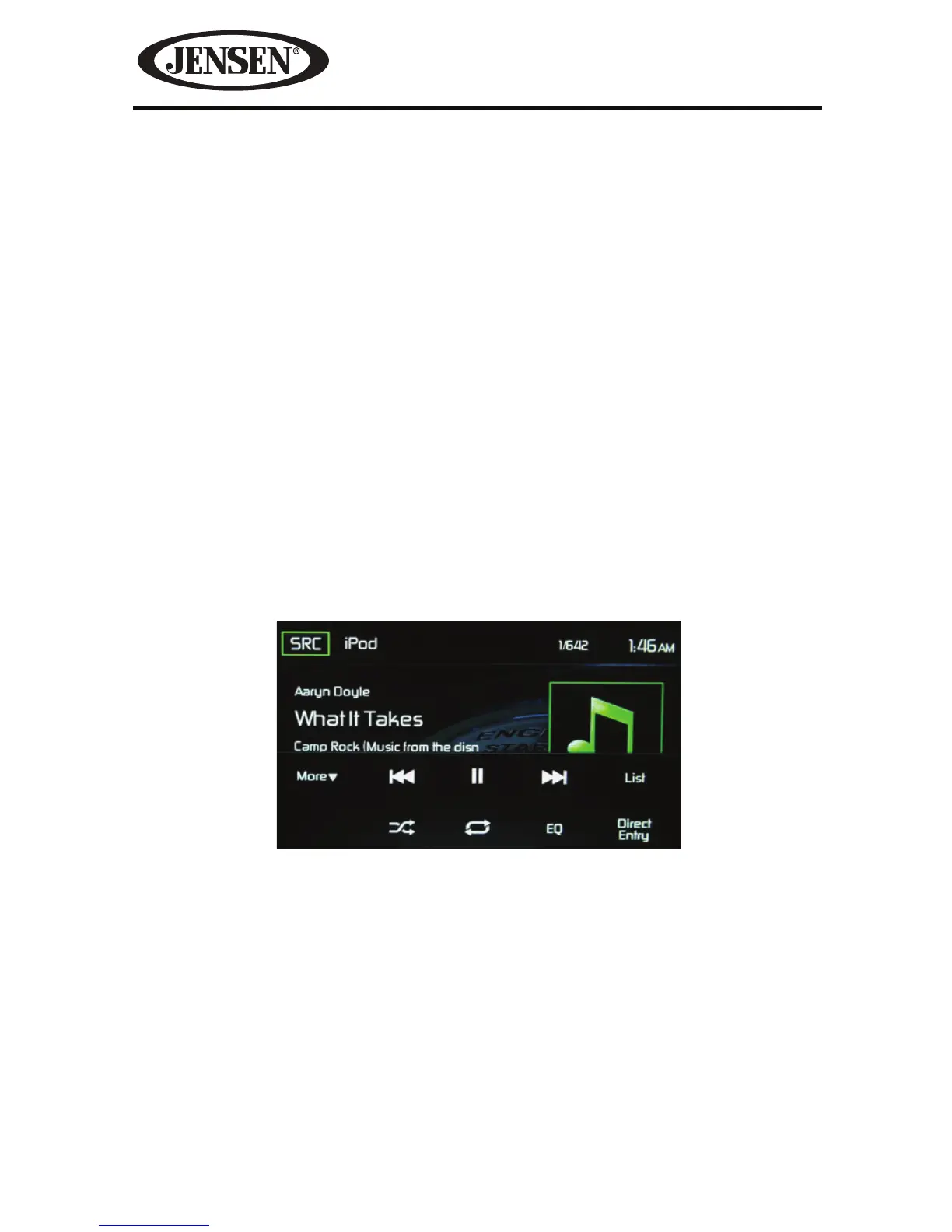
iPod®/iPhone® Main Menu
SRC Icon- Touch this icon to return to the Main Menu Screen.
iPod- Displays the current source.
Track Number- Lists the current audio track playing and the total number of audio
tracks in audio mode. Lists the current video folder and the total number of video
folders in video mode.
Time Display- This indicator displays the time as entered by the user in the Settings
Menu.
More ( S/T )-
Touch the S/T icons to display the next or previous page of the
iPod® menu.
Figure 34. iPod®/iPhone® Main Menu



 To Next Page