41
VX6020
AS:
Touch to automatically search and store all strong stations.
Next/Manual Seek- Touch this icon to momentarily seek the next available
radio station or touch and hold to manually tune the radio in 200KHz increments.
Default mode is resumed after 10 seconds of inactivity.
Band- Touch to change between AM/FM bands.
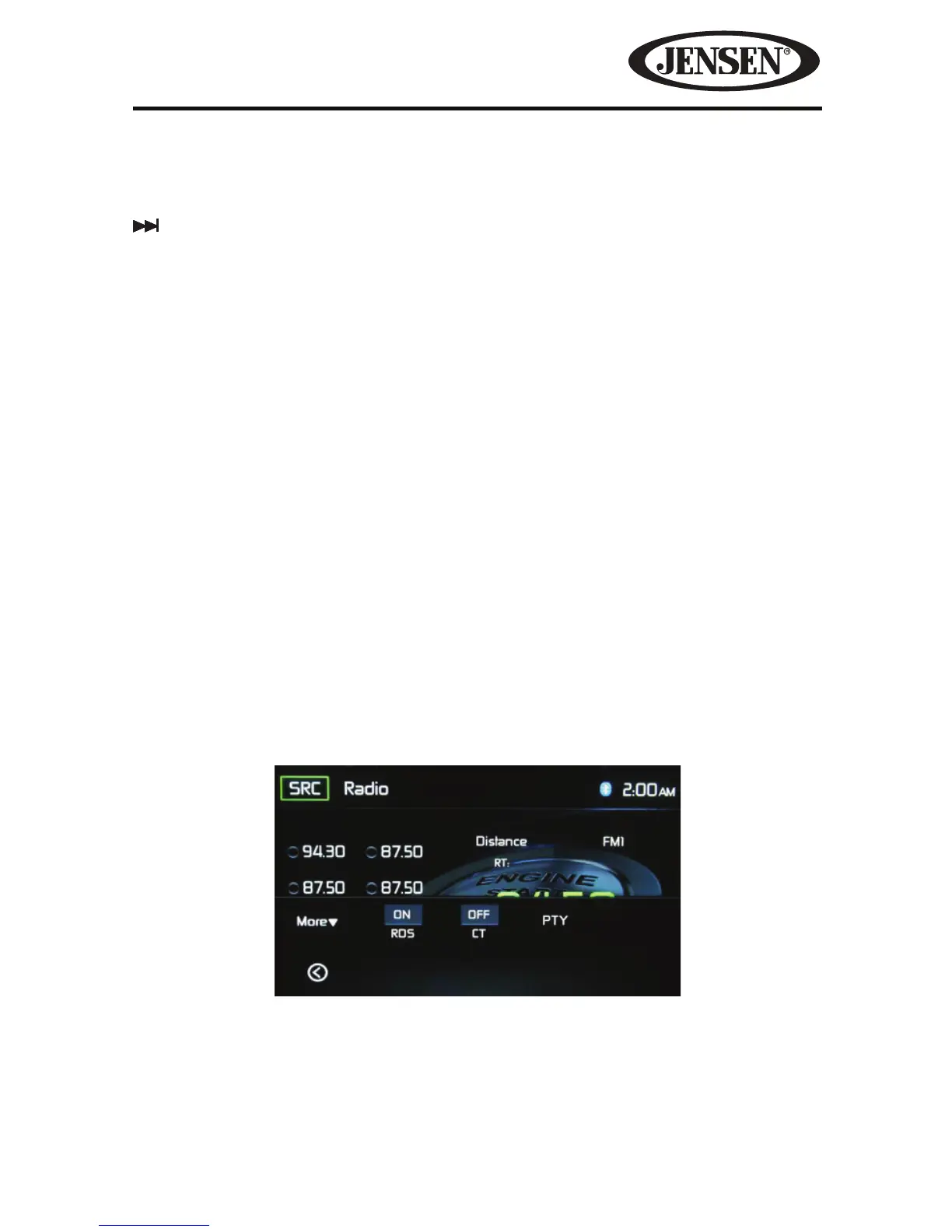
Option- Touch to activate the Clock Time, RDS and program type (PTY) related
search function.
Save- Touch this icon to save a radio station frequency in one or all six preset
stations on FM band 1,2,3 or AM band 1 and 2.
Local/Distance- Touch to select and activate local and distant station reception.
When the Local function is on, only radio stations with a strong local radio signal
are played.
Direct Entry- Touch this icon to the display the Direct Entry Screen.
EQ - Equalizer- Touch this icon to access the Equalizer Control Menu (see “Adjusting
Equalizer Controls”.
Option
Touching the Options icon will display the following RDS, CT and PTY functions on
the Tuner TFT LCD display screen.
CT/RDS- (Clock Time, RDS feature) When enabled the radio system clock is
synchronized with broadcasters time signal setting the clock automatically. In some
regions where daylight savings time is not adhered to, the system clock will be o
by 1 hour. In these cases, set CT to OFF and manually set the clock.
Figure 29. Radio Tuner Option Screen



 To Next Page