27
VX6020
DVD Sub-menu Features
The DVD system has a built-in parental lock feature to prevent unauthorized persons
from viewing restricted disc content. By default, the rating system is unlocked. Once
set up, the parental lock is released only by entering the correct password. Once the
password is entered, rating is available for setup.
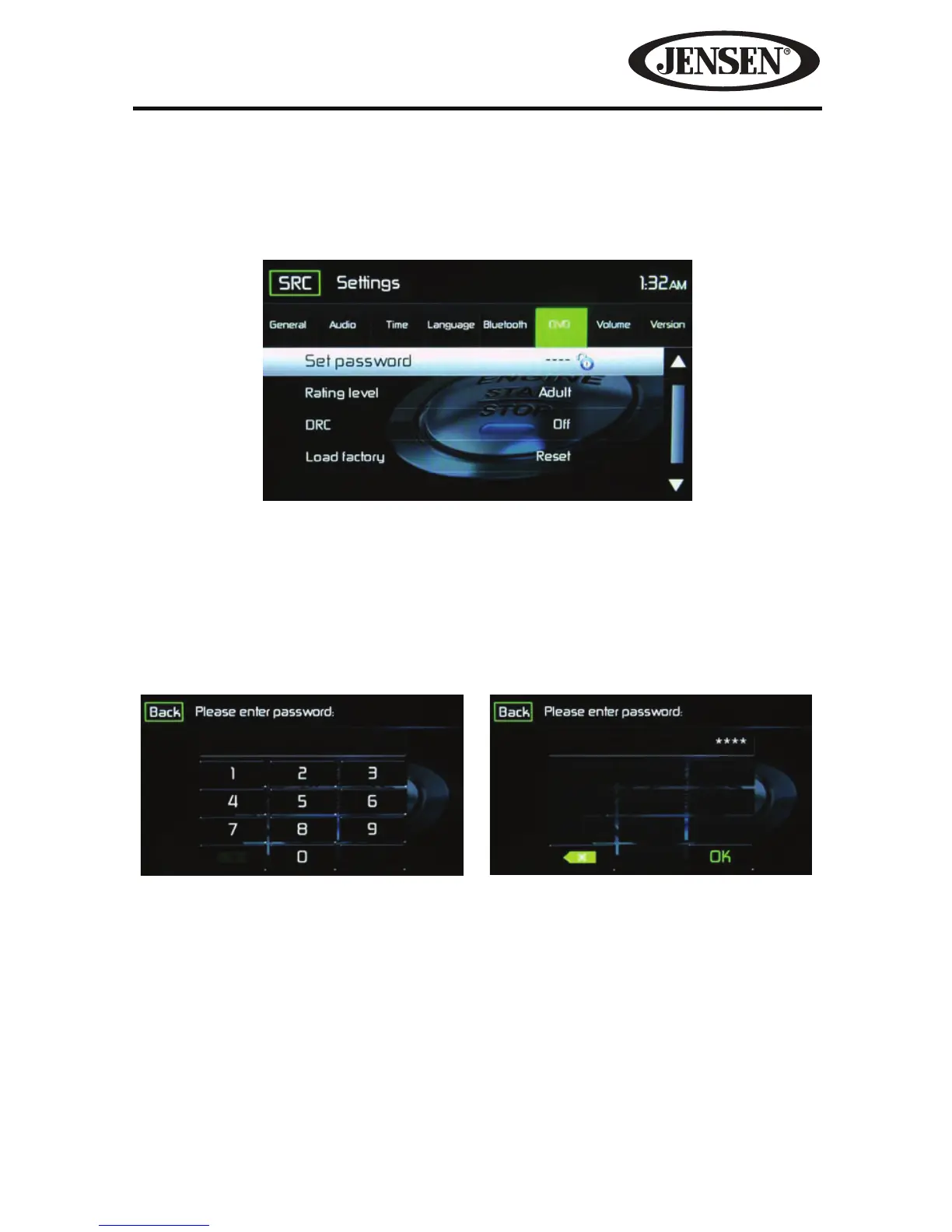
Set Password- This feature allows the user to create a unique 4-digit password to
activate or deactivate the “Rating” option.
1. Touch the Set Password Code icon and the Password entry screen will appear.
2. Use the keyboard enter a unique 4 digit Password. NOTE: If a wrong digit is
entered touching the green arrow will remove the number.
3. Touch OK to conrm 4 digit Password.
Rating Level- Select the appropriate rating level for the intended viewing audience.
(Kid Safe, G, PG, PG-13, PG-r, R, Nc-17, and Adult). The user may override higher
ratings by using the password.
DRC- This feature allows the user to turn the Dynamic Range Control ON for better
playback for low volumes or OFF.
Figure 18. DVD Sub-Menu Screen
Figure 19. DVD Password Screens
Password Entry Screen Password Conrmation Screen



 To Next Page