35
VX6020
CD OPERATION
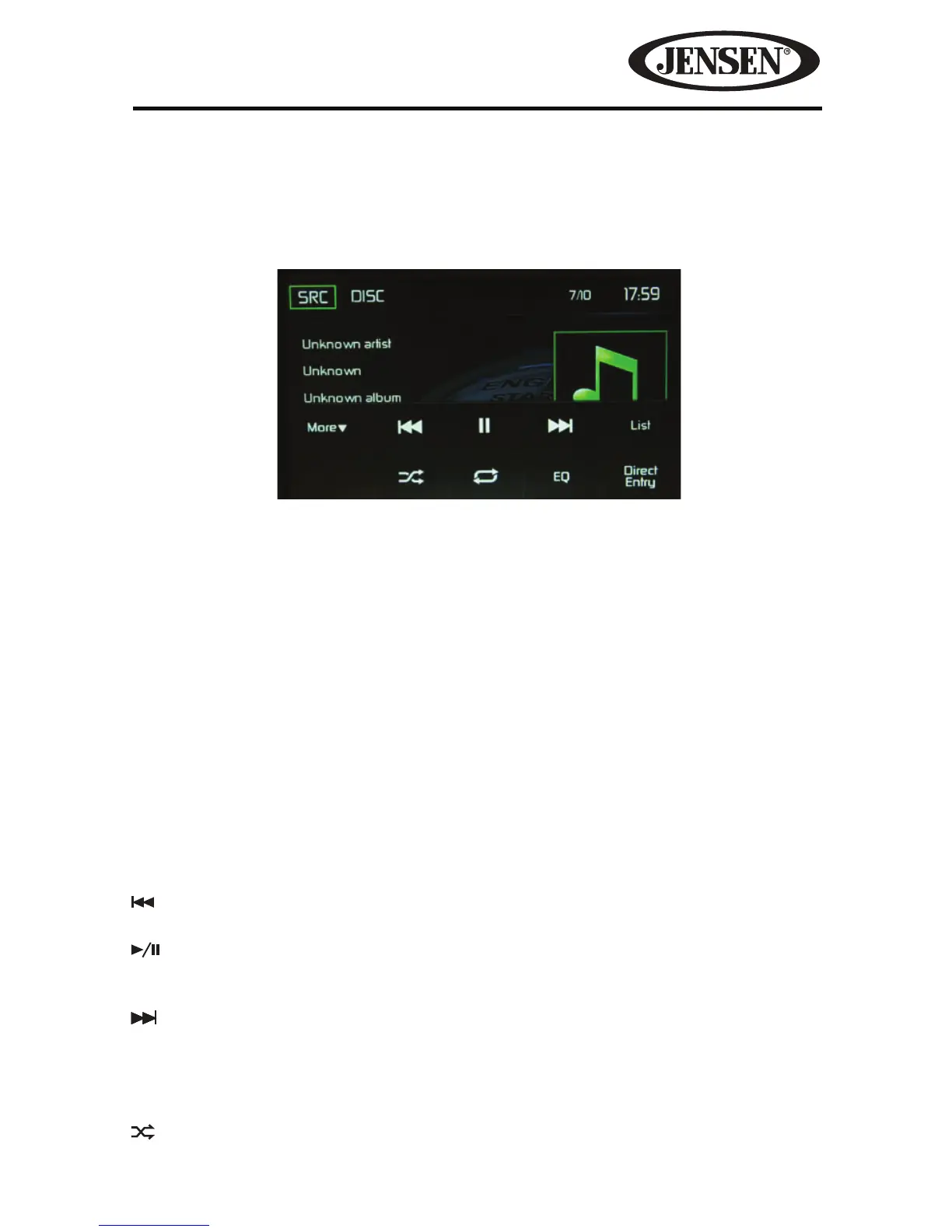
CD Main Menu
From the Main Menu Screen touch the DISC icon or insert a CD into the disc slot,
label side up. Playback begins in CD mode when a disc is inserted correctly.
SRC Icon- Touch this icon to return to the Main Menu Screen.
DISC- Displays the current source.
Track Number- Lists the current track playing and the total number of tracks
contained on the disc.
Time Display- This indicator displays the time as entered by the user in the Settings
Menu.
CD Disc Information Display-
Displays the artist, the title of the track and the title
of the album.
More ( S/T )- Touch the S/T icons to display the next or previous page of the
Disc menu.
Previous- Touch this icon to play the previous track.
Play/Pause- Touch this icon to begin disc playback. Touch this icon again to
pause disc playback.
Next- Touch this icon to play the next track.
List- Touch this icon to access the list of tracks contained on the disc. Touch a desired
track icon twice and the track will begin playing.
Shue-Touch this icon to play tracks in the directory in a random order. The
icon will light on the main CD screen.
Figure 25. CD Main Menu



 To Next Page