62
VX6020
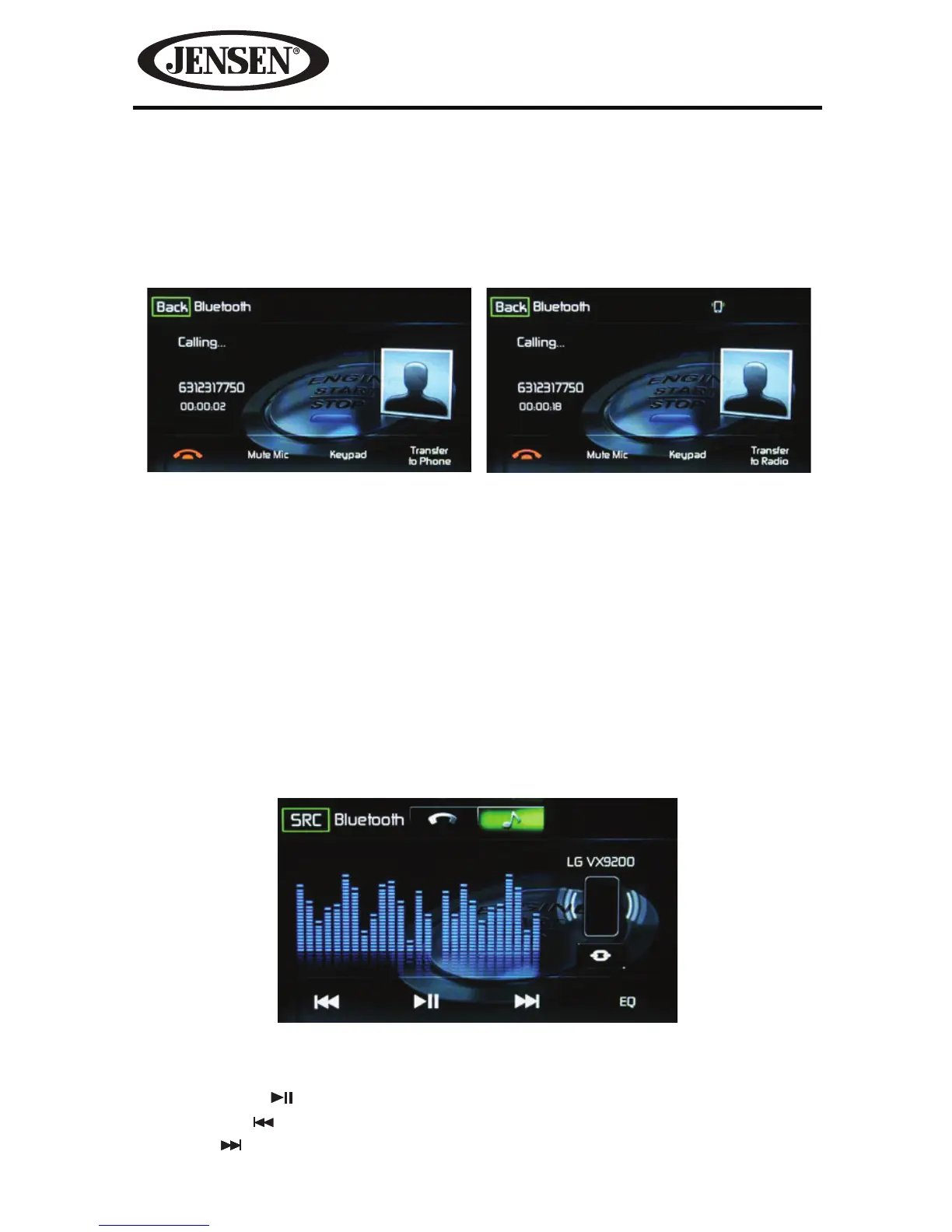
Call Transfer
While talking, to transfer audio from the unit back to the mobile phone, touch the
Transfer to Phone icon. You can only transfer a call after it has been answered.
Touching the Transfer to Radio icon will return the audio from the mobile phone
to the unit. Touch the Transfer Call icon and the following screen will appear:
Bluetooth Music Function
Bluetooth® provides an Advanced Audio Distribution Prole (A2DP) prole for
streaming music from a mobile phone or a portable multimedia player (PMP),
sometimes referred to as a MP3 player. The unit allows you to play back audio les
from your mobile phone or a PMP using a Bluetooth® connection.
NOTE: Please quit A2DP mode before attempting to make a phone call, as unexpected
results may occur depending on your mobile phone model.
The unit can control a Bluetooth® audio player via Advanced Audio Distribution
Prole (A2DP) or Audio/Video Remote Control Prole (AVRCP). Bluetooth® audio
players (or Bluetooth® adapters) compatible with these proles can be connected
to this unit. The following screen is used for streaming music.
While listening to audio the following functions are available:
1. Pause/Play (
) icon: Touch to pause playback. Touch again to resume playback.
2. Previous (
) icon: Touch to play the previous track.
3. Next (
) icon: Touch to play the next track.
Figure 51. Call Transfer Screens.
Transfer to Phone Screen Transfer to Radio Screen
Figure 52. Bluetooth Audio Control Screen



 To Next Page