System 450™ Series Control Module with Ethernet Communications Installation Instructions22
The User password allows you to access the System
Setup screens from the System Status screens
(Figure 6).
When the User password is set to the factory-default
value of 0000, password-protected access is disabled,
and a password is not required to access the System
Setup screens and change control system parameters
and values. Changing the User password to a value
other than 0000 enables password-protected access.
The Admin password allows you access to the System
Setup screens just like the User password. The Admin
password also provides access to the User Password
Setup screens (Table 11) and the Administrator
Password Setup screens (Table 12), and change the
password values. The factory-default Admin password
is 1234.
The User and Admin Password Setup screens behave
differently than the other System Setup screens. In the
System Setup screens, the entire parameter value
blinks and you enter an entire new value, then press
to save the entire value and go to the next screen.
In the User and Admin Password Setup screens, you
must enter each digit in a screen individually and press
to save the single-digit value and go to the next digit
in the four-digit password string.
When you press to save the last digit in the Change
User Password or Change Admin Password screens,
the password is saved and the UI displays the next
screen. When you press to save the last digit in the
Confirm Admin Password screen, the password is
confirmed and the UI displays the Validate Admin
Password Change screen.
Note: After you have selected and saved a digit, you
cannot go back and change the digit. You must
navigate to the change password screen and re-enter
the entire four-digit password with the correct digits.
Note: If you change the Admin password, be sure to
record and store the password. If you do not recall the
Admin password in the future, you cannot access the
System Password Setup screens. If you do not recall
the User password (after it is changed from the default
0000), you cannot access the System Setup screens.
Table 11 provides procedures for and information on
changing the System 450 User password.
Table 11: System 450 User Password Setup Screen Information and Procedures (Part 1 of 2)
LCD Screen Name, Description or Function, User Action, and Example
User Password Setup Start Screen: From the User Password Setup Start screen, you can access the
User password setup screens and change the User password.
1. In the User Password Setup Start screen, press to go to the User Password Setup Access
screen.
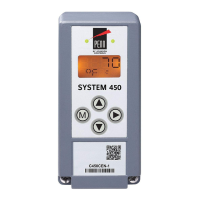
The screen example shows the User Password Setup Start screen.
User Password Setup Access Screen: Provides password-protected access to the Change User
Password screen. You must know the control system’s Admin password to access the Change User
Password screen. The factory-set default Admin password is 1234.
2. Press or to select the first digit of the Admin password, then press
to save the selected
first digit and go to the second digit of the Admin password. Press or to select the
second digit of the Admin password, then press
to save the selected second digit and go to
the third digit of the Admin password. Repeat for the third and fourth digit of the Admin
password.
• If the correct Admin password is entered, the Change User Password screen appears. Go to
Step 3.
• If an invalid Admin password is entered, the Main screen appears and you must repeat the
access sequence and enter the correct digits for the Admin password to access the Change
User Password screen.
The screen example shows the User Password Setup Access screen with the default Admin password
entered.


 To Next Page
 Loading...