Installation
2–20 iSTAR Ultra Installation and Configuration Guide
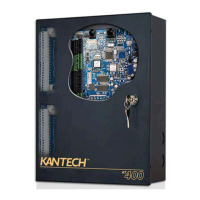
Table 2-13: IP-ACM Metal Enclosure Dimensions
To Install the IP-ACM and Metal Enclosure:
1. Open the door of the IP-ACM metal enclosure.
2. Secure the enclosure to selected wall or support surface using holes provided in the
enclosure’s base. Refer to Table 2-3 for dimensions and hole pitch for mounting.
3. Fit and connect all customer cables. See the IP-ACM Ethernet Door Module Quick Start Guide
regarding power and wiring requirements.
4. Close and secure the metal enclosure cover.
Item Dimension
Weight ~2.6lb (~1.2kg)
Height 8.25in (209.6mm)
Width 7.34in (186.5mm)
Depth 3.46in (87.8mm)


 To Next Page
 Loading...