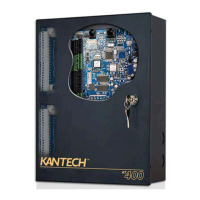
iSTAR Ultra Network Topology
iSTAR Ultra Installation and Configuration Guide 3–3
Local Address Management
Although it is not required, System Managers who want to maintain local address
management can configure iSTAR Ultra with locked IP addresses. Locked IP addresses retain
the iSTAR Ultra address that is specified locally or by a local Dynamic Host Configuration
Protocol (DHCP) server. When IP addresses are locked, iSTAR Ultra communicates across
gateways using only the IP address that you configure: translated addresses are not accepted.
Before you lock an IP address, ensure that it is reliable (not subject to translation) and can be
reached from the local network.
Example:
The example displayed in Figure 3-2 on page 3-4 shows a locked iSTAR Ultra configuration.
To configure this cluster, the System Manager is in the branch office:
Use PING to check communication to the exposed (translated) address from the Corporate
Office.
Use the ICU to configure the master controller and lock the exposed C•CURE address.
Use the ICU to configure the member controllers and lock the local subnet addresses.
2008 iWATCH connection port. Not open by default, but can be
enabled via web page diagnostic settings.
TCP iWATCH
28004 Used to accept signed certification for encryption. TCP Encryption
28009 iSTAR Ultra incoming encrypted member connection port. TCP iSTAR Member
255 ICMP broadcast. raw Host
2900 Communication to the IP-ACM TCP Communication
30000-60000 This port number is generated during bootup and is the stunnel
communication for C
•CURE [port 28010 (stunnel)].
TCP Server
2001 iSTAR port for ICU broadcasts. UDP ICU
Table 3-1: TCP Ports, continued
Port Description Protocol
Destination
System


 To Next Page
 Loading...