5-27
• RMC MAG CORR: You can select automatic or manual magnetic correction.
When you select automatic, correction is automatically calculated for
the correction value from the GPS position and output the data
(except sensor through port in Data IN/OUT 1 connector).
When you select manual, correction is performed using a manually
entered value.
• 5Hz DISPLAY: Turning ON will change a display-updating cycle for the
Latitude/Longitude, SOG, and COG displays to every 5Hz (200msec).
Turning OFF will change a display-updating cycle back to the normal
setting of every 1 sec.
However, the updating cycle of the Latitude/Longitude, SOG, and
COG output data for external devices is set in Data I/O Menu
regardless of this setting. (Refer to 5.3.7 Data I/O Settings
(DATA I/O) for details.)
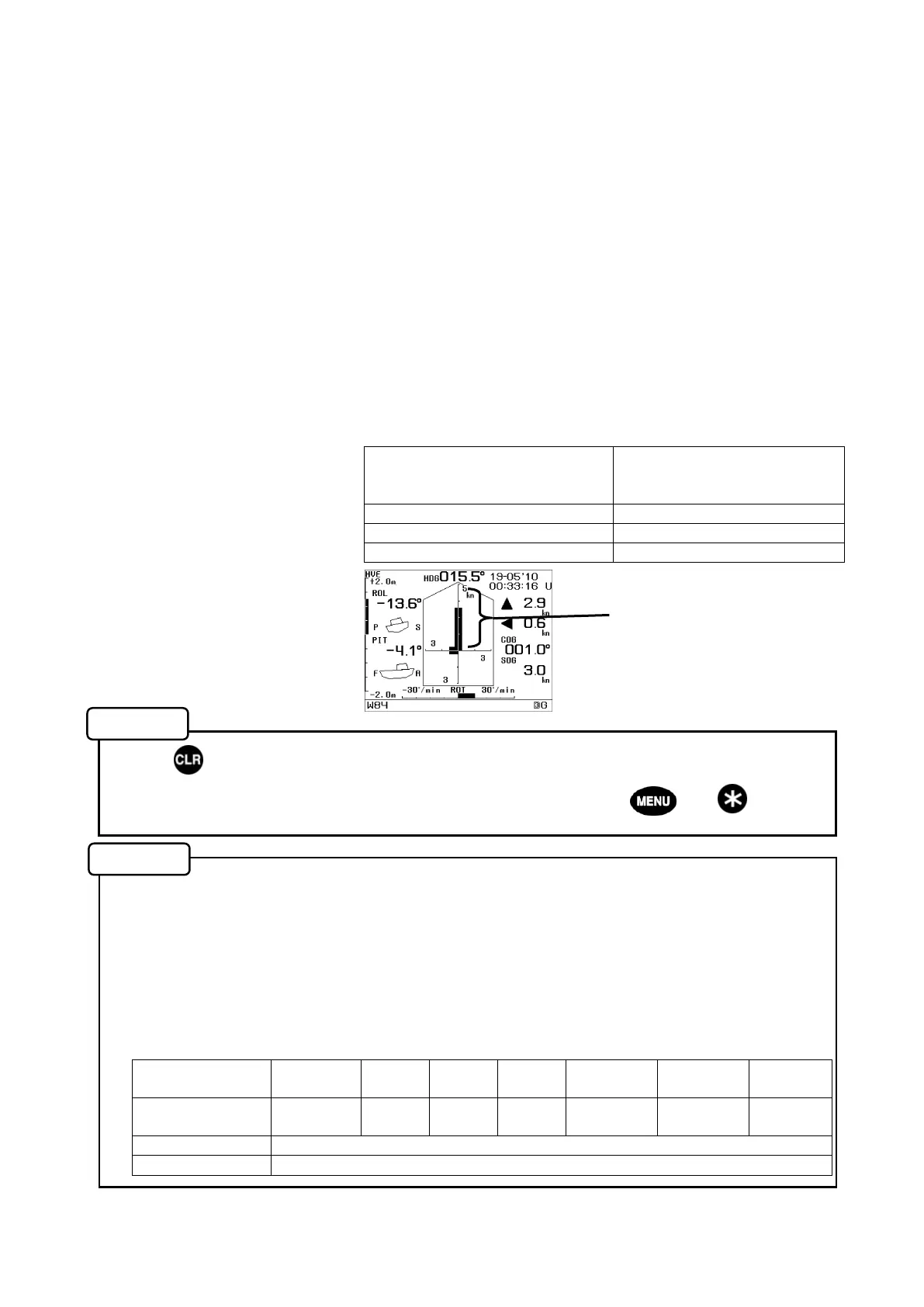
• SOG BAR RANGE : Set the maximum value for the SOG bar range from the following.
Applicable to the Compass screens E and F, and the Trend Graph
screen.
• Press to return to the system settings.
• Settings can be changed in Maintenance Mode (Press and hold both and for about
3 seconds to go to the mode.)
●Plot interval of the trend graph
The display range of X-axis (time axis) in the trend graph can be changed by the ▲,▼
keys. (Select from 1 min, 5 min, 30 min, 1 hr, 3 hrs, 5 hrs, or 12 hrs.)
The plot interval of each display range is shown in the following table. The longer the display
range, the longer the plot interval, and a change in the period of time shorter than this interval is
not displayed (plotted.)
<Plot Interval>
Display range of
X-axis
1min. 5min. 30min. 1hour. 3hour. 5hour. 12hour.
Plot interval
every
1sec.
every
4sec.
every
24sec.
every
48sec.
every
144sec.
every
240sec.
every
576sec.
Average The average in each plot interval
Maximum The maximum of the absolute value in each plot interval
Unit of measure configured in
SPEED UNIT in the SYSTEM
menu
Available range
kn 5,10,15,20,25,30,50,100
km/h 9,19,28,37,46,56,93,185
mi/h 6,12,17,23,29,35,58,115
SOG bar range is set to this
axis (vertical axis) on this
screen. (Compass F screen)
Memo
Memo


 To Next Page