5.3 AIS OPERATION
540
5
yy
yyy
5.3.3 Setting AIS Display Function (AIS Function)
Switch the AIS symbol display function to ON/OFF.
Procedure 1 Press [TT MENU] key.
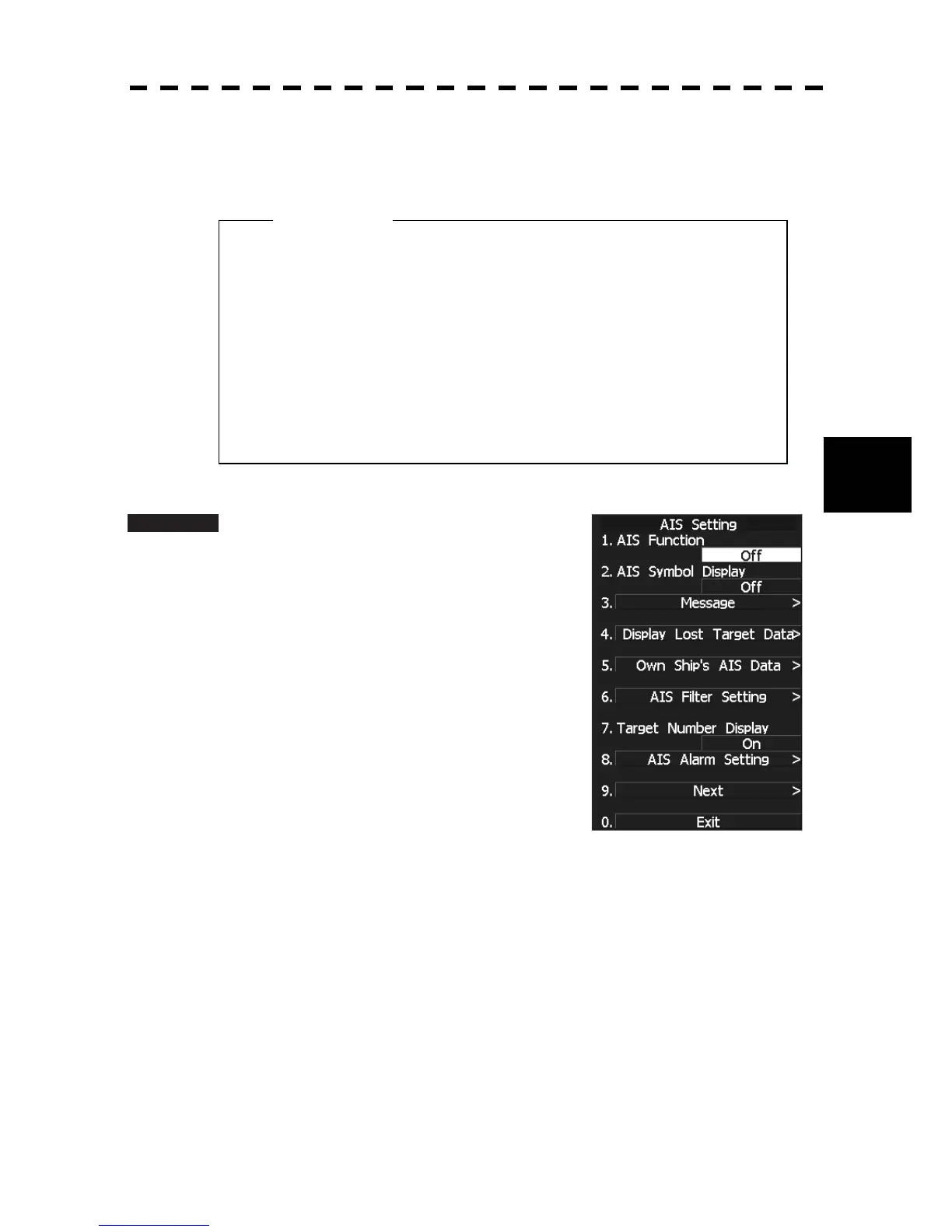
Press [2] key.
The AIS Setting menu will appear.
2 Press [1] key.
The AIS Function is switched between ON and
OFF.
ON: Enables the AIS display function.
OFF: Disables the AIS display function.
* Software button ԟ located at the other ship's information area in Section 2.3.6 is also available to switch
the display functions.
* Note that turning OFF this function switches all AIS display functions to OFF.
z When the AIS display function is set to OFF, no AIS
symbols are displayed.
z The AIS display function itself is turned OFF.
z Once the AIS display function is set to OFF, it is not
automatically switched to ON even if a dangerous
target exists.
Attention


 To Next Page
 Loading...