– 9 –
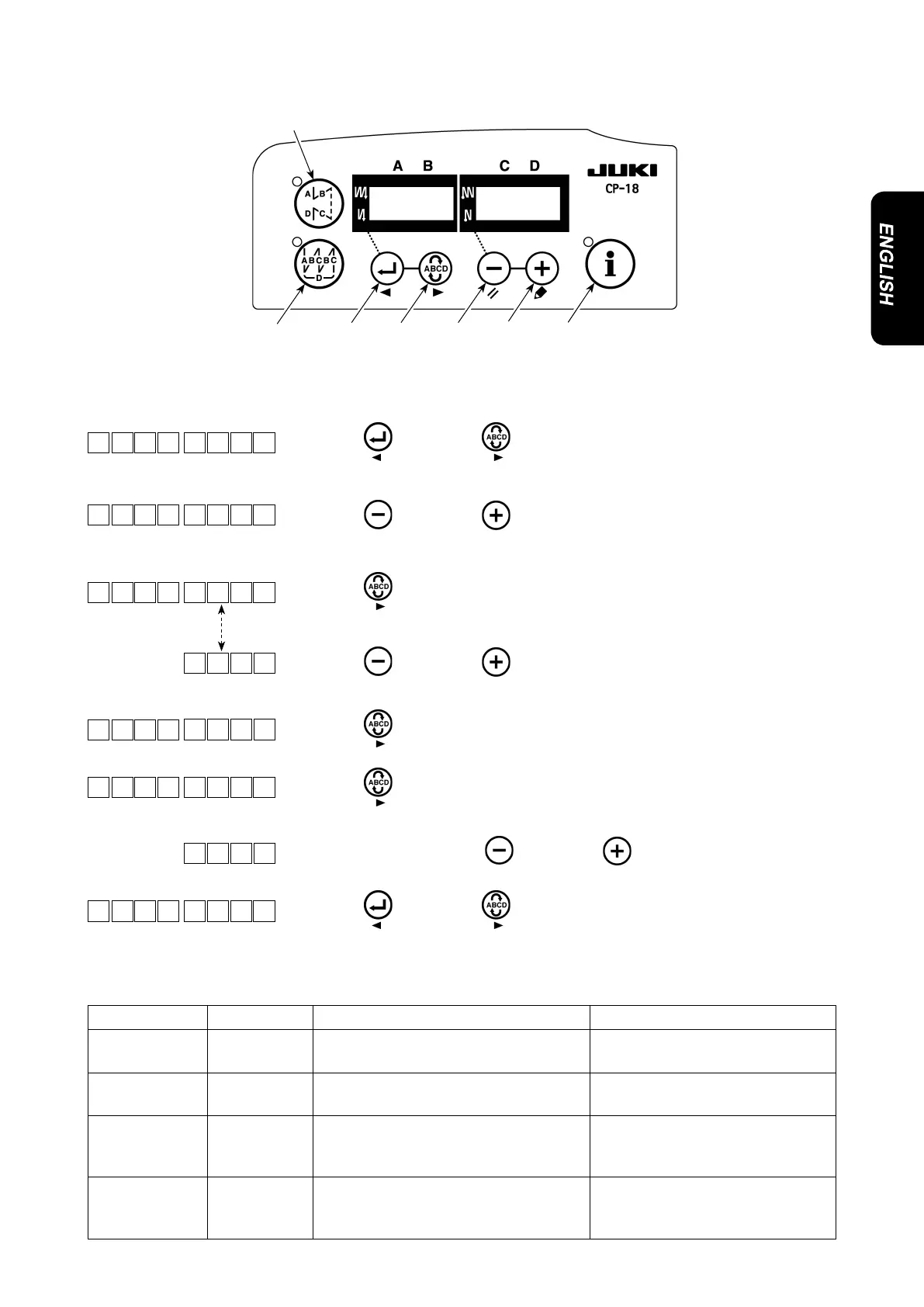
(4) Function setting of the knee switch
The lamps will be
on alternately.
1) Refer to "1. Setting of the mounted head, 1) How to enter into the function
setting mode” and enter into the function setting mode.
2) Press
switch
or switch
to call out function setting No.12
(option input/output function selection).
3) Press
switch
or switch
and select the item for "in”.
4) Press
switch
and select display i31.
5) Press
switch
or switch
to select the knee switch function.
Refer to list 4 for the details of the functions.
6) Press
switch
andxthefunction.
7) Press
switch
and end the option input.
8) Select "End” item using
switch
or switch
.
9) Press
switch
or switch
and return to the function setting
mode.
Function code Abbreviation Functional item Remarks
5 FL Presser lifter switch function Presser output will be ON while
the switch is being pressed.
31 ALFL Presser lifter alternate switch function Presser output will be ON or OFF
each time the switch is pressed.
24 vErT Alternate vertical movement amount
conversion alternate switch function
Alternate vertical movement
amount output will be ON or OFF
each time the switch is pressed.
25 vSW Alternate vertical movement amount
conversion switch function
Alternate vertical movement
amount output will be ON while
the switch is being pressed.
List 4
1 2 TPo _
Po T _ni _
L 5
3i 1 F L
3i 1
L 5
Po T i n
nE d
1 2 TPo _



 To Next Page
 Loading...



