22
SmartMedia
GETTING
READY
Compatible SmartMedia
You can use the following SmartMedia with your GC-S5:
• 2 MB, 5 V • 4 MB, 5 V • 8 MB, 5 V • 16 MB, 5 V • 2 MB, 3.3 V
• 4 MB, 3.3 V • 8 MB, 3,3 V • 16 MB, 3.3 V
By using a commercially available PC Card Adapter, these SmartMedia can be
used as PC Card Standard ATA-compliant PC cards (PCMCIA 2.1 Type II).
! CAUTION
Always refer to the Operating Instructions for the SmartMedia also.
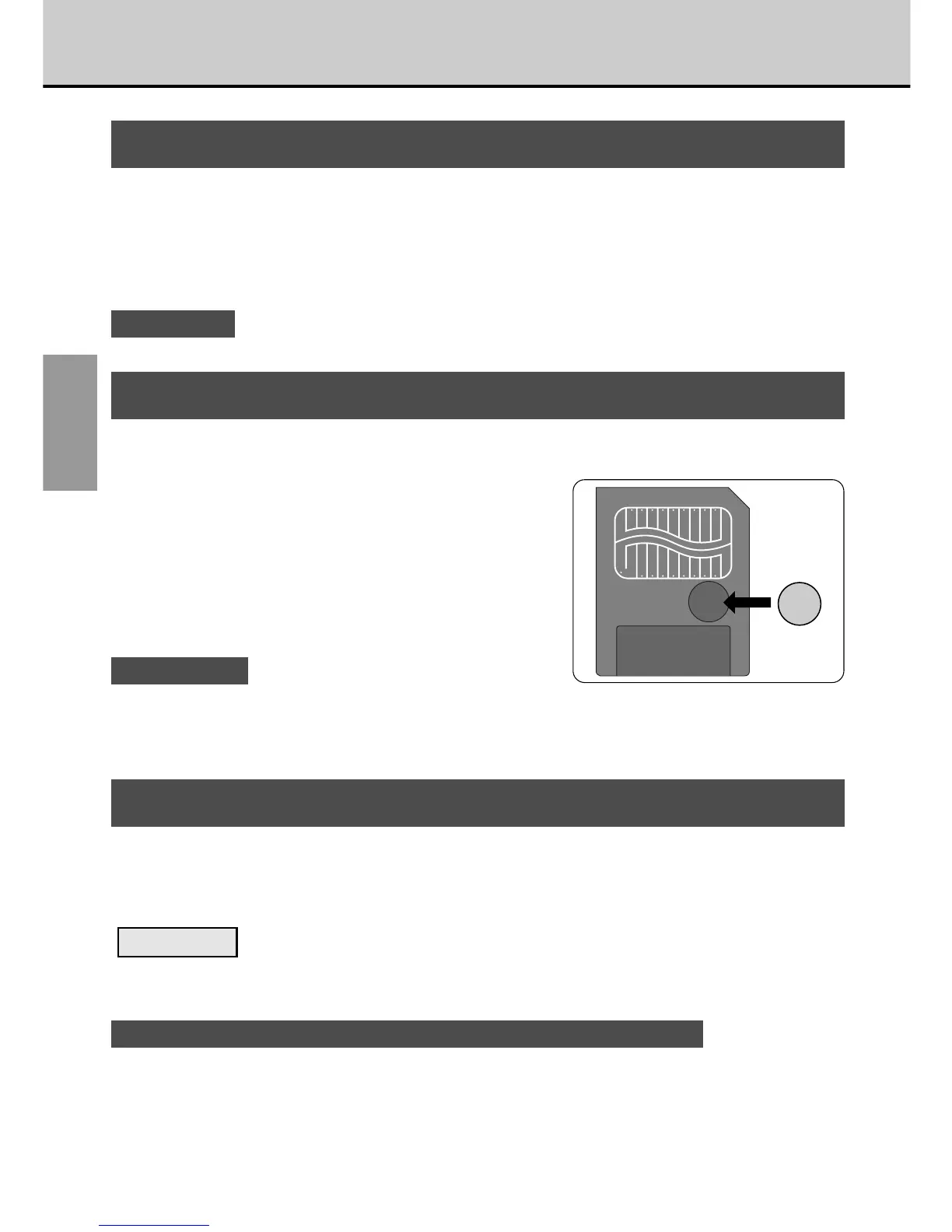
Write Protection
To prevent the inadvertent erasing of
important data, stick a write-protect sticker
over the write-protect area on the
SmartMedia. (Ensure that the sticker is firmly
pressed down flush with the write-protect
area and will not peel off.) This sticker makes
it impossible to record data to or erase data
from the SmartMedia.
To record or erase data, remove the sticker.
! CAUTIONS
• The write protection may not function if the sticker becomes soiled. Use a dry lint-free
cloth to wipe away any soiling.
• The SmartMedia write-protect feature does not operate when the SmartMedia is used in
the VU-V101 Floppy Disk Adapter (FlashPath).
Using a New SmartMedia
■ Formatting (Initialising) the SmartMedia
To record data on a new SmartMedia, you must first initialise the SmartMedia
using the GC-S5 (aP.59).
Formatting
Formatting a SmartMedia refers to the process of overlaying a format on the
SmartMedia so that data can be recorded (written) onto the SmartMedia.
! Notes on Using SmartMedia with Personal Computers (aP.80)



 To Next Page
 Loading...




