27
GETTING
READY
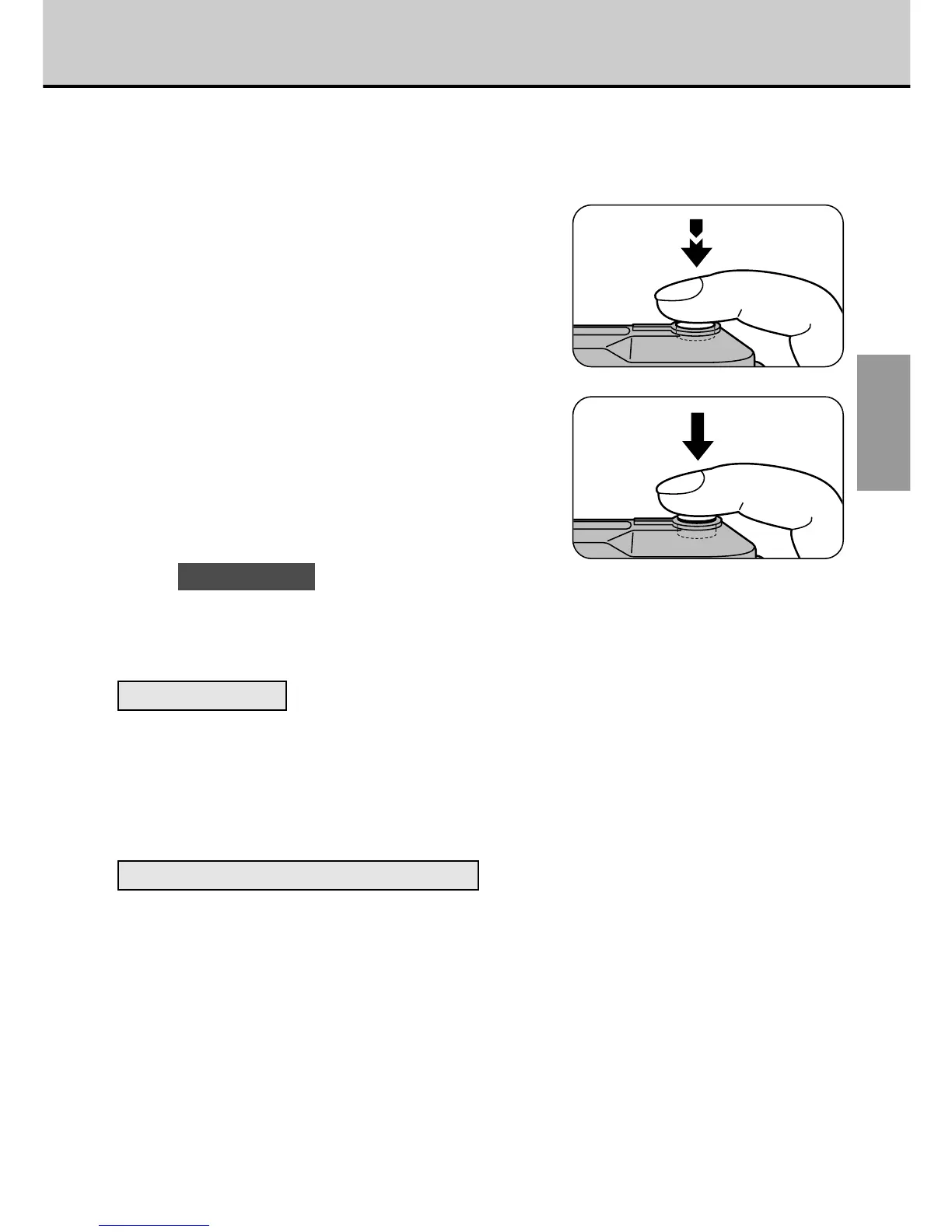
Pressing the Shutter Button
The shutter button on the GC-S5 has two positions. If you press the shutter
button lightly, it stops halfway down. Pressing the button beyond this point
activates the shutter and takes a picture.
1
Pressing halfway (pressing
lightly):
• AF (auto focus) and AE (auto
exposure) operation begins.
• The AF and AE settings are locked.
• The viewfinder lamp turns green.
2
Pressing fully (pressing the
button further down from the
halfway position):
• The electronic beep sounds and
the picture is taken.
! CAUTIONS
• Moving the camera as you press the shutter button will result in a blurred
image.
• Hold the camera firmly in both hands.
AF and AE Lock
On the GC-S5, the focus and exposure settings are locked (AF and AE lock)
when you press the shutter button down halfway. If you want to focus on a
subject that is not centered in the frame or change the picture composition
after the exposure is set (to photograph a backlit subject, for example), you
can obtain good results by changing the composition after the AF and AE
settings are locked.
Subjects Not Suitable for Autofocus
The GC-S5 uses an accurate auto focus mechanism. However, the GC-S5 may
have difficulty focusing or not be able to focus at all for subjects and situations
such as the following:
• Subjects moving at high speed.
• Very shiny subjects such as a mirror or
car body.
• When there is very little contrast.
• Subjects that do not reflect well, such
as hair or fur.
• Subjects with no solidity, such as
smoke or flames.
• Subjects viewed through glass.
• Subjects that merge into the
background (such as white walls or
subjects dressed in the same color as
the background).
• When the subject is distant and dark.
• When there are objects in front of or
behind the subject (such as an animal
in a cage or a person in front of a tree).



 To Next Page
 Loading...




