12
Using this Product (Operation)
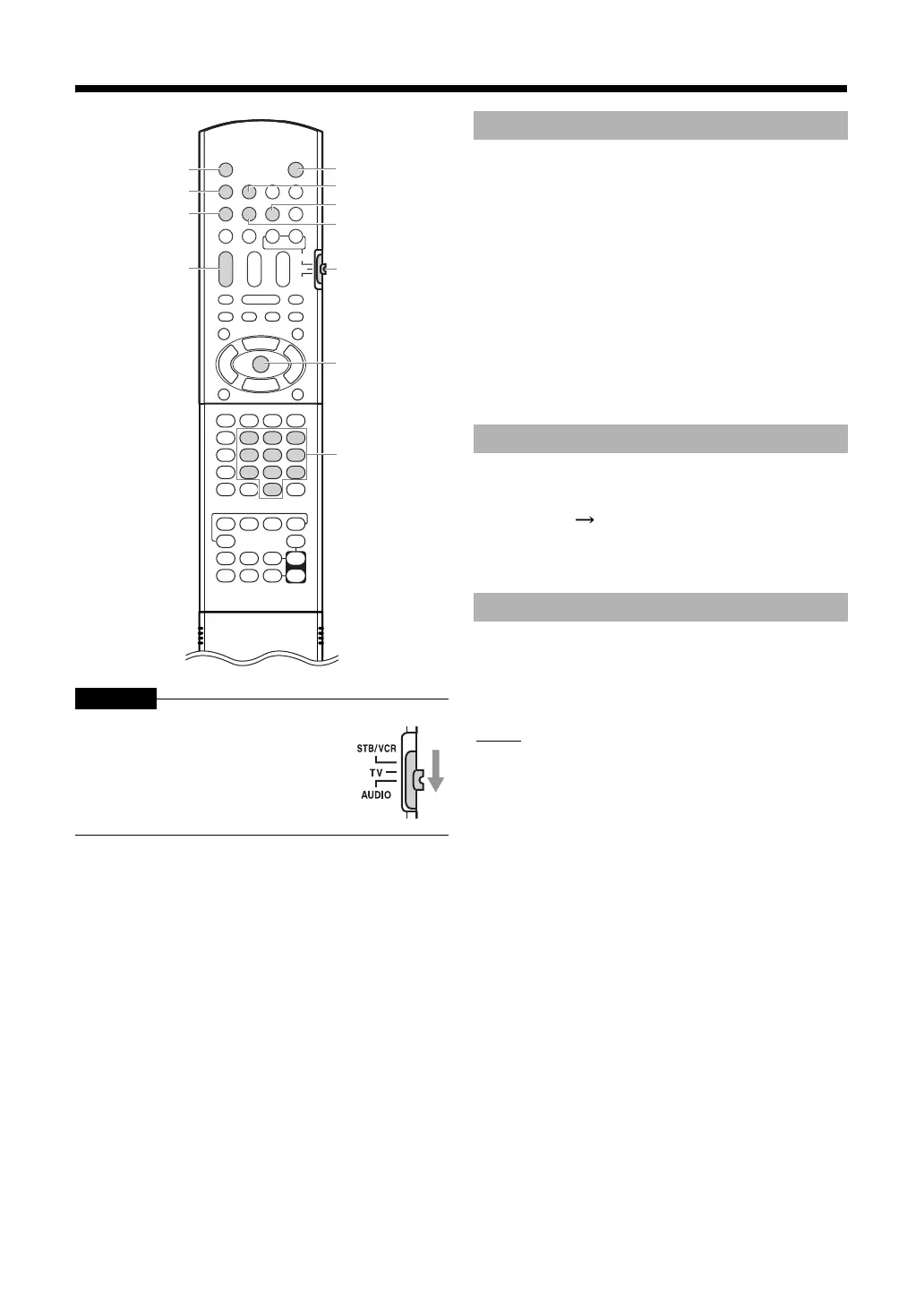
CAUTION
Press [A AUDIO] on the remote control
or [A] on the main unit.
•Press [A AUDIO] on the remote control or [A] on
the main unit again to turn off the main unit.
• With the power off, pressing any of the following
buttons also turns on the main unit.
-[DISC], [NETWORK], [SD], [FM/AM], [AUX], or [M]
on the remote control.
-[M], [DISC] or [NETWORK] on the main unit.
•The function assigned to the button starts working
at the same time.
•Pressing [M] and turn the unit on, DISC will be
selected for a source.
Examples:
5: [5]
15: [1] [5]
150: [1] [5] [0]
• After entering the numbers, press [ENTER] or wait
for 4 seconds to confirm the entry.
Press [AUDIO VOL +/-].
•Adjustable volume range is from 0 to 60.
•You can also adjust the volume by pressing
[VOLUME +/-] on the main unit.
NOTE
• Refer to “Adjusting the volume level for surround
rear/subwoofer sound” on page 35 for adjusting the
volume of the subwoofer.
Slide the remote control mode selector
to [AUDIO].
M
the number
buttons
FM/AM
DISC
A AUDIO
AUDIO
VOL +/-
SD
Remote
control
mode
selector
AUX
NETWORK
ENTER
Turning on the main unit
Using the number buttons
Adjusting the volume



 To Next Page
 Loading...


