32
CAUTION
When playback is stopped in the middle, playback
can be started from the stopped position.
When a disc/file is played back, follow any of
the operations below.
When “RESUME” is displayed in the display
window after pressing [o].
Press [;].
When the main unit is turned off after pressing
[A AUDIO].
Press [DISC].
NOTE
•This function does not work in program playback or
random playback.
•You can deactivate the resume playback function.
(Refer to “RESUME” on page 56)
•The resume playback funtion does not work if the
source is changed or the unit is turned off when the
source is NETWORK or SD.
Press [o] twice.
NOTE
•The stored position is also cleared if the disc tray is
opened.
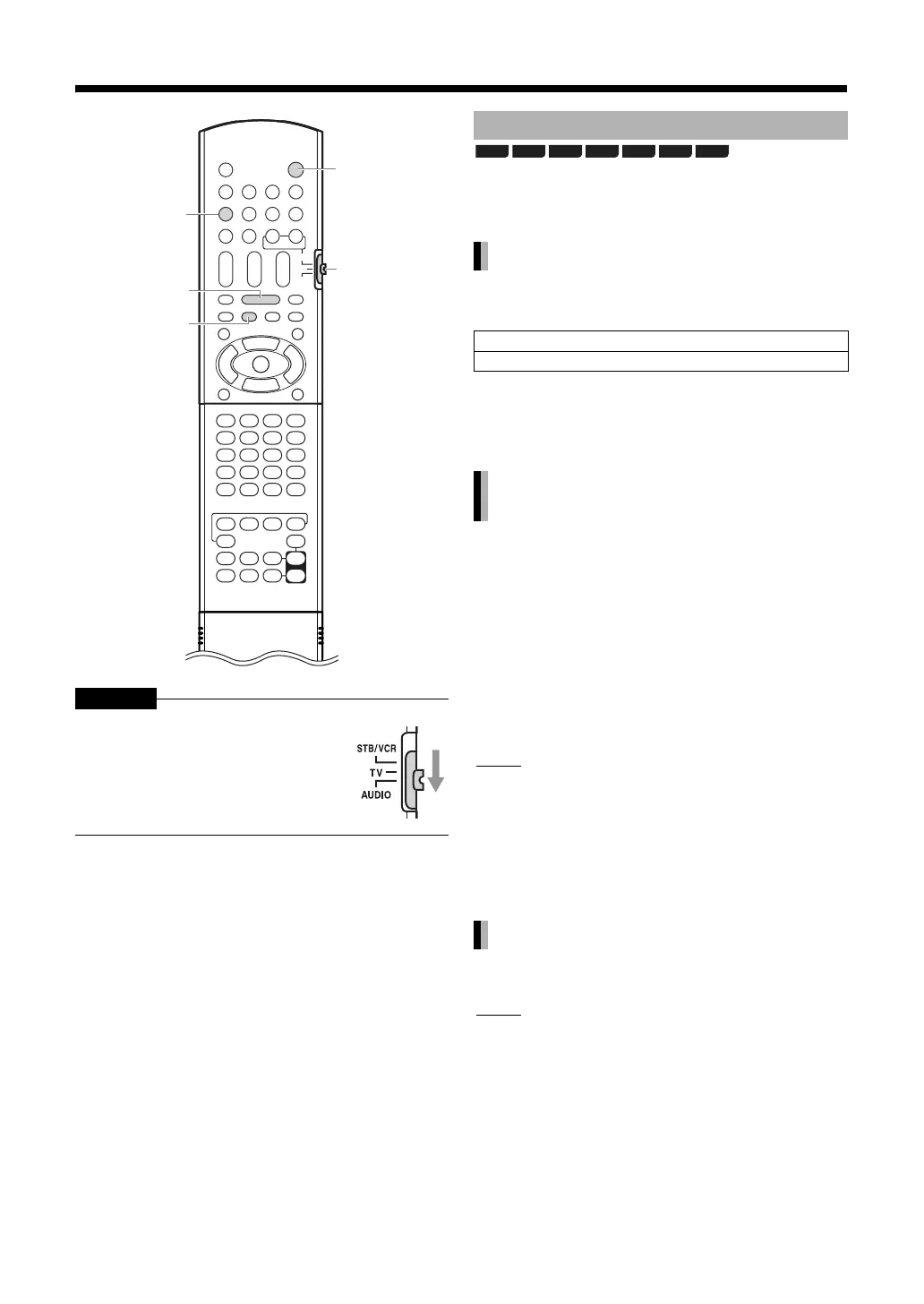
Slide the remote control mode selector
to [AUDIO].
A AUDIO
Remote
control
mode
selector
;
o
DISC
Resuming playback
Temporarily stopping playback
Press [o] once.*1
Press [A AUDIO] to turn off the main unit.
*1 “RESUME” is displayed in the display window.
After this operation, the position where playback
has been stopped is stored even when the main
unit is turned off by pressing [A AUDIO].
Starting playback from the stored
position
Clearing the stored position
BD-V BD-AV DVD-V
DVD-VR
CD SD
AVCHD



 To Next Page
 Loading...


