40
(Continued on the next page.)
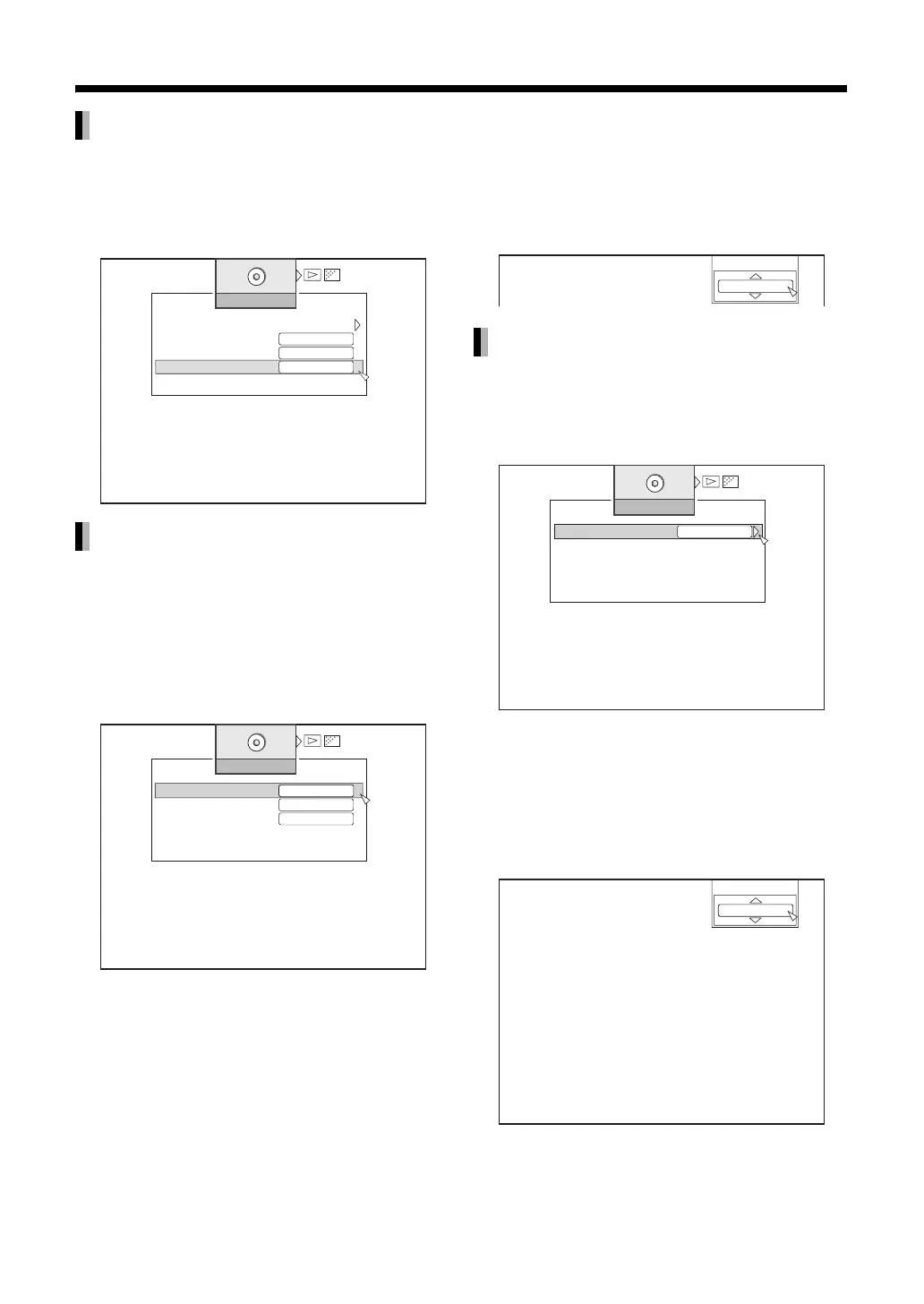
You can change the angle settings of data recorded
on a BD Video/DVD VIDEO disc during playback.
Select “CHANGE ANGLE” using [J / K]
then press [ENTER].
You can change the audio settings of data recorded
on a BD Video/DVD VIDEO/AVCHD disc and DivX
video files during playback.
Select “AUDIO LANGUAGE” using [J /
K] then press [ENTER].
• A pop-up window appears when multiple audio files
have been recorded. Select accordingly.
You can use other buttons on the remote
control to set.
(Without opening the PB MODE menu.)
1 Press [AUDIO].
2 Use [J / K] and [ENTER] to control
the preference screen.
•Instead of [J / K], you can also press [AUDIO]
to select.
You can change the main/sub audio settings of data
recorded on a BD-AV/DVD-VR disc during playback.
Select “CHANGE AUDIO OUTPUT”
using [J / K] then press [ENTER].
You can use other buttons on the remote
control to set.
(Without opening the PB MODE menu.)
1 Press [AUDIO].
2 Use [J / K] and [ENTER] to control
the preference screen.
CHANGE ANGLE
AUDIO LANGUAGE
-
-
DISC SETTING
SIGNAL TYPE
SUBTITLE
SUBTITLE STYLE
OFF
CHANGE ANGLE
1
DISC SETTING
AUDIO LANGUAGE
SUBTITLE
CHANGE ANGLE
OFF
1.ENGLISH
CHANGE AUDIO OUTPUT
AUDIO LANGUAGE
1.ENGLISH
DISC SETTING
CHANGE AUDIO OUTPUT
L/R
CHANGE AUDIO OUTPUT
1.MAIN



 To Next Page