Instructions for use DSE Expert
5 Operation | 5.6 Using functions through the menu
Start-up ENDO menu
▶ The ENDO menu is started-up through:
• Taking the ENDO motor out of the dentist element (setting in user menu, option
5)
• activating the (M) "Additional motor drives" key afterwards
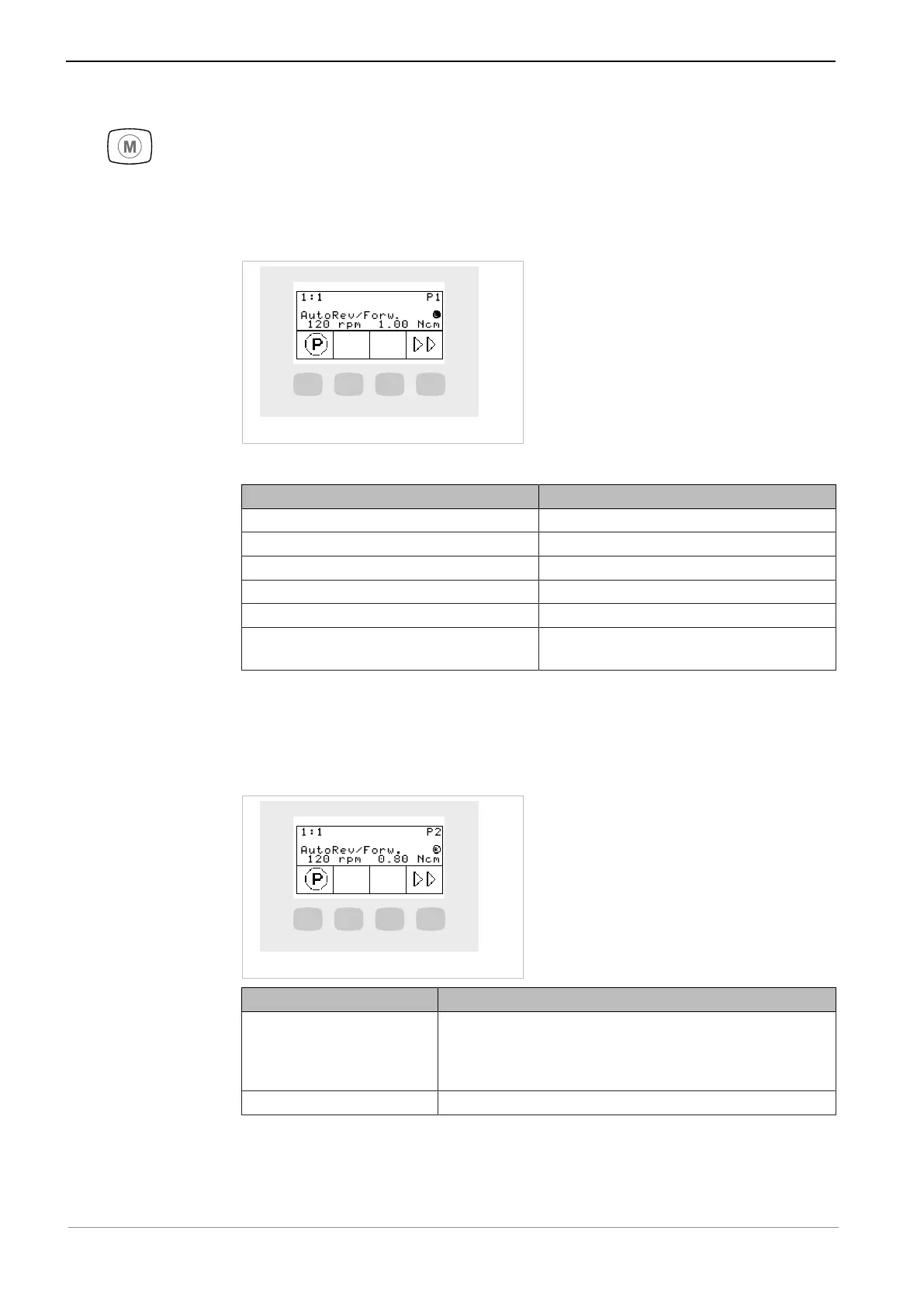
ENDO status menu
The status of the ENDO motor is displayed in the ENDO menu:
Parameters Values
Transmission factor 1:1, 3:1
Parameter memory P1,P2,P3,P4,P5,P6
Torque mode TQ-Ctrl, Autoreverse, AutoRev/Forw.
Direction of motor rotation R, L
Speed 100 to 6,000 rpm
Torque Transmission ratio 1:1: 0.15 to 2.50 Ncm
Transmission ratio 3:1: 0.4 to 8.0 Ncm
Using the ENDO menu
Displaying parameters
▶ Press the respective keys on the display to navigate between parameters.
Key Settings
S1 (short)
(Briefly) press the "SP/
Blown air" foot-operated
button
Displays the next set of parameters
1,2,3,4,5,6,1,..(ring counter)
S4 Selects the ENDO options menu
Setting the ENDO menu
▶ Press the "S1" key for an extended time to select the ENDO settings menu. The
individual parameters can be set and changed in this menu.
51 / 74


 To Next Page
 Loading...