Instructions for use DSE Expert
5 Operation | 5.6 Using functions through the menu
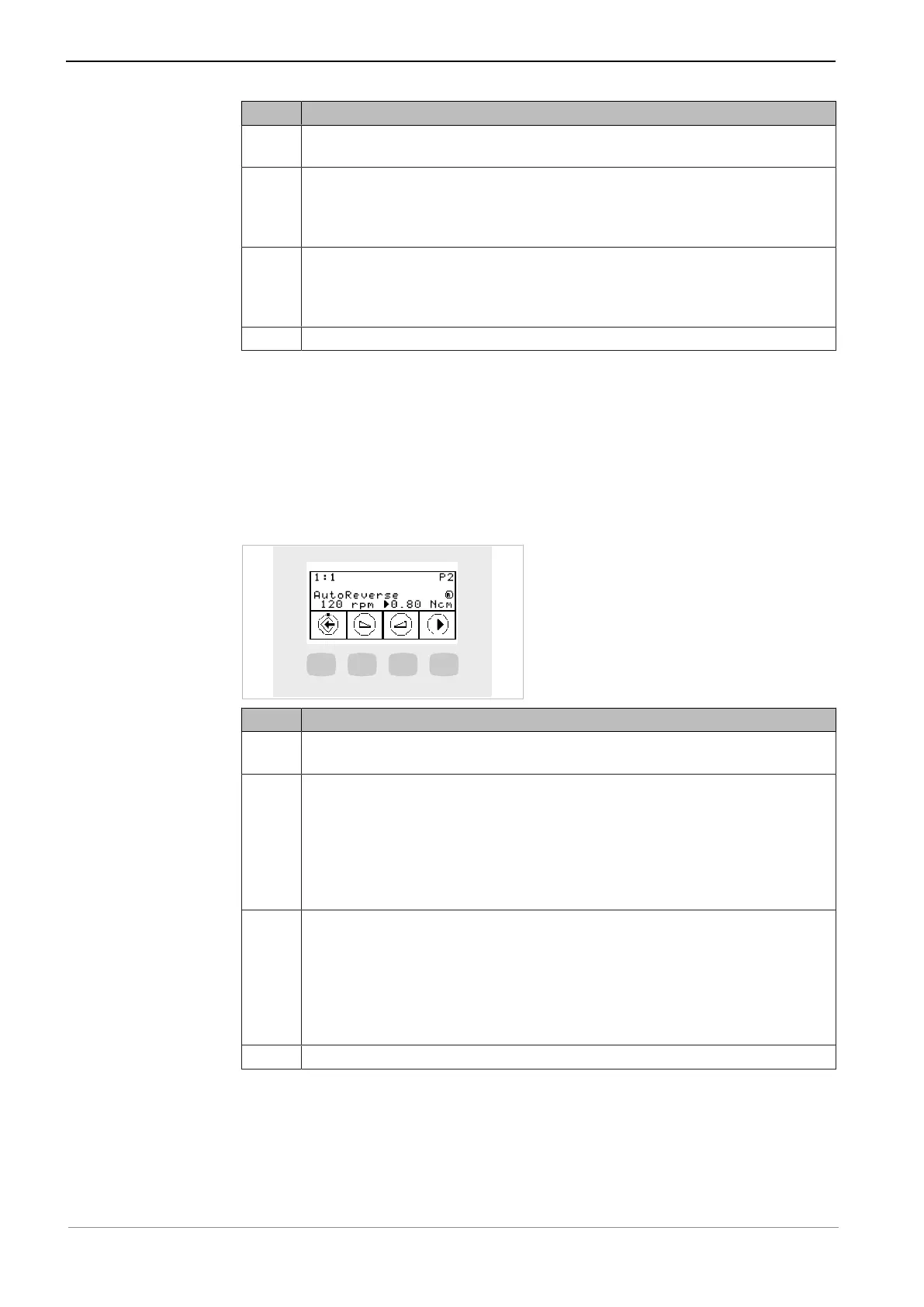
Key Settings
S1 Saves the parameters
Selects the ENDO menu
S2 Changes the speed
Range: 100 rpm to 500 rpm: in 10 rpm increments
Range: 500 rpm to 1,000 rpm: in 50 rpm increments
Range: 1,000 rpm to 6,000 rpm: in 100 rpm increments
S3 Changes the speed
Range: 100 rpm to 500 rpm: in 10 rpm increments
Range: 500 rpm to 1,000 rpm: in 50 rpm increments
Range: 1,000 rpm to 6,000 rpm: in 100 rpm increments
S4 Moves the flashing cursor
Setting the torque
▶ The torque parameter can be changed after selecting it in the settings menu.
ð The selected parameter is marked by a black triangle on the display.
▶ Sets the maximum torque.
ð The torque is limited to the set maximal value.
ð The ENDO warning signal is issued when 90% of the pre-set maximal value are
reached.
Key Settings
S1 Saves the parameters
Selects the ENDO settings menu
S2 Changes the torque
1:1 transmission ratio
Range: 0.15 Ncm to 2.5 Ncm: in 0.05 Ncm increments
Range: 1% to 100%: in 2% increments
3:1 transmission ratio
Range: 0.4 Ncm to 8.0 Ncm: in 0.05 Ncm increments
Range: 1% to 100%: in 1% increments
S3 Changes the torque
1:1 transmission ratio
Range: 0.15 Ncm to 2.5 Ncm: in 0.05 Ncm increments
Range: 1% to 100%: in 2% increments
3:1 transmission ratio
Range: 0.4 Ncm to 8.0 Ncm: in 0.05 Ncm increments
Range: 1% to 100%: in 1% increments
S4 Moves the flashing cursor
ENDO options menu
▶ Press the "S4" key to select the ENDO options menu.
53 / 74



 To Next Page