Chapter 4. Parts and Controls
16 Kaye LTR -90 Operating Manual
4.1.4 Startup and Main Screen
When the Calibrator turns on, the system initializes, does a self-check, then shows a startup screen that shows the
model number and firmware version information. If the self-check finds an error, the error is shown on the Startup
screen. Contact Amphenol Advanced Sensors Customer Service if an error shows on the Startup screen.
After the start-up initialization is complete, the Startup screen disappears and the Main screen shows on the display.
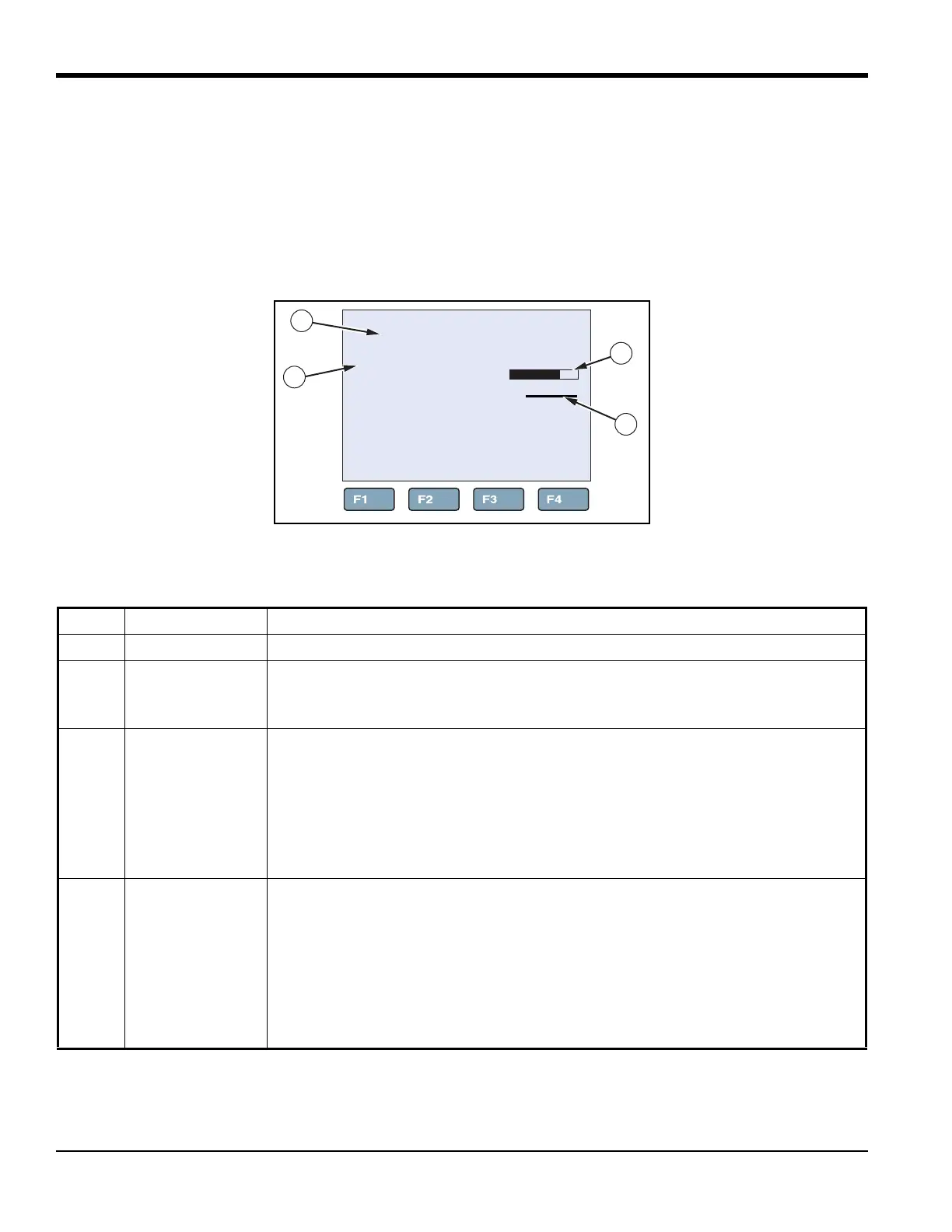
Table 7 below shows and describes the indicators on the Main screen.
Figure 6: Main Screen
Table 7: Main Screen
Item Name Function
1 Block Temperature Temperature of the internal temperature block.
2 SETPOINT
Temperature
Target SETPOINT temperature. A set temperature value is referred to as a
“SETPOINT”. The Calibrator uses the SETPOINT value to know what temperature to
heat or cool to.
3 Heating/Cooling
Status
Shows the mode the calibrator is in. The modes are: OFF, COOL, HEAT, and
CUTOUT. The bar under the mode corresponds to the percent heating or cooling. The
bar is blank at 0% when HEATING or COOLING is off or not necessary. The bar is
completely dark at 100% HEATING or COOLING. CUTOUT is a feature that shuts off
power to the heat source if the well temperature exceeds the set limit value. CUTOUT
shows when a limit has been exceeded. For more information on CUTOUT, see
“Cutout” on page 27.
4 Stability Status
Indicator
Visually shows if the block temperature is stable and within the Stability Limits.
When temperature of the internal temperature block is not within the Stability Limits,
the indicator shows a wavy line (~). When the temperature is within the Stability
Limits, the indicator shows as a flat line (---) which indicates that a measurement can
be made. See “Stable Limits” on page 26.
Note: To prevent inaccurate measurements, do not make measurements until the
Stability Indicator shows as a flat line (---).
-80.01 °C
SETPT: -80.00°C
COOL: 67%
1
2
3
4



 To Next Page