Kaye LTR -90 Operating Manual 35
Chapter 6. Calibrator Operation
6.1.8 System Menu (SYSTEM MENU)
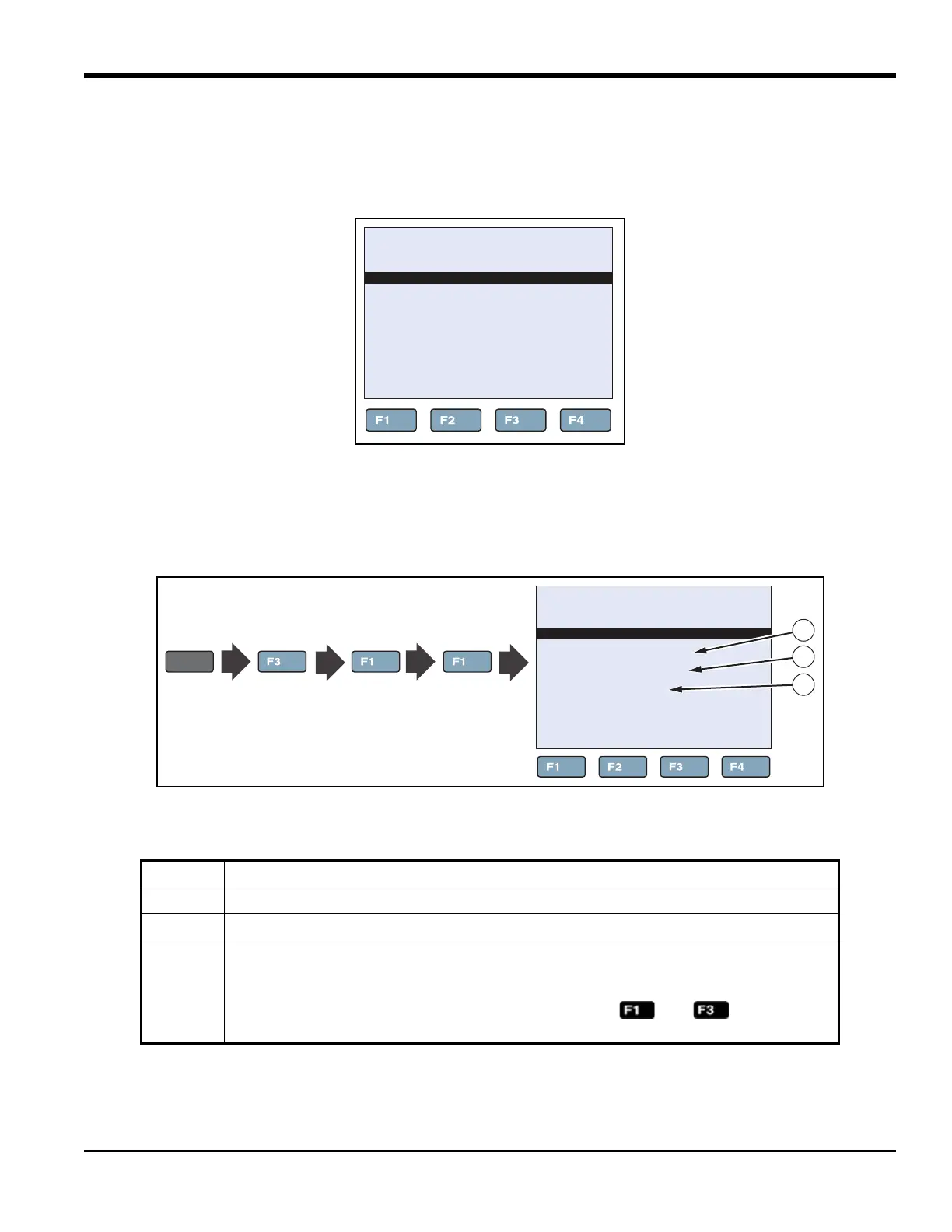
The System menu lets the user set up the display settings, communications protocol, password settings, calibrations
settings, and view system information (see Figure 20 below).
Figure 20: System Menu
6.1.8a Display Setup
Table 14 shows and describes the menu selections on the Display Setup menu.
Figure 21: Display Setup Key Sequence
Table 14: Display Setup Menu
Item Function
1
LANGUAGE sets the display language. See “Change Language” on page 10.
2
DECIMAL sets the decimal separator to be a period (.) or a comma (,).
3
KEY AUDIO turns on (ON) or turns off (OFF) the key-beep sound. See “Toggle Key Beep
On or Off” on page 11.
Note: With the Main screen shown in the display, push and at the same
time to quickly toggle key beep on or off.
66.03°C
SYSTEM MENU
SYSTEM
SETUP
PASS
WORD CALIB
SYSTEM
INFO
66.03°C
DISPLAY SETUP
LANGUAGE: ENGLISH
DECIMAL: PERIOD
KEY AUDIO: ON
DISPLY
SETUP
SYSTEM
MENU
SYSTEM
SETUP
MENU
1
2
3



 To Next Page