27
English
Related
Information
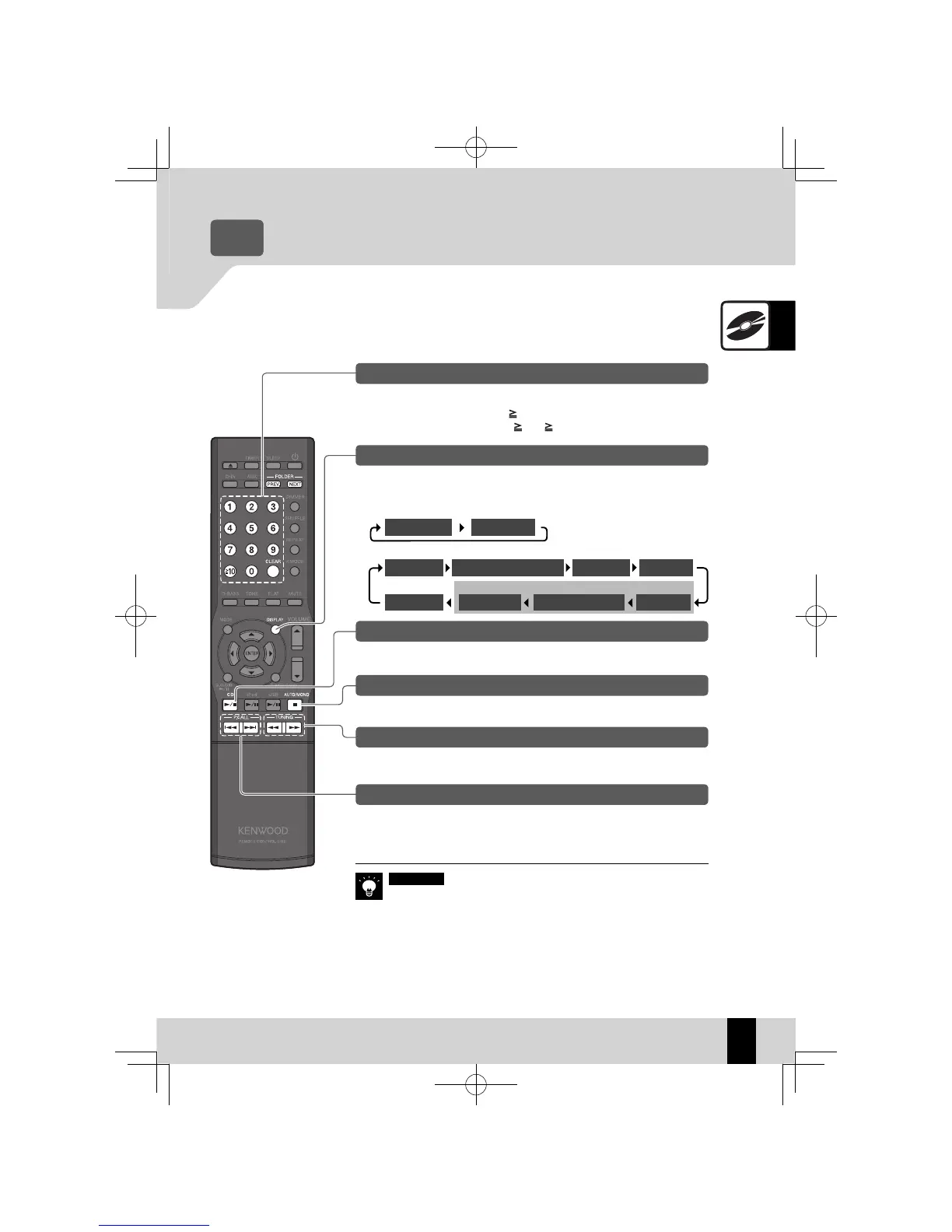
Operations during CD playback
Stopping playback
Press the [
F
] key.
CD
Related
Information
Audio Settings
z
R
P.47 onwards
To play the 3rd track, press the [3] key.
To play the 17th track, press the [
10], [1], and then [7] key.
To play the 123rd track, press the [
10], [ 10], [1], [2], and then [3] key.
Specifying a track number
Press the [CD
E
] key.
Pausing and resuming playback
Hold down the [
I
] key or [
J
] key.
Skipping forward/back
To skip to the next track: Press the [
H
] key.
To return to an earlier track: Press the [
G
] key two or more times in succession.
To return to the beginning of a track: Press the [
G
] key once.
Skipping tracks, skipping back, skipping to the start
MP3/WMA
When you stop playback by pressing the
z
[
F
] key, the track being played
is stored and pressing the [CD
E
] key restarts playback from the be-
ginning of that track. (Resume function)
The Resume function also works if you switch to another input source
z
during playback.
Press the
z
[NEXT] key if you want to play tracks in the next folder, or
press the [PREV.] key if you want to play tracks in the previous folder.
Press the [DISPLAY] key. The mode changes as shown below each time you
press the key.
Switching display contents
Time for 1 track Day/Clock
CD-R/CD-RW discs recorded in the commercially available music CD/CD-DA format
CD-R/CD-RW discs containing MP3/WMA fi les
Day/Clock
Folder name/Track nameTime for 1 track File name Folder name
Album name Artist name
TAG
Title
K-521EB60-5813-0801GVT0294-002A.indb27K-521EB60-5813-0801GVT0294-002A.indb27 09.10.264:31:55PM09.10.264:31:55PM



 To Next Page