40
K-521
Playing back from a USB device
This section explains how to connect a USB fl ash memory or USB mass storage class compliant digital
audio player ("USB device") and play back audio fi les from it.
USB
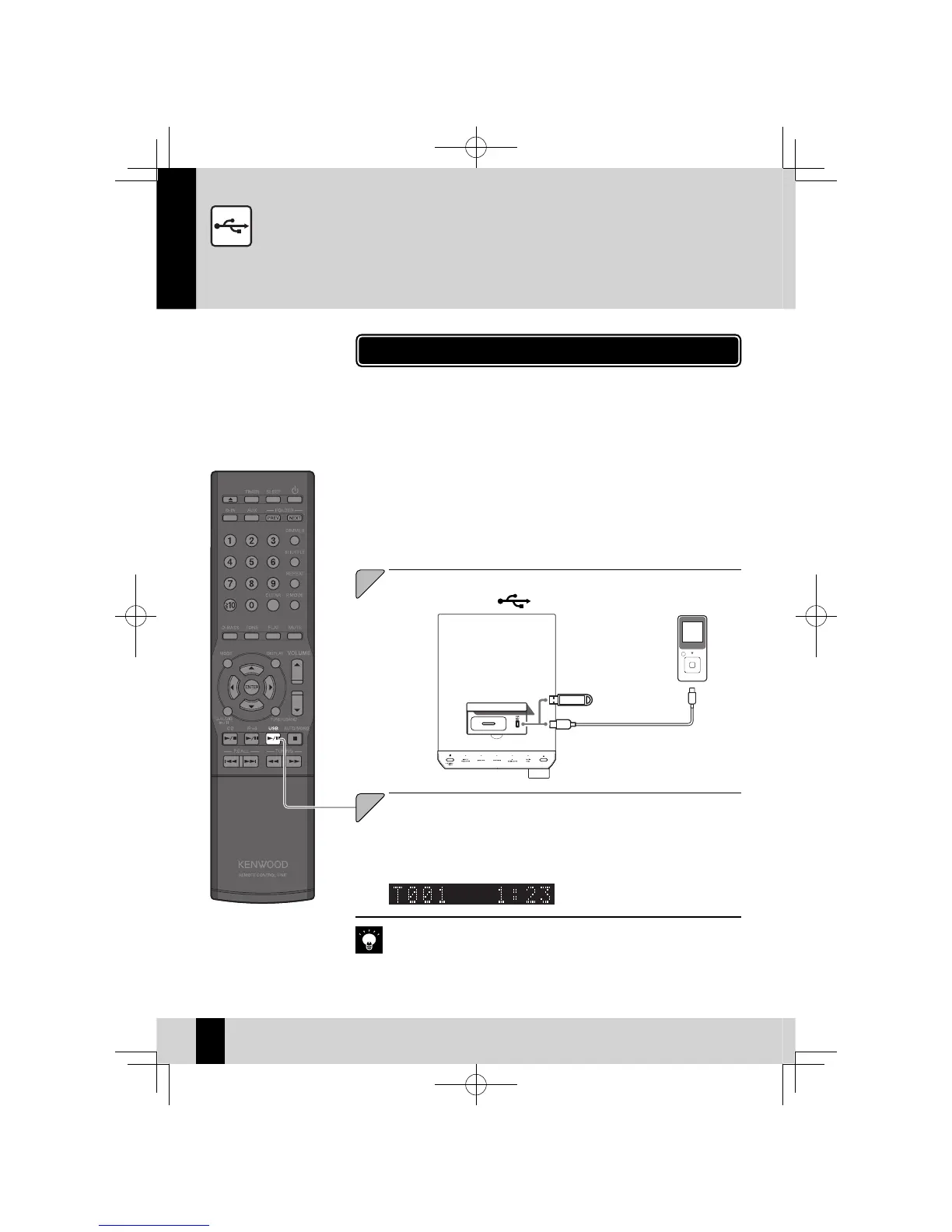
Open the cover on the main unit, and then connect a USB
device to the [USB
] port.
1
Connect a USB fl ash memory or USB mass storage class compliant digital au-
dio player to the USB port and play back audio fi les from it.
Also refer to the instruction manual that comes with the USB device you are connecting.
z
Supported Files
z
AAC
MP3
WMA
See "Supported Audio Files" for details. (P.23)
Press the [USB
E
] key to begin playback.
Simply pressing the
z
[USB
E
] key turns on the system and begins playback.
After folders or fi les are searched, playback begins with the smallest fi le number.
z
See P.28 for information on the playback sequence when there are multiple fold-
ers or fi les on the connected device.
2
If no playable fi les are found, playback does not start.
z
When playback resumes on a digital HDD audio player, sound may jump due to
z
the mechanism specifi c to HDD.
K-521EB60-5813-0801GVT0294-002A.indb40K-521EB60-5813-0801GVT0294-002A.indb40 09.10.264:31:57PM09.10.264:31:57PM



 To Next Page