41
USB
English
Related
Information
Supported Audio Files
z
R
P.23
Audio Settings
z
R
P.47 onwards
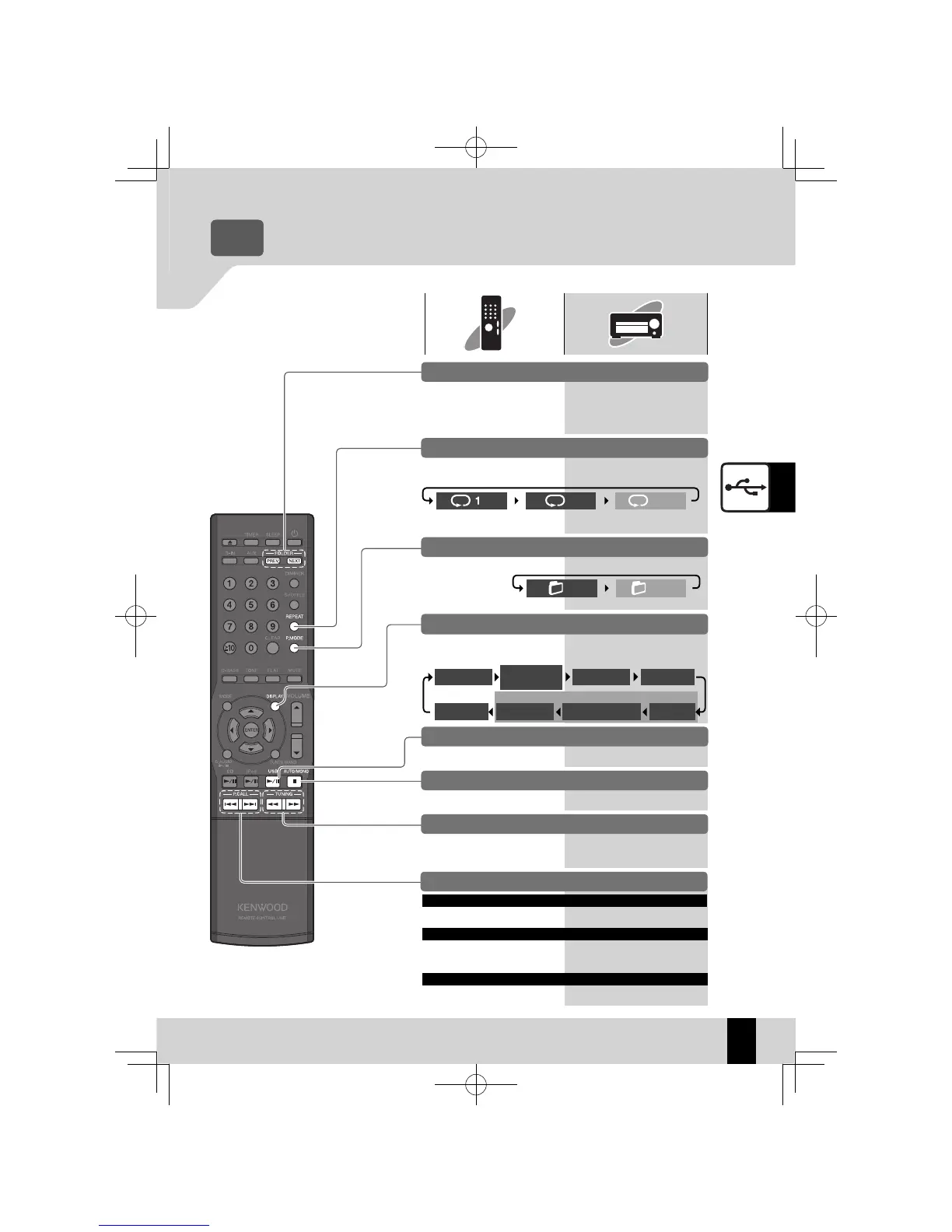
Operations during USB
device playback
Selecting folder playback mode
Press the [P.MODE] key to
shift the selection.
Pausing and resuming playback
Press the [USB
E
] key. Press the [
E
] key.
Stopping playback
Press the [
F
] key. Press the [
F
] key.
Skipping tracks, skipping back, skipping to the start
Skip a track
Press the [
H
] key.
Press the [
G
] key 2 or
more times in succession.
Press the [
G
]
key once.
Skip back to the previous track
Press the [
J
/
H
] key.
Press the [
G
/
I
] key 2
or more times in succession.
Press the [
G
/
I
]
key once.
Return to the start of the track
To go to the previous folder,
press the [PREV.] key.
To go to the next folder, press
the [NEXT] key.
Skipping forward/back
Press the [
I
] or [
J
]
key.
Press the [
G
/
I
] or
[
J
/
H
] key.
These functions may not
z
work with some USB devices.
Repeat playback mode
Press the [REPEAT ] key to
shift the selection.
Single-track repeat
playback
All-tracks/folders
repeat playback
Repeat playback off
lit
lit
unlit
Folder mode Folder mode off
lit
unlit
Playing the tracks in the previous/next folder
Press the [DISPLAY] key to
shift the selection.
Switching display contents
Day/Clock
Folder name/
Track name
Time for 1 track
File name
Folder name
Album name
Artist name
TAG
Title
Related
Information
K-521EB60-5813-0801GVT0294-002A.indb41K-521EB60-5813-0801GVT0294-002A.indb41 09.10.264:31:57PM09.10.264:31:57PM



 To Next Page