K-521
64
K-521
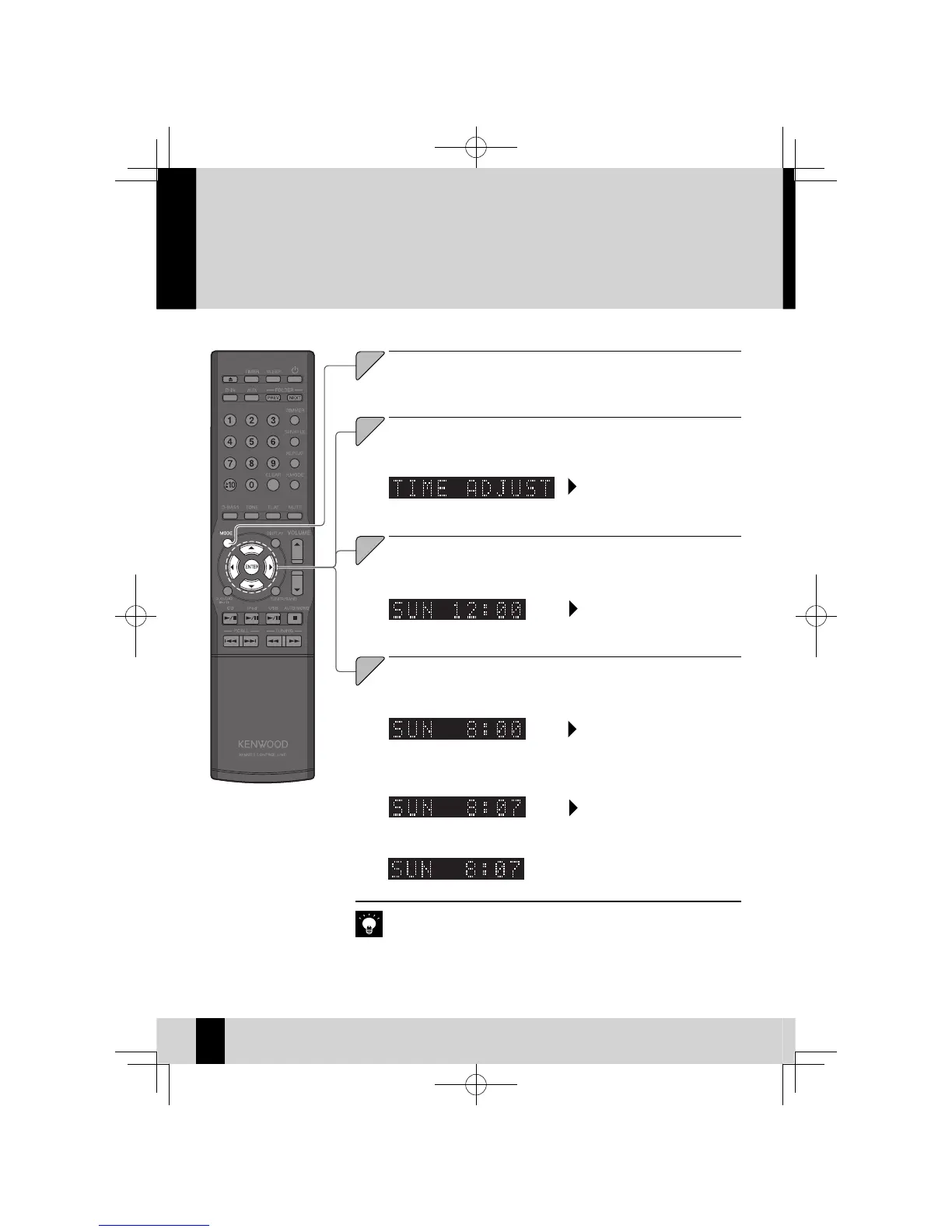
Set the system clock to the correct time.If the system clock time setting is not cor-
rect, the Program Timer will not start playback at the correct time.
Setting the System Clock
Set the time.
3
Use the [
A
] or [
B
] key to set the
"hour".
Use the [
A
] or [
B
] key to set the
"minute".
Press the [ENTER] key.
Press the [ENTER] key.
The currently set day of the week and time are displayed.
z
If you make a mistake, repeat the procedure from the beginning.
z
If there is a power failure or the system is unplugged from the wall outlet for
z
some time, set the time again.
Pressing the [
z
F
] key on the remote control while the system is in the Standby
mode will display the time for 5 seconds.
Time display diff ers (24 Hour clock display or AM/ PM display) according to area.
z
Press the [ENTER] key.
Press the [ENTER] key.
Press the [MODE] key.



 To Next Page