K-521
38
Playing from an iPod
This section explains how to connect and play from an Apple iPod.
iPod
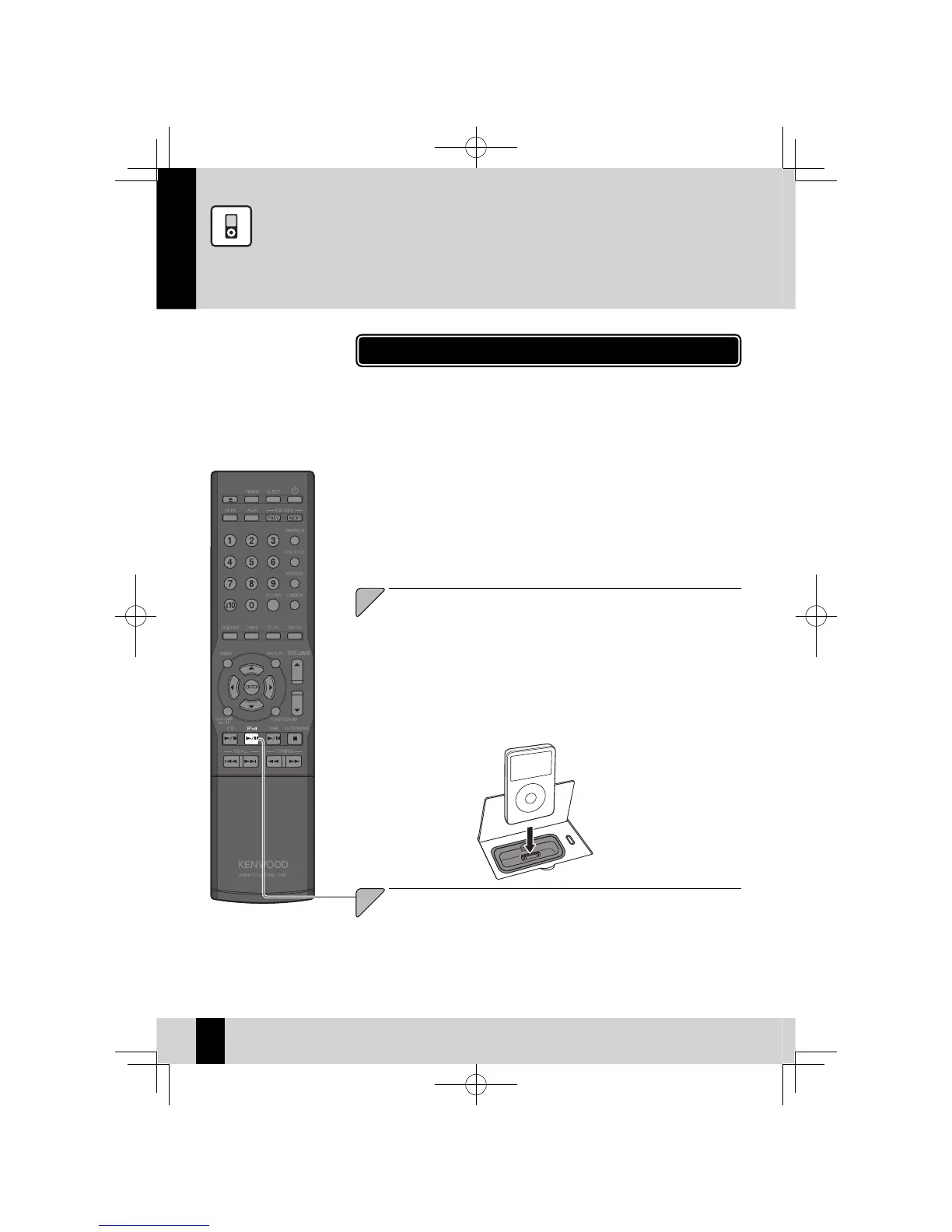
Open the cover on the main unit, and then connect an iPod
to the iPod connector.
You cannot attach an iPod to the system if it is in a cover, case, or with other ac-
z
cessories. Always remove it.
Connecting an iPod to the system without using the Dock adapter may deterio-
z
rate or damage the connector. Always use the Dock adapter. (P.12)
Keep the iPod on a straight position while connecting/disconnecting it.
z
Once the iPod is connected, it can be charged.
z
1
Use this procedure to connect an iPod to the system for playback.
Also refer to the instruction manual that comes with the iPod.
z
Update the software for iPod to the latest version.
z
Press the [iPod
E
] key to begin playback.
Simply pressing the
z
[iPod
E
] key turns on the system and begins playback.
2
Supported models of iPod (As of September 2009)
iPod classic
z
iPod nano 2nd Generation
z
iPod nano 3rd Generation
z
iPod nano 4th Generation
z
iPod nano 5th Generation
z
iPod touch
z
iPod touch 2nd Generation
z
K-521EB60-5813-0801GVT0294-002A.indb38K-521EB60-5813-0801GVT0294-002A.indb38 09.10.264:31:57PM09.10.264:31:57PM



 To Next Page