K-521
30
CD
K-521
You can select up to 50 tracks and play them in the order you like.
Press the
z
[CD
E
] key to switch the input source to CD. Playback begins when you
switch the input source, so press the [
F
] key to stop playback.
If the CD is already playing, press the
z
[
F
] key to stop playback.
CD Program Playback Mode
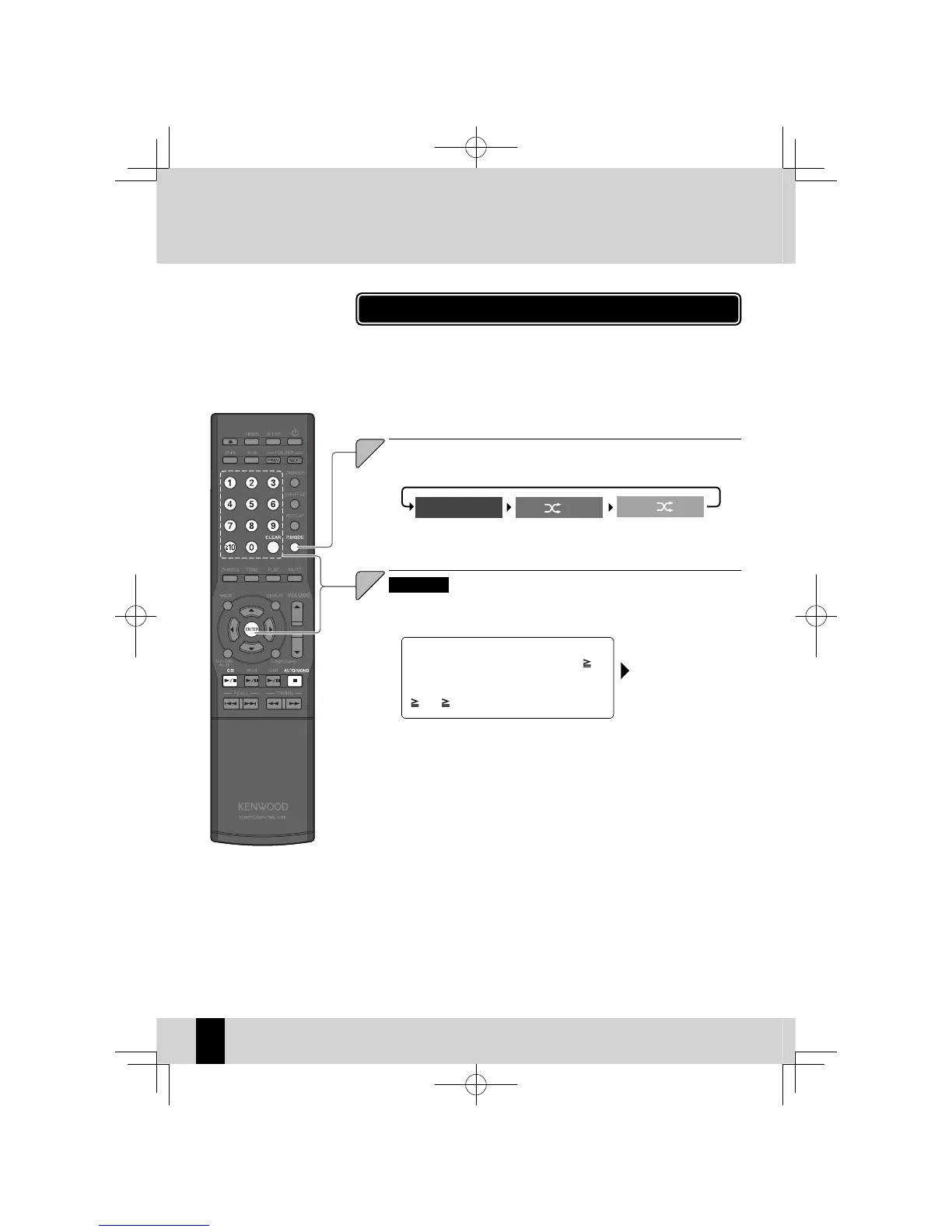
Press the [P.MODE] key to select program playback mode.
The mode changes as shown below each time you press the key.
1
MP3/WMA
Use the number keys to select the folder to be used for pro-
gram playback.
To play the folder number 3, press the [3] key.
To play the folder number 17, press the [
10],
[1], and then [7] key.
To play the folder number 123, press the
[
10], [ 10], [1], [2], and then [3] key.
Press the [ENTER] key.
Randomplayback
mode
Trackplayback mode
Programplayback
mode
PGM,
unlit
lit
PGM
lit
2
K-521EB60-5813-0801GVT0294-002A.indb30K-521EB60-5813-0801GVT0294-002A.indb30 09.10.264:31:55PM09.10.264:31:55PM



 To Next Page