Receiving Radio Broadcasts
•
R
Page XX
•
R
Page XX
English
Related
Information
Receiving Radio Broadcasts
35
English
Related
Information
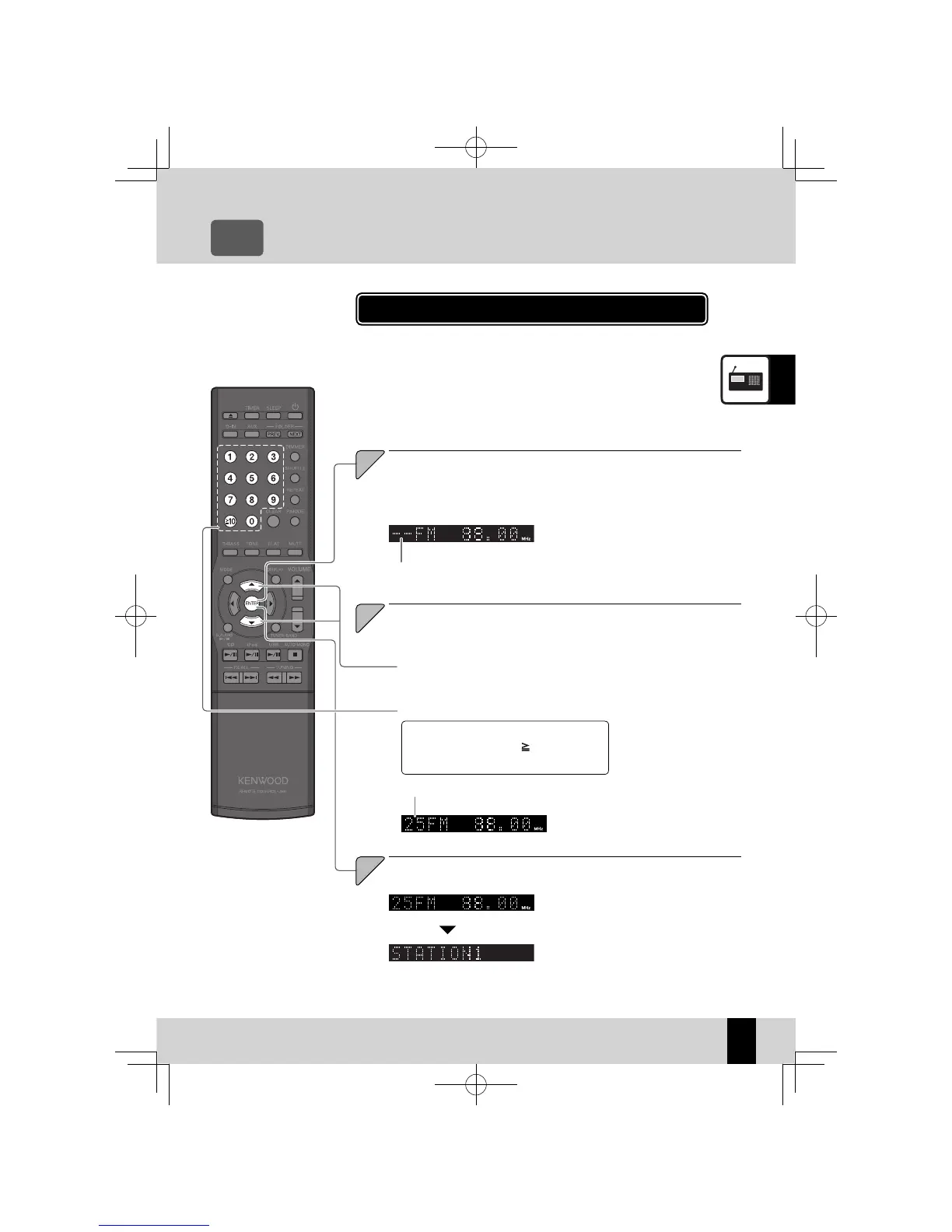
Use this procedure to make the station you are currently listening to
a preset number. If the selected preset number is already assigned a
station, the existing station is overwritten by the new station.
You can preset up to 40 FM and AM stations.
z
Presetting Stations Manually (Manual Preset)
The preset number fl ashes.
The currently selected preset number
fl ashes.
If the selected preset number is
z
already assigned a station, the ex-
isting station is overwritten by the
new station.
Use Auto Tuning or Manual Tuning to tune in the desired station. (See P.33)
Tune in the station you want to preset, and then press the
[ENTER] key.
3
3 seconds later
To select P3, press the [3] key.
To select P17, press the [
10], [1], and [7]
keys.
Selecting with the
[
A
] or [
B
] key.
K-521EB60-5813-0801GVT0294-002A.indb35K-521EB60-5813-0801GVT0294-002A.indb35 09.10.264:31:56PM09.10.264:31:56PM



 To Next Page