Related
Information
EnglishEnglish
Display Settings
Use these settings to adjust the brightness of the display and to specify the settings for
the main unit dial lighting.
Setting the Display Brightness (DIMMER)
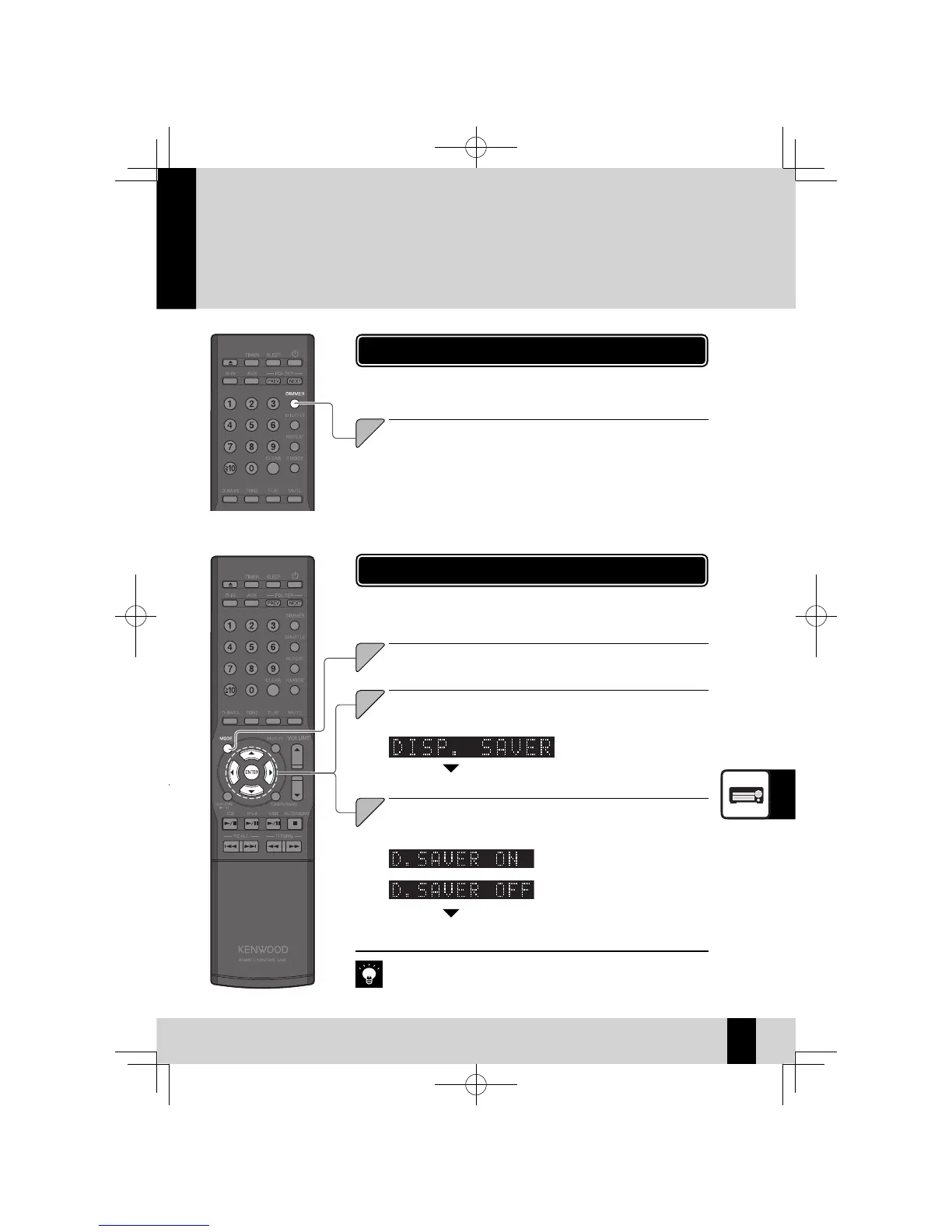
Use this procedure to adjust the display brightness. Adjust the
brightness according to your preferences and the conditions in the
room.
63
1
Press the [DIMMER] key.
The mode changes as shown below each time you press the key.
"DIMMER OFF": Normal brightness
"DIMMER 1": Reduces the display brightness.
"DIMMER 2": Reduces the display brightness and turns off the dial lighting.
"DIMMER 3": Restores the normal display brightness and turns off the dial
lighting.
Turning the Display Saver ON/OFF
Select "ON" or "OFF".
Press the
A
] or [
B
] key.
Select "DISP. SAVER".
Press the [
C
] or [
D
] key.
3
Press the [ENTER] key.
The display saver is active.
z
If the system is not used at all for a set period, this function scrolls the
display to prevent burn-in of the text on the display and uneven dis-
play brightness.
When you are playing from a CD or USB, the display saver is activated
z
if the system is not used at all for 10 minutes after the playback stops.
If you selected another input source, the display saver is activated if the
system is not used at all for 10 minutes after the last key is pressed.
The display saver is disabled.
z
Press the [MODE] key.
1
English
K-521EB60-5813-0801GVT0294-002A.indb63K-521EB60-5813-0801GVT0294-002A.indb63 09.10.264:32:01PM09.10.264:32:01PM



 To Next Page