Related
Information
English
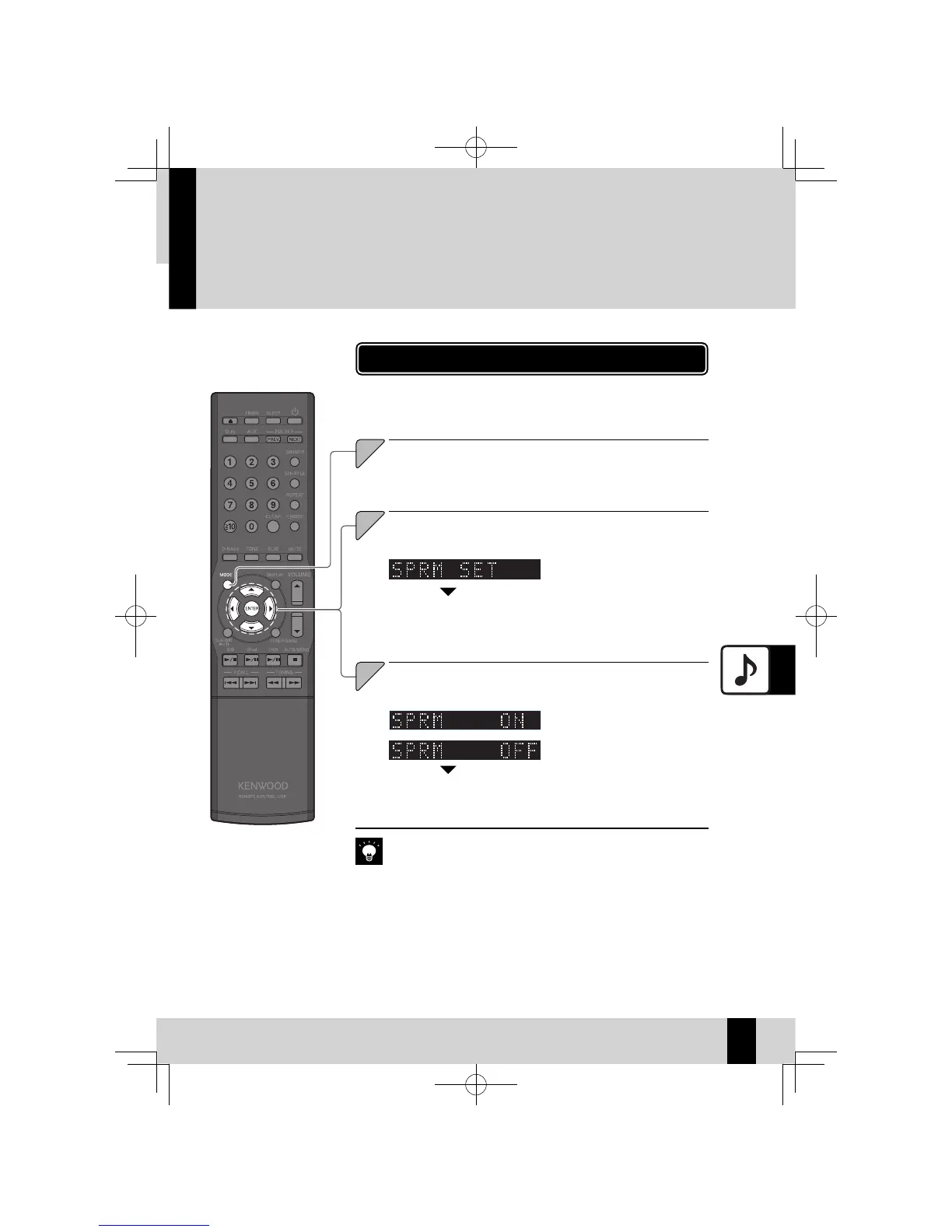
Setting Supreme EX
Supreme EX is Kenwood's original sound quality enhancement technology and is used for playing CDs
and audio fi les or for playback using components connected to a digital input terminal.
Supreme EX
Select “SPRM SET”.
Press the [
C
] or [
D
] key.
2
Select “ON“ or “OFF“.
Press the [
A
] or [
B
] key.
3
Press the [ENTER] key.
The “SPRM EX” flashes while
z
setting is in progress.
The Supreme EX function operates when “CD”, “D-IN”, “iPod”, or “USB” is
z
selected.
Even when “D-IN” is selected, the “SPRM EX“ does not light if the input
z
signal frequency is 96kHz, 88.2kHz, or 48kHz.
Press the [MODE] key.
1
Press the [ENTER] key.
“SPRM EX” lights when “SPRM
z
ON” is selected, while it turns
off when “SPRM OFF” is se-
lected.
55
English
K-521EB60-5813-0801GVT0294-002A.indb55K-521EB60-5813-0801GVT0294-002A.indb55 09.10.264:31:59PM09.10.264:31:59PM



 To Next Page