5Local Operations
46 Keysight 11713D/E Operating and Service Manual
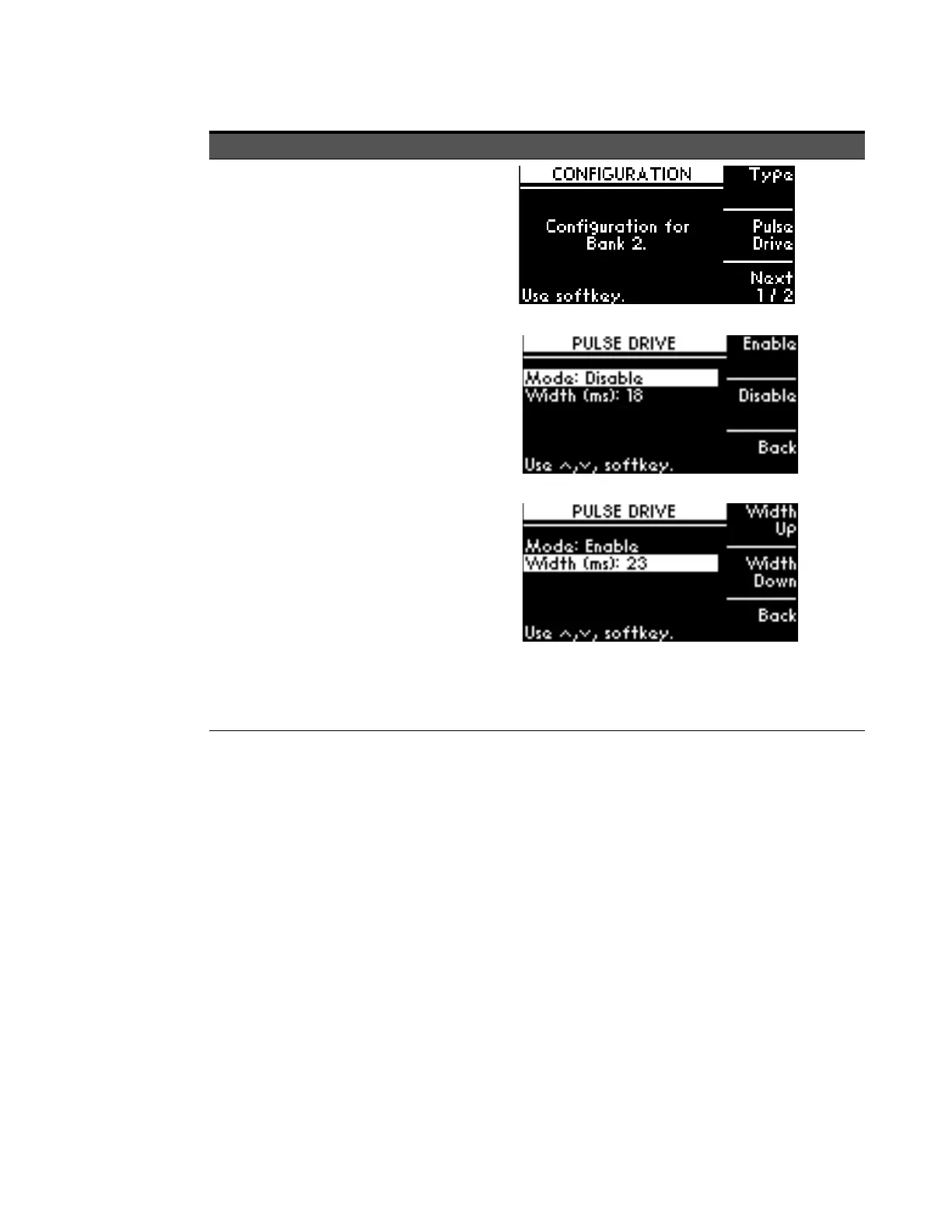
3 Enable Pulse
Drive
a On CONFIGURATION MENU
screen, press Pulse Drive softkey.
b On PULSE DRIVE screen, press
Enable softkey to enable Pulse
Drive mode.
c Scroll to highlight Wid th (ms)
using the navigation keys.
d Adjust pulse width using Width
Up and Width Down softkeys.
e To return to the previous screen,
press Back softkey.
Item Action Illustration



 To Next Page