Item Description
Settings Keys [On/Off] Toggles the output ON or OFF.
[Voltage] Opens the VAC or VDC (depending on output coupling mode) Settings fields in the Metering Mode
display (See Section 6).
[Freq] Opens the Frequency Settings field in the Metering Mode display.
Numeric Entry
Keys
[0] to [9] Enters a numeric digit.
[.] Enters a decimal point.
[-] Toggles the negative sign.
[E] Specifies an exponent for a numeric entry. For example, 1.23E2 indicates 123.
[-] Deletes the most recently entered digit. When a numeric field is first selected, this key erases the
entire entry.
[!] [#] Increment or decrement a Settings field. No effect on numbers entered under the [Menu] key.
[Enter] Finishes a numeric entry.
You can immediately change values by directly entering numbers into the Settings field.
Display Layout
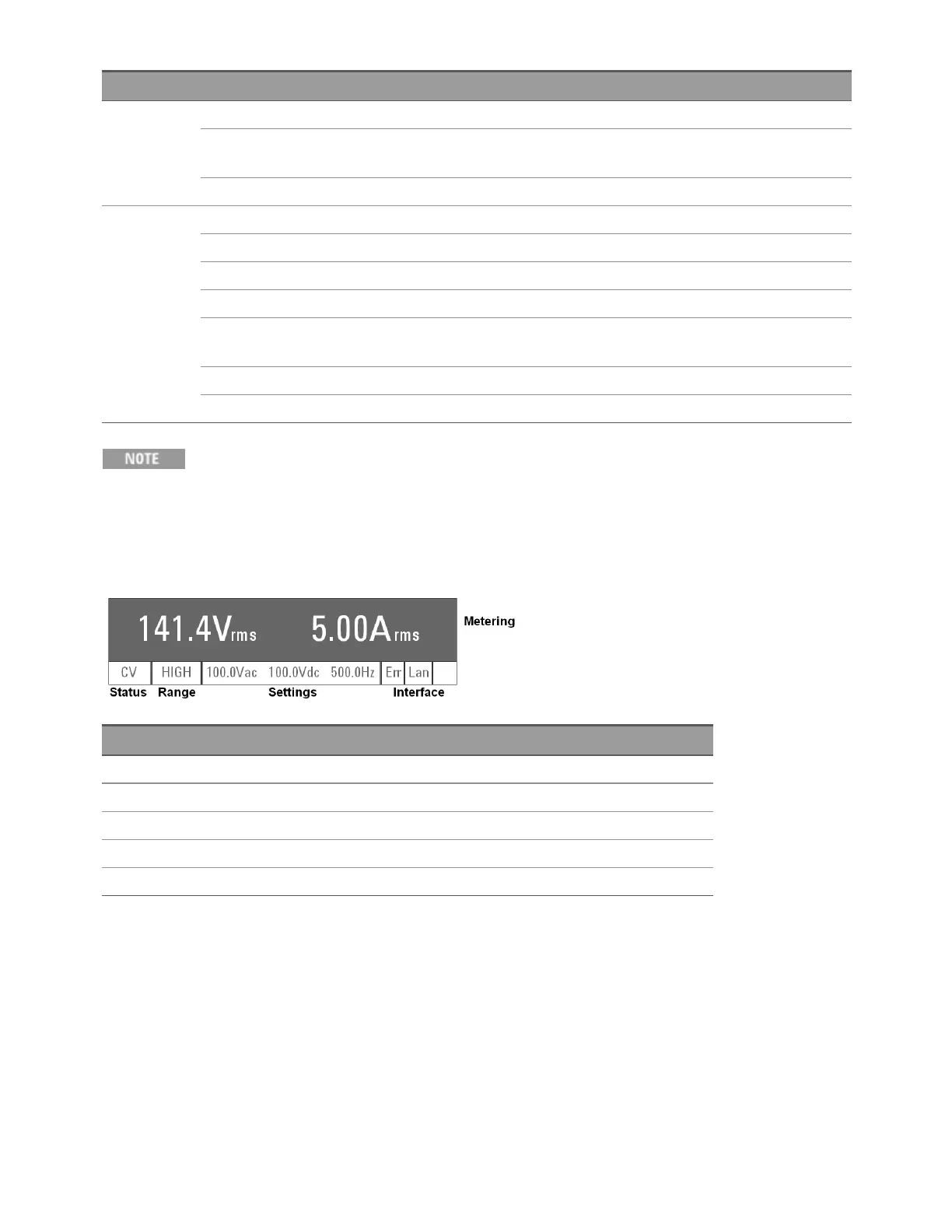
This section describes the instrument's display. The default Metering Mode is shown below.
Field Description
Metering Measurement information (content varies by mode)
Status Operating status (content varies by mode)
Range Output range setting: LOW, HIGH, or AUTO
Settings Settings for VAC, VDC, and Frequency
Interface ERRORand LAN status. Shows IO in rightmost cell when remote control via LAN is operational.
The possible entries for the Status, Range, and Interface fields are shown below.
Keysight AC6800B Series Operating and Service Guide 69
2User Information



 To Next Page