KICstart Version 1.1.0.x
KICstart User Manual 5
Starting KICstart
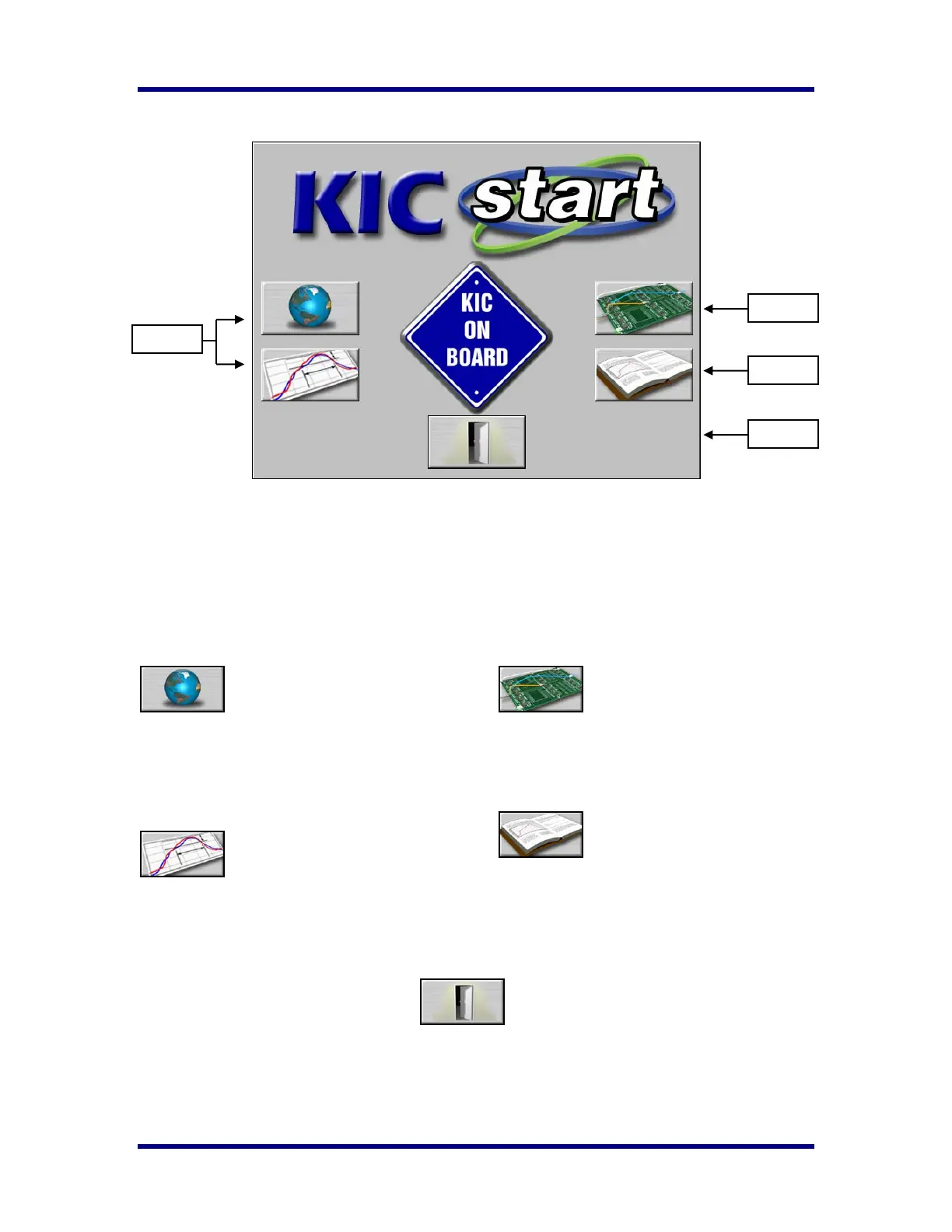
The software installation automatically adds a KIC folder to main Windows Start Menu. Click on the
Windows Start and scroll up to the KIC folder. Then click the KICstart icon. There are five buttons on the
main KICstart screen. The buttons on the Left are for setups; the buttons on the Right are for running and
viewing profiles. Click the KIC on Board logo to view About information of the KICstart software or to
view the KICstart read me file. See the descriptions of the function for each button below
Main Screen Buttons
Global Preferences
Set units of measure,
Maximum product start
temperature, Oven name and
Password.
Define/Edit Process Window
Create or edit Process
Window files for solder paste
and profile specifications.
Run a Profile
Begins the step-by-step
procedure for running a
product profile.
Profile Explorer
Filing system used to
manage and view all Profiles
run using the KICstart
software.
Exit
Exits the KICstart software.
SETUP
RUN
VIEW
EXIT



 To Next Page