Version 1.1.0.x KICstart
24 KICstart User Manual
Automatic Calculation of Delta T + Delta (or range) for all Stats
The software will automatically calculate, and display in the statistical chart, the Delta for the profile data
for all TCs for all statistics. This is the range of the highest to the lowest value for any given specification.
Note: For more information on minimizing the Delta T, please refer to our Application Note AN#20001 -
Minimizing Reflow Temperature Differentials (DT) on Electronic Assemblies Using the KIC Navigator.
Graph Pointer
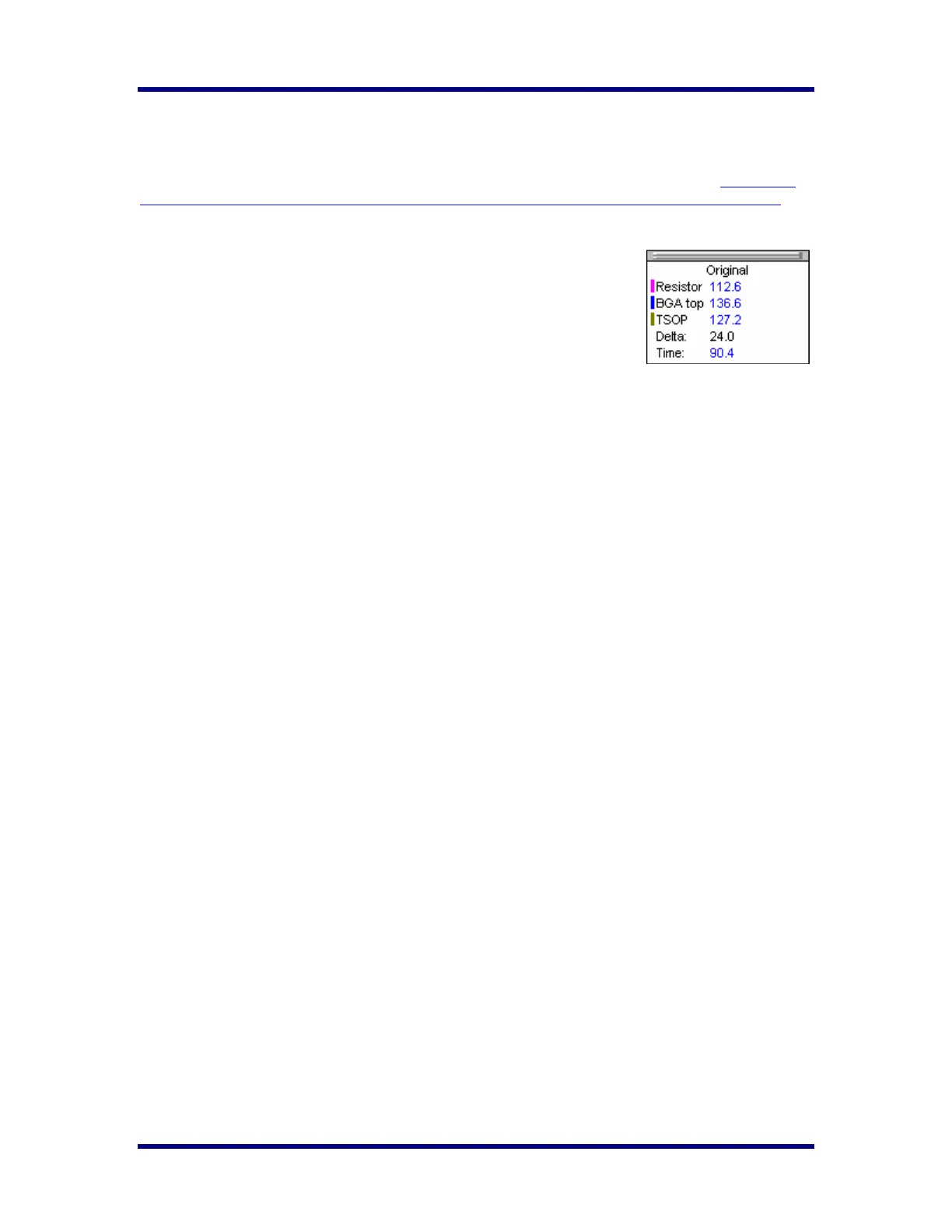
You can also view the Delta T (∆T), or Delta Temperature, at specific points
across the profile by right mouse clicking on the graph. This will bring up the
Graph Pointer and a chart will appear in the upper left corner of the graph
area. Wherever the pointer is moved across the profile, the following data will
be displayed:
• The first column is the actual temperature for each TC (marked in Blue).
• The Delta T (∆T) for both actual and predicted TC data
• The time during the profile at which the pointer is placed.
Profile Screen Buttons
There are four buttons at the bottom of the profile screen.
Edit/Define Process Window – Choose this button to either view or edit the process specification(s) for
the product used in this profile.
Copy to clipboard – Choose this button to copy the profile data to the windows clipboard. You can then
paste the data to a different application.
Print – Choose this button to print a copy of the profile that is currently on your screen.
Green Check /Profile Explorer button– When finished viewing or analyzing the profile select this button
to either run another profile with this product or return to the KICstart main menu. You will be returned to
the Profile Explorer if the profile was opened from there.
Graph Pointer example



 To Next Page