KICstart Version 1.1.0.x
KICstart User Manual 39
Profile Screen Buttons
There are four buttons at the bottom of the profile screen.
Edit/Define Process Window – Choose this button to either view or edit the process specification(s) for
the product used in this profile.
Copy to clipboard – Choose this button to copy the profile data to the windows clipboard. You can then
paste the data to a different application.
Print – Choose this button to print a copy of the profile that is currently on your screen.
Green Check /Profile Explorer button– When finished viewing or analyzing the profile select this button
to either run another profile with this product or return to the KICstart main menu. You will be returned to
the Profile Explorer if the profile was opened from there.
Tips for Profiling Wave Solder
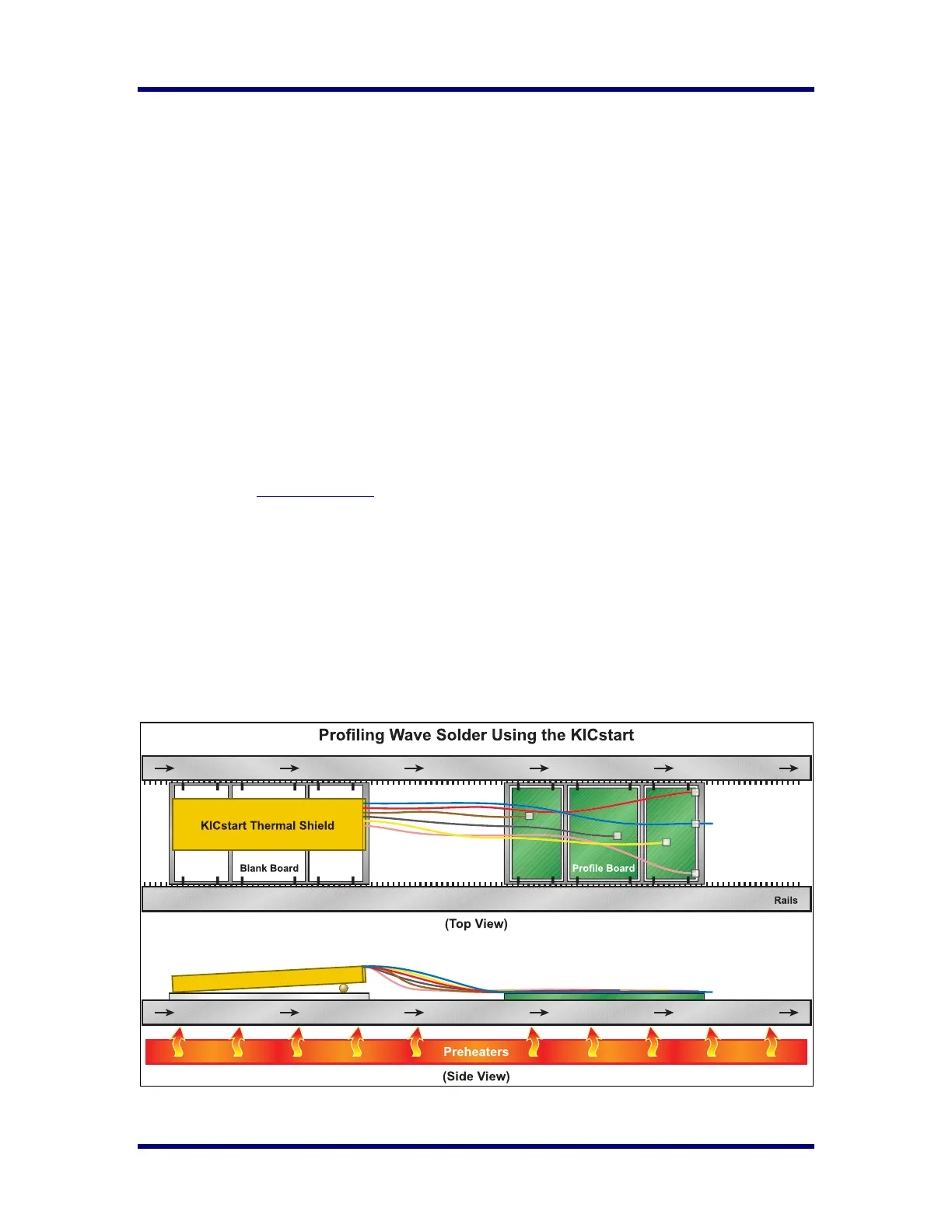
Listed below are tips for profiling wave solder machines using the KICstart profiler. These tips are
intended to help you in profiling your wave solder machine. Your process may not match the pictures
below. Contact KIC Technical support if you have any questions regarding wave solder profiling using the
KICstart profiler. tech@kicmail.com
.
• Use a blank, spare board, or palette to carry the KICstart on. It may be useful to secure the
KICstart Thermal Shield to the board/palette.
• During the profile, you can run the KICstart in front or behind the profile board.
• Run the thermal shield upside-down to prevent any solder from contacting the KICstart.
• Use a board stiffener when available. This will help prevent the board from sagging due to the
weight of the KICstart.
o This will also help prevent liquid solder from flowing onto the board, possibly contacting
the Thermal Shield or KICstart.
o It is helpful to raise the KICstart thermal shield at least 1/8-1/4” off the carrier
board/palette in order to prevent any liquid solder from entering the Thermal Shield.



 To Next Page