KICstart Version 1.1.0.x
KICstart User Manual 7
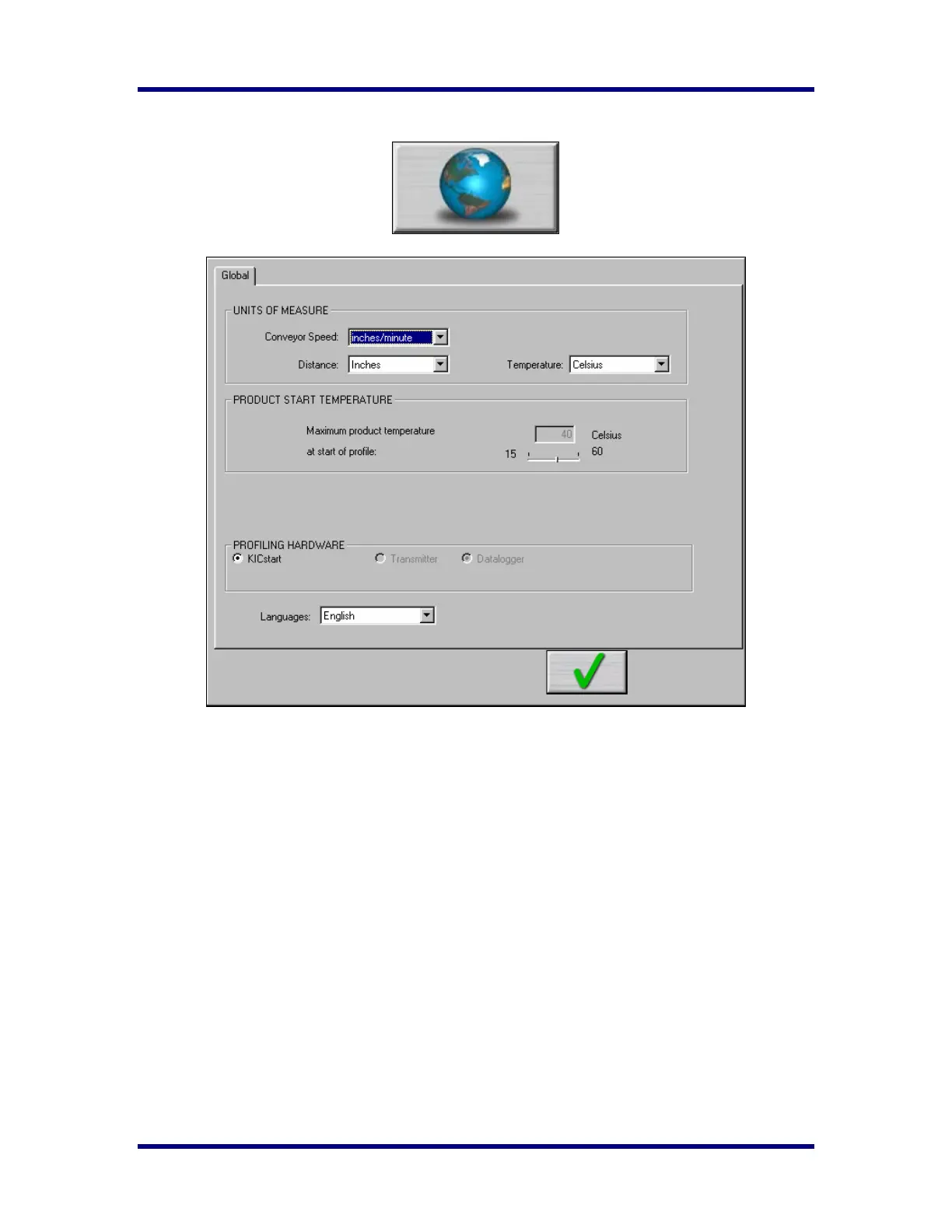
Global Preferences
♦ Units of Measure – There are three drop down menus to choose units for Conveyor Speed, Distance,
and Temperature.
♦ Product Start Temperature – The temperature of all the thermocouples attached to the product and
KICstart must be below this temperature to start a profile. This will insure that a profile is not started
while the board is still to hot. Default setting is 40°C.
♦ Languages – Drop down list, user selects the language in which to run the software.
Available languages are:
• English
• Japanese (Must be run on Japanese-Windows OS)
• Simplified Chinese (Must be run on Chinese-Windows OS)
• Traditional Chinese (Must be run on Chinese-Windows OS)



 To Next Page