Version 1.1.0.x KICstart
10 KICstart User Manual
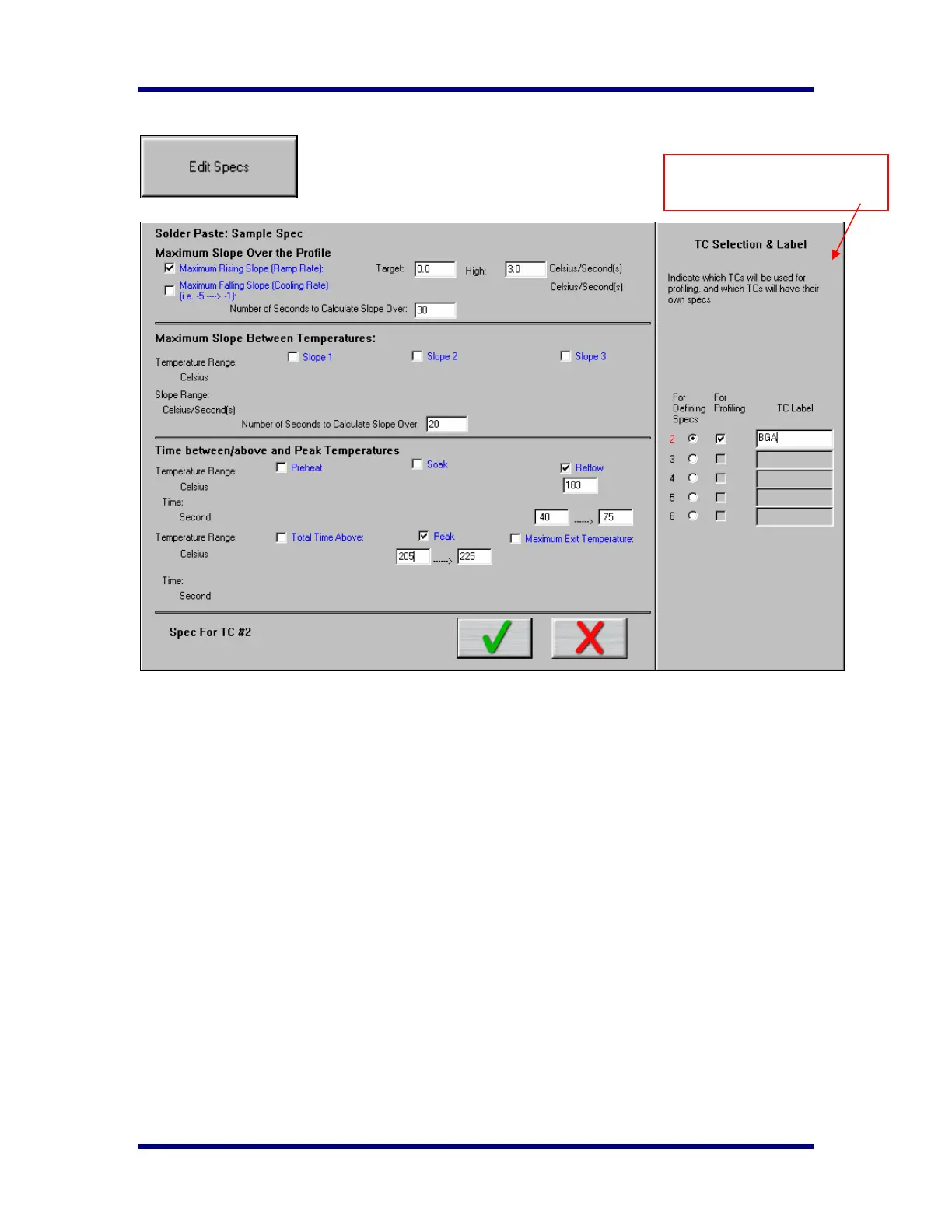
Edit Specs
Process Window and Solder Paste names will be at the top. There are 3 columns:
• Display – The checkbox to the left of each Specification (marked in Blue), if checked, means that
specification will be displayed and used in the profile analysis and predictions for profiles using
this Process Window. When checked the fields for limit values will appear. If you have chosen a
predefined solder paste the appropriate statistics and limit values will already be applied. Though,
you can edit these.
• Specification – These are the labels for the data you may use in analyzing your profiles. There
are a total of up to eleven specifications that can be used.
• Limits – low and high values establishing the range of temperature and time (if applicable) for
each specification checked.
This Section is specific for
Separate Specs for each TC



 To Next Page