KICstart Version 1.1.0.x
KICstart User Manual 43
KICstart Calibration
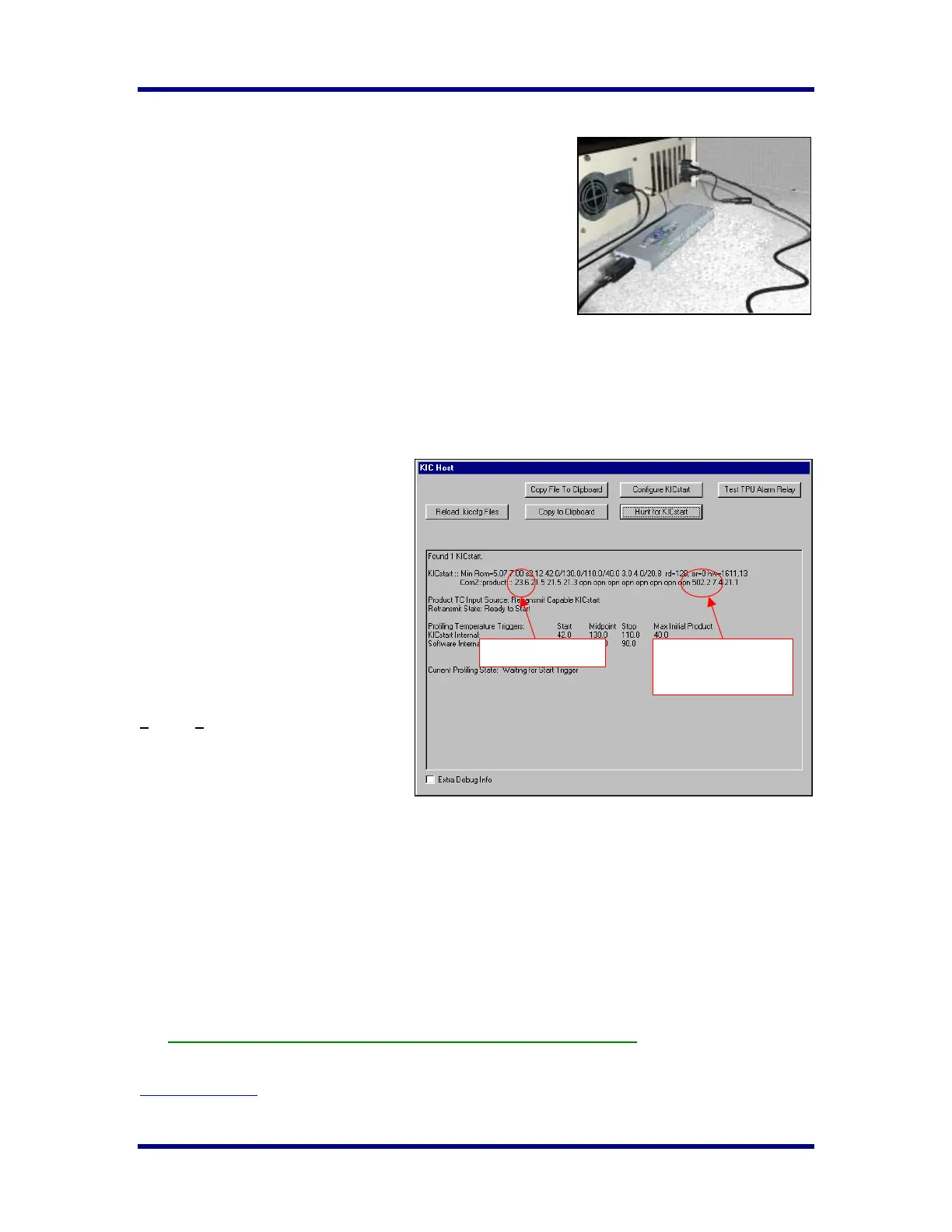
Before calibration, connect the KICstart Profiler directly to the PC
using the KICstart communication cable.
The KICstart Thermal Profiler is connected to a computer COM
port using the direct connect cable for the purpose of setting up the
KICstart, downloading logged data, collecting data in real-time, or
calibration.
KICstart Calibration Procedure
The suggested calibration frequency cycle for the KICstart is 12
months. To calibrate the KICstart you will need a thermocouple
simulator and a Male-Male connector, Type K, thermocouple wire.
Calibration for the KICstart profiler is accomplished using the KIC Host screen. To activate the KIC Host
screen, close the KICstart software if open.
Find and open the file: C:\KICstart\Log\KIC2000UserSettings.kiccfg.
1. In the Host section, find the line
that reads:
ViewKICHostDialog=0
2. Change it to read:
ViewKICHostDialog=1.
3. Save and Exit the file. Then
restart the KICstart software.
The KIC Host screen will
launch when the KICstart
software is started. Click on
the KIC Host from your open
programs.
Perform the following steps to
properly calibrate the KICstart within
+
1.2°C (+2.0°F):
Let the KICstart stand for at least 30
minutes, with its power on, in a constant
ambient environment free of drafts.
• Turn on the computer and start the
KICstart software.
• Connect the KICstart to the computer with the communication cable.
• On the KICstart software’s Host screen the temperatures for each thermocouple connected.
• Connect the thermocouple simulator to the TC1 (Air TC) position on the KICstart.
• Set the thermocouple simulator to the maximum temperature you expect to read in your oven. Observe
the display of Product TC #1’s (Air TC) temperature on the screen. This display should update
rapidly.
• Adjust the Calibrate potentiometer very slowly until this maximum temperature is correct.
• Set the thermocouple simulator to below room temperature (40°F ~ 65°F).
• Adjust the Calibration potentiometer very slowly until this low temperature is correct.
• Repeat these steps until both temperatures are reading correctly.
When both temperatures are reading correctly, the KICstart is calibrated.
KIC offers calibration services for all KIC hardware. Contact KIC Technical Support for details.
tech@kicmail.com
.
KICstart directly connected to PC
KIC Host Screen
Max. Temperature
setting
#1 TC
Air TC



 To Next Page