Version 1.1.0.x KICstart
18 KICstart User Manual
Live Profile Graph Display
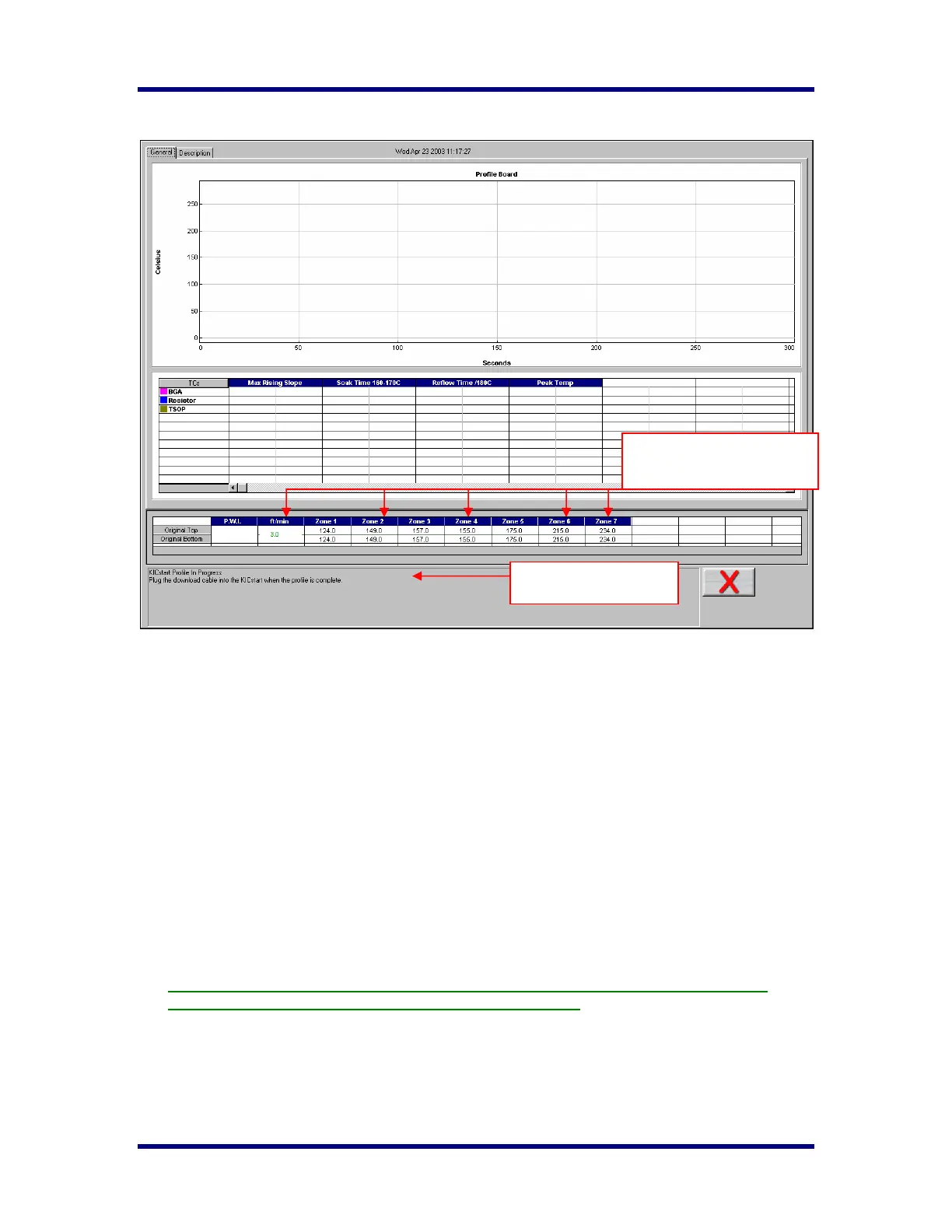
During the live profile all of the tabs on the screen are inaccessible. The only action that you can take at
this point is to cancel the profile by clicking on the RED X button. This will take you back to the Main
Menu. The Live profile graph display will remain on your screen until the KICstart has achieved the
trigger temperature that determines the profile end. Once the communication cable is connected the profile
data will automatically begin downloading.
During the Live Profile:
• The current oven temperature setpoints and conveyor speed for this profile is displayed beneath
the Statistics table.
• The Profile status is displayed at the bottom section of the screen.
Trailing wire profiling
If the KICstart profiler remains connected to the communication cable while profiling, the live profile will
be plotted on the graph. The KICstart profiler can be used with elongated thermocouples or a
thermocouple extension long enough to pass through the process. This is especially useful for low
clearance processes or higher temperature processes that would normally cause the KICstart profiler to
overheat during use.
To avoid damage to the KICstart profiler and or the communication cable, DO NOT place the
KICstart into the oven with the communication cable connected.
Oven temperature settings
and conveyor speed.
Profile status



 To Next Page