KICstart Version 1.1.0.x
KICstart User Manual 29
When you’re finished with your selection, choose the Forward Arrow button to proceed.
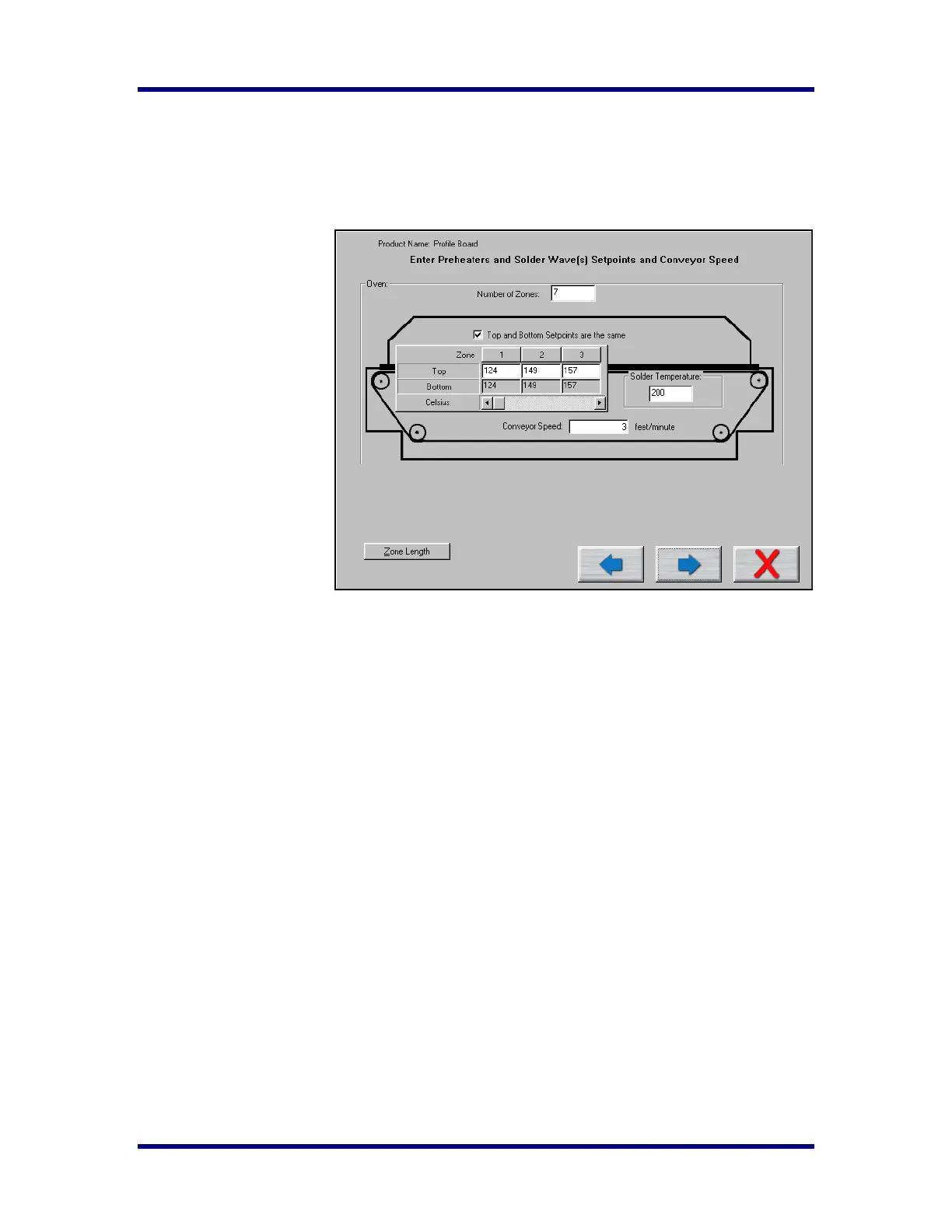
Entering temperature setpoints and Conveyor Speed
If you typed a new oven name, the KICstart software requires you to enter the number of heated zones or
pre-heat zones in your wave solder machine.
If your process requires
different top and bottom
setpoints, deselect the check
box labeled Top and Bottom
setpoints are the same This
will allow you to enter
different values for top and
bottom heaters in each zone.
If your oven has top and
bottom heaters, but not in all
of the heated zones, just
enter the same value as the
actual setpoint in that zone
for both the top and bottom
setting.
This is also were you will
enter the temperature
settings for each zone or
pre-heater in your wave
solder machine and the
conveyor speed setting. In the field marked Solder temperature enter the setting for the solder pot
temperature from your wave solder machine.
When you have finished entering this information select the Forward Arrow button to continue.



 To Next Page