PAS SERIES Basic Operation 3-1
Chapter. 3 Basic Operation
This chapter describes how to turn on the power and the basic opera-
tions that you can carry out from the front panel.
3.1 Turning on the Power
• Allow at least 10 seconds between power cycles.
Repeated on/off of the POWER switch at short inter-
vals can cause malfunction of the inrush current limit-
ing
circuit and shorten the service life of the input
fuse and POWER switch.
Power up procedure
1. Check that the POWER switch is turned OFF.
2. Chec
k that the AC power cord is correctly connected.
3. Turn on the POWER switch.
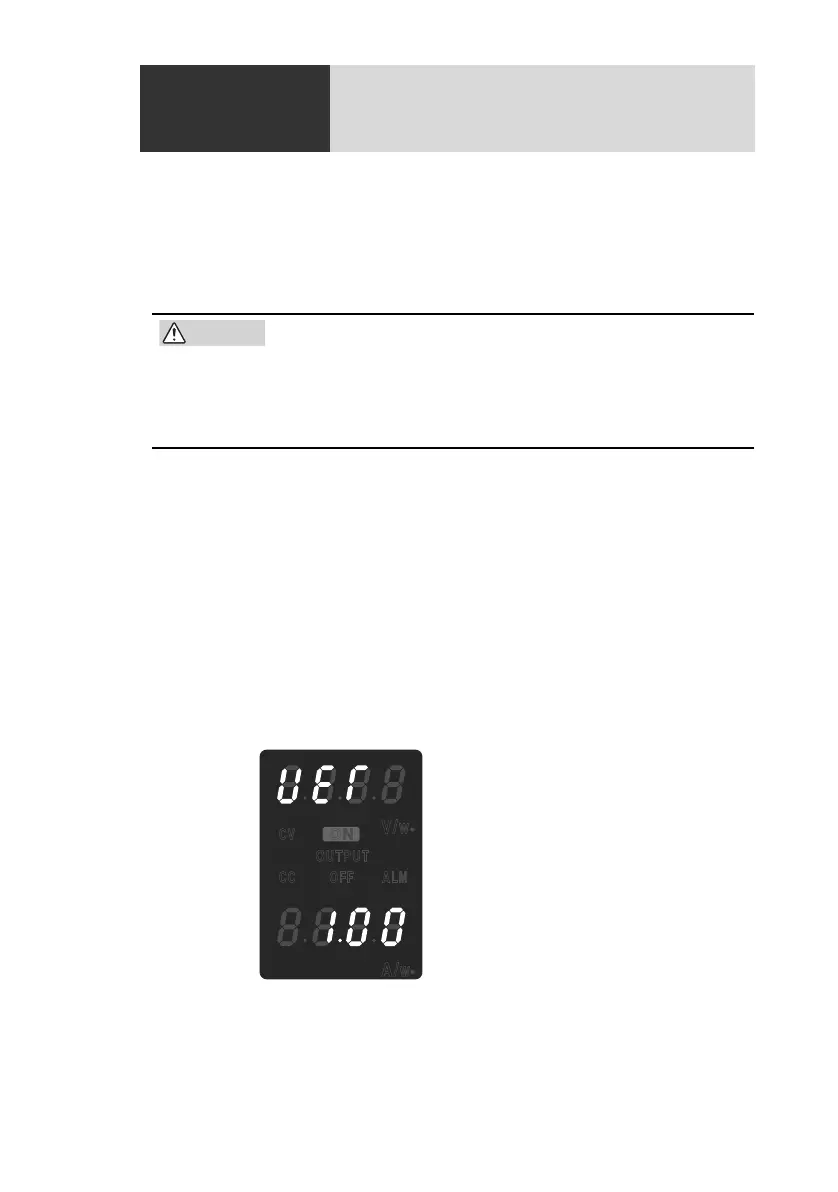
The voltage and current displays show the version number of the
unit for a few seconds (see Fig.3-1).
After a few seconds, the unit is ready for operation (displays the
output value).
Now, the unit is ready for use.
Fig.3-1 Version display example at power up
CV
OUTPUT
OFF ALM
V/
W
A/
W
CC
ON









 To Next Page