PAS SERIES Names and Functions of Controls 6-1
Chapter. 6 Names and Functions of Controls
This chapter describes the names and functions of switches, displays,
connectors, and other parts of the front panel and rear panel.
6.1 Front Panel
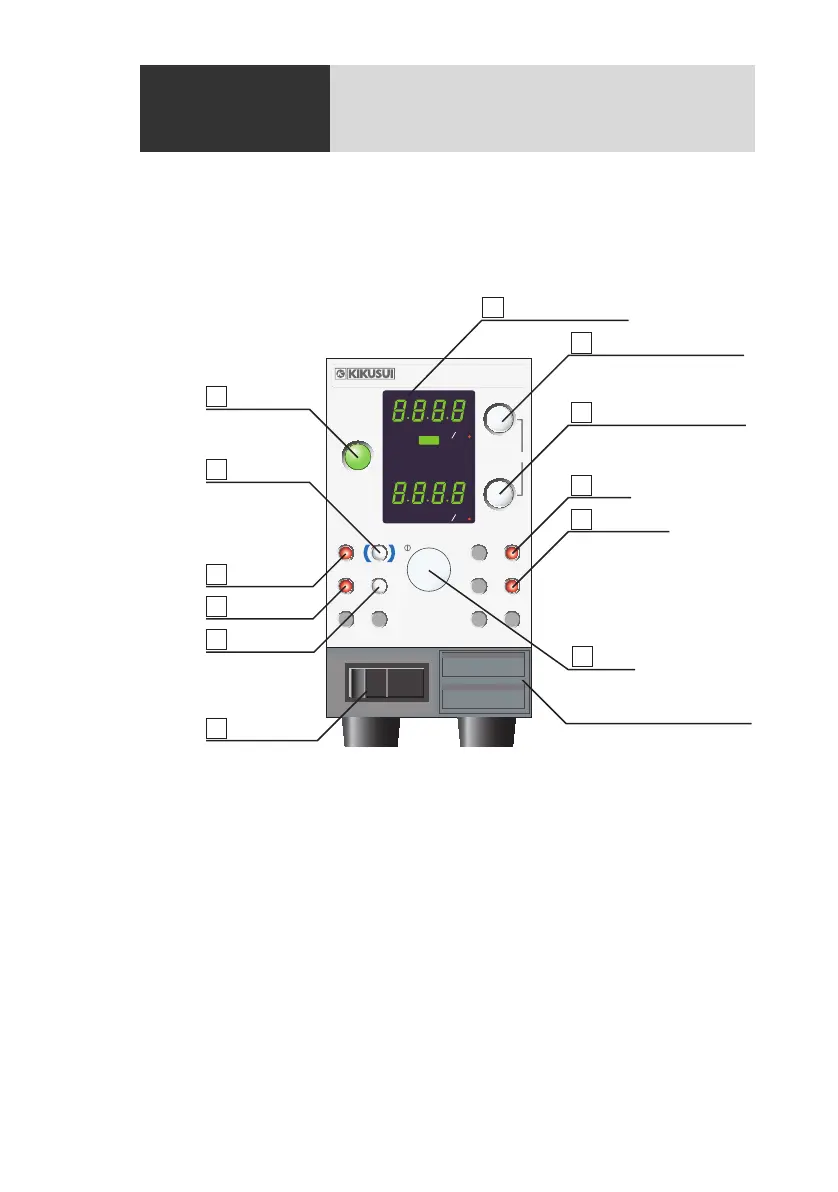
Fig.6-1 Front panel (Example:350W type)
[1] POWER
Power switch of the unit. Depress the switch to the ( │ ) si
de to turn
the power on, ( ○ ) side to turn it off.
[2] ADDRESS
Sets the unit's address in the range of 05 to 36 for digital remotely
controlling t
he unit. Press the switch to set the value; press it again to
release. The specified address takes effect when the unit is power
cycled. For details, see “Connecting & Programming Guide” in the
CD-ROM that came with the PIA4800 series.
V W
A W
OUTPUT
OUTPUT
VOLTAGE
CURRENT
CONFIG
SET
ADDRESS
LOCK
COARSE
/
FINE
OVP
PWR DSPL
PWR DSPL
OCP
SHIFT
O N
CC
CV
OFF
ALM
REGULATED DC POWER SUPPLY
PAS10
-
35
0
-
10V 35A
1 POWER
3
LOCK
2
ADDRESS
4
CONFIG
5
SHIFT
6
OUTPUT
7
8 VOLTAGE/PWR DSPL
9 CURRENT/PWR DSPL
12 Dial
10
SET
11
OVP/OCP
DISPLAY section
Louver (Cooling air-intake)









 To Next Page