6-2Names and Functions of Controls PASSERIES
[3] LOCK
Switch used to disable all operations except turning on/off of the
OUTPUT.
The switch
lights while the unit is locked.
To release, press the switch again.
For details, see "3.5 LOCK Function".
[4] CONFIG
If turn on the POWER switch while pressing the CONFIG switch,
you
can set
the various setting of operation of the unit (CONFIG set-
ting mode). In addition, press the CONFIG switch when the unit is
turned on, the CONFIG setting can be confirmed.
For details, see "3.2.4 Unit Configuration (CONFIG)".
[5] SHIFT
Pressing a switch with blue characters w
hil
e pressing this switch acti-
vates the function indicated by the blue characters.
[6] OUTPUT
Switch used to turn on/off the output. The on/off status can be con-
f
ir
med on the display when the unit is turned on.
Normally, the unit powers up with the OUTPUT turned off when the
POWER switch is turned on. You can set the unit so that it powers up
with the OUTPUT turned on. For details, see "3.2.4 Unit Configura-
tion (CONFIG)".
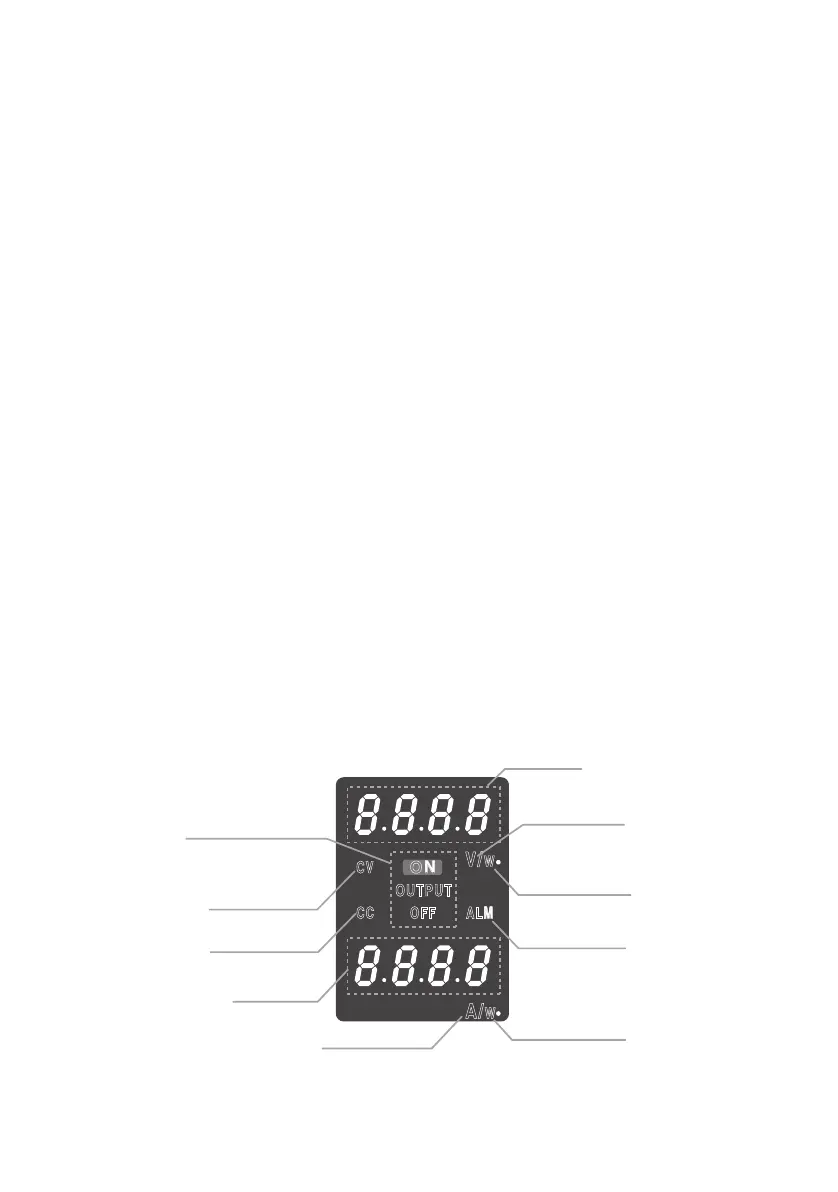
[7] DISPLAY section
Fig.6-2 Display section
CV
OUTPUT
OFF ALM
V/
W
A/
W
CC
ON
(1) Voltmeter
(2)Voltmeter unit
(9) Wattmeter unit
(9) Wattmeter unit
(8) Ammeter unit
(7) Ammeter
(6) ALM indication
(4) CV indication
(5) CC indication
(3) OUTPUT ON/OFF









 To Next Page