7-2 Maintenance PAS SERIES
7.1.2 Cleaning the Dust Filter
A dust filter is installed on the inside of the louver on the front panel.
Periodically clean the filter for prevent clogging.
• Clogged filters hinder the cooling of the inside of the
unit and can cause malfunction and shortening of the
service life.
■ 350W type
Filter below the operation panel
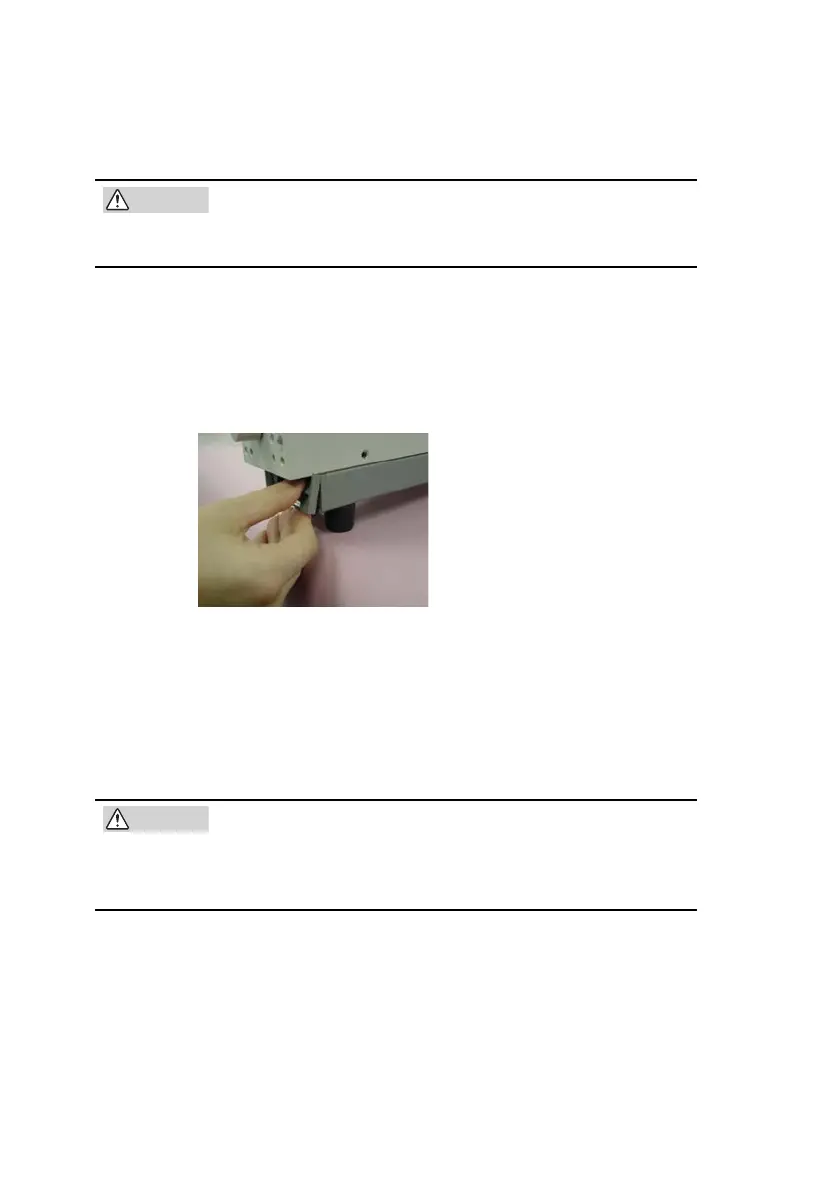
1. As
shown in Fig.7-1, pull the bottom section of the louver
to
ward you and remove the louver from the panel.
Fig.7-1 Removing the louver
2. Remove the dust filter from the inside of the louver and
clean it
.
Remove the dust on the dust filter such as by using a vacuum
cleaner. If the filter is extremely dirty, clean it using a water-
diluted neutral detergent and dry it completely.
• When the unit is in operation, air is sucked through
the dust filter to cool the unit. If moister is included in
the dust filter, the temperature or humidity inside the
unit increases and may cause a malfunction.









 To Next Page