PLZ-5W User’s Manual 87
Sequence Function | Sequence Creation Tutorial
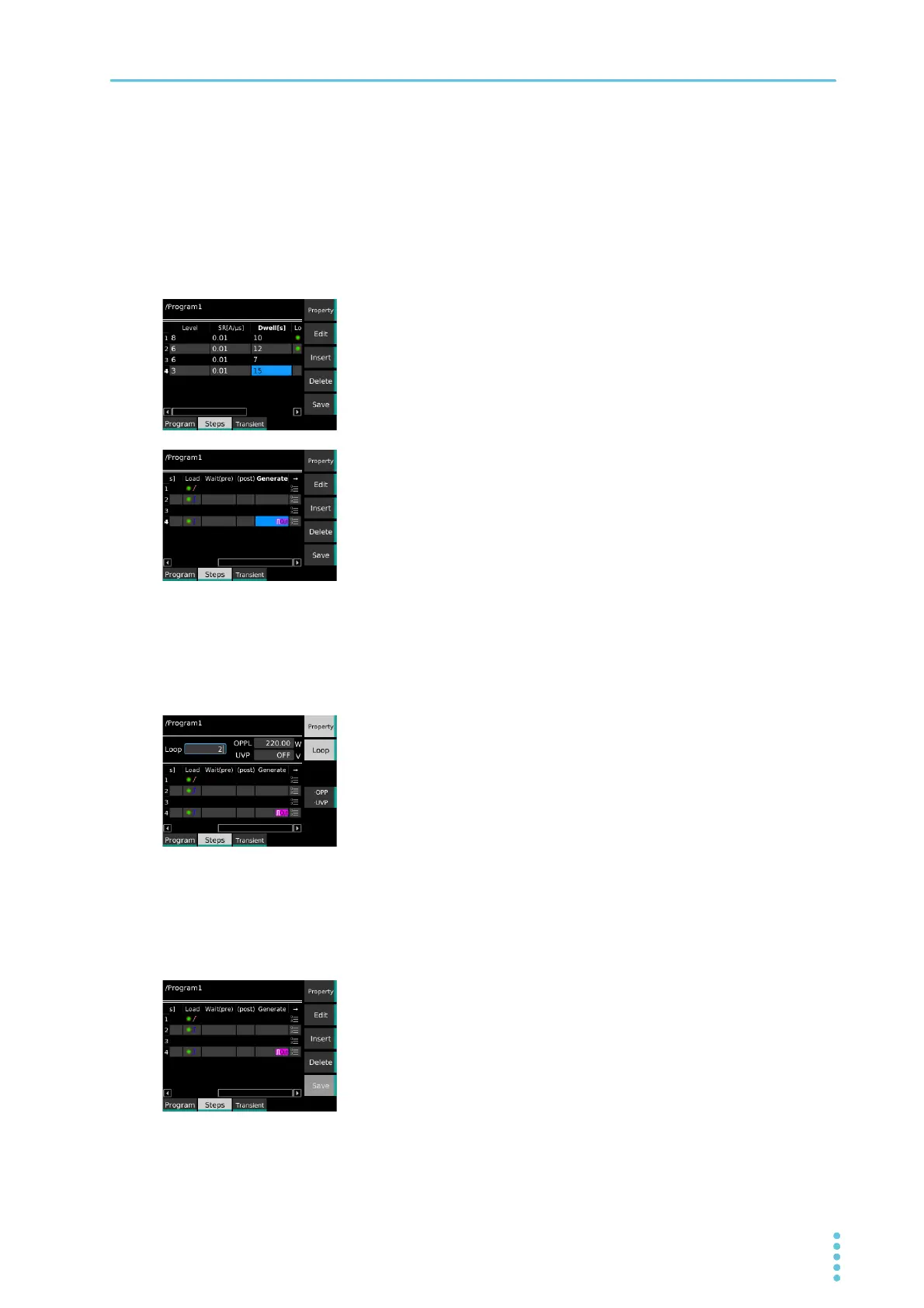
Creating step 4
1
Press Insert.
Step 4 is inserted.
2
Use the ← key to select a cell in the Level column of Step 4
(row 4), and then press Edit.
3
Set step 4 as follows: Level: 3, Dwell: 15, Load: On (Immedi-
ate).
The current is set to 3 A, the execution time to 15 s, and the load to on.
Immediate transition is selected.
Proceed to setting the number of loops.
Setting the number of loops
1
Press Property and then Loop.
2
Use the numeric keypad or the rotary knob to enter number
of loops “2.”
3
Press Property.
The number of loops is set to 2.
Proceed to saving Program1.
Saving Program1
1
Press Save.
Program1 is saved.
This completes the setting.


 To Next Page