TM
Model 3000M0188-01
Rev. 6/11 6-25
KPM II Monitor Operation
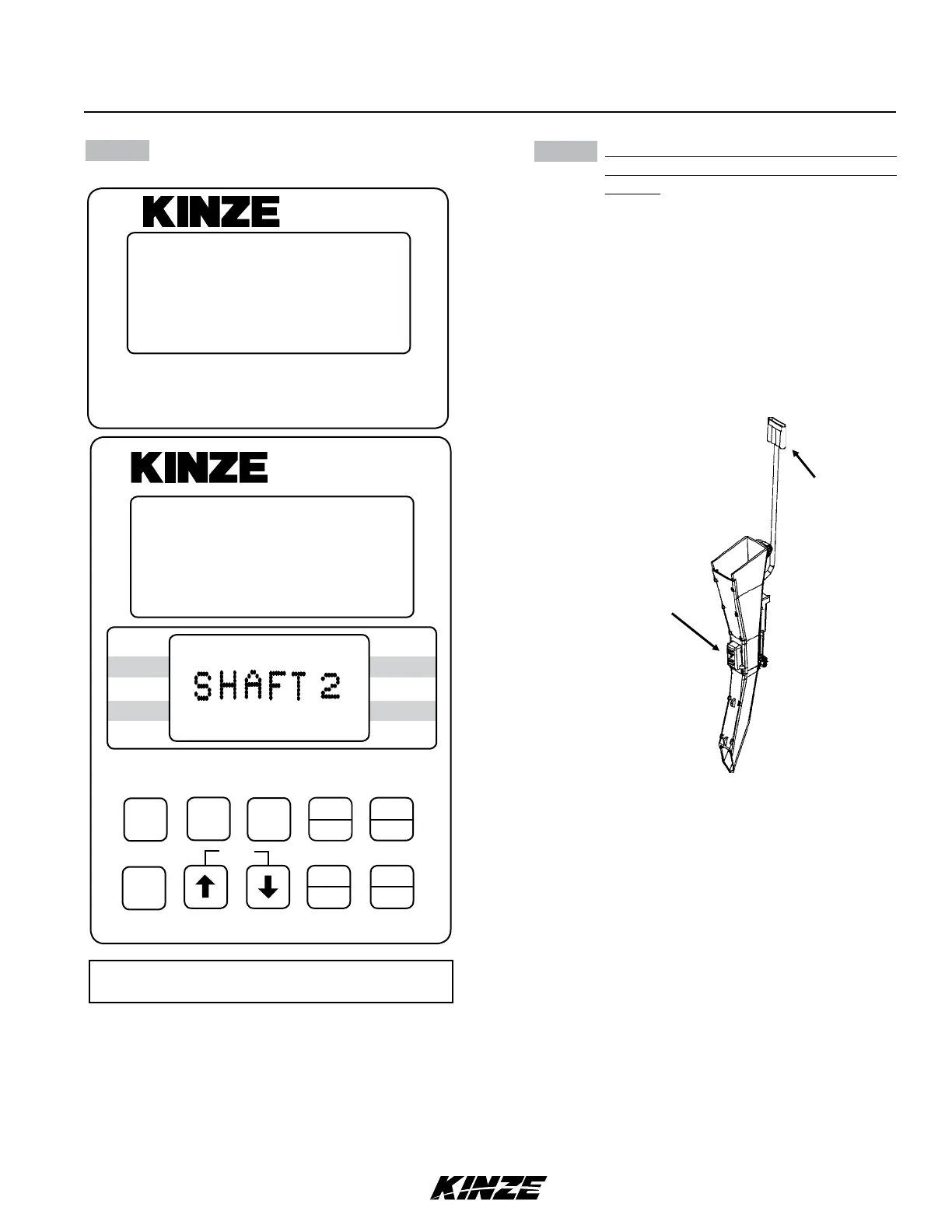
STEP 7 Determine which row you want as number
one and plug seed tube w/sensor into
harness.
Continue plugging in sensors along with
shaft rotation sensors if so equipped. Row
1 first, row 2 second and so on up to 18
rows. When a sensor is plugged in, the
corresponding row number on the upper
LCD display will stay solid, the monitor will
chirp twice and a red LED (Light Emitting
Diode) on the seed tube sensor will turn
on for approximately 30 seconds to show
connection is made.
STEP 6 (Continued)
NOTE: SMM console may not be applicable to
all models.
ON
AREA
OFF
EXIT
ENTER
OK
CLEAR
SETUP
ROW
SPACING
TOTAL
AREA
UNITS
SPEED
VOLUME
SCAN
SEED
POPULATION
SEED
SPACING
FIELD
AREA
SPACING
TOTAL
SEED
POP.
FIELD
SELECT
SPEED
SCAN
SETUP
REAR
121110987654321
(1314 15 16 17 18)
(FRONT)
FLASHING
SETUP
REAR
KPM II
•
12060211
SMM
(METR55b)
Red LED
Blue Connector


 To Next Page