A-61316 September 2004 6-3
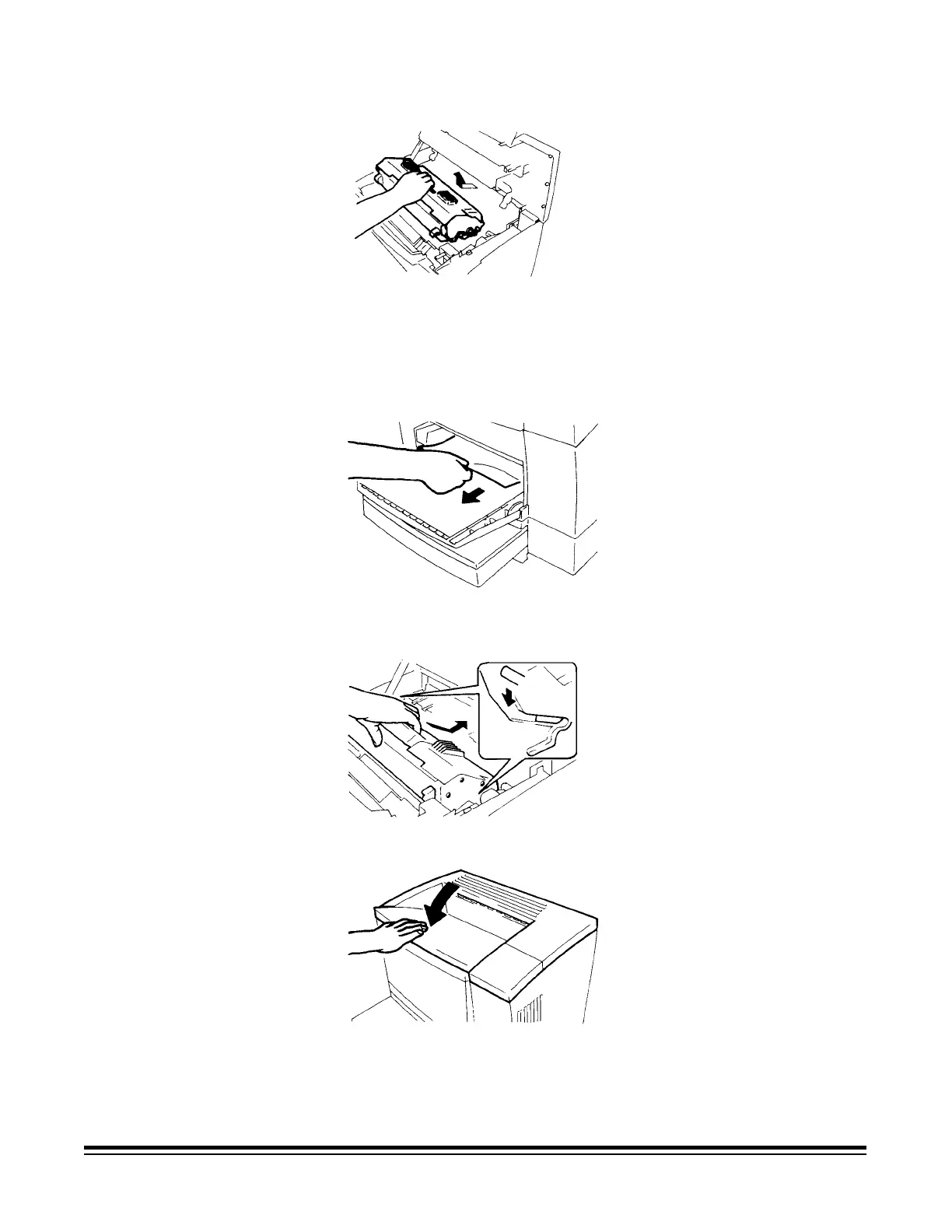
2. Remove the imaging cartridge.
NOTE: Be sure to cover the imaging cartridge with a heavy cloth to
protect it from light when it is removed from the printer.
3. Remove the sheet(s) of paper that caused the misfeed from the paper
feeding tray.
4. Check that no misfed paper is left in the printer and reinstall the
imaging cartridge.
5. Close the upper unit.











 To Next Page