English
42
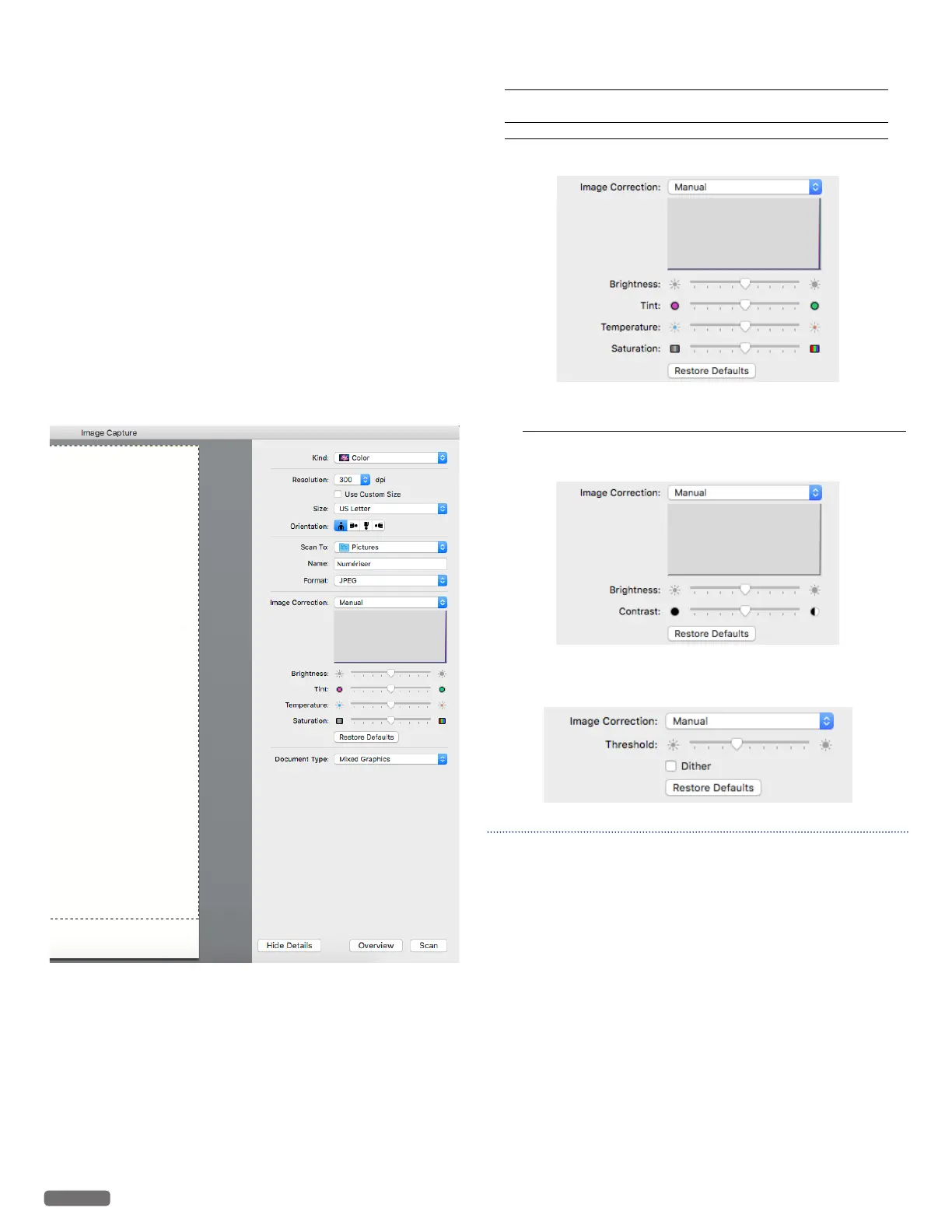
Name:
Enter the name of scanned images. For multiple scans, the name
entered will be a part of incrementally named scans. For example,
enter “doc”, and the names of the scanned images will be “doc1.jpeg”,
“doc2.jpeg”, and so forth.
Format:
Select the image format of the scan from below:
• JPEG
• TIFF
• PNG
• JPEG 2000
• GIF
• BMP
• PDF
-
[Combine into single document] is only available when the
format TIFF or PDF is selected. In order to save multiple pages
as a single file, select the checkbox.
Image Correction:
When [Manual] is selected, the adjustment of the following
parameters are possible.
Document Type:
Select the type of document to be scanned from below:
• Text Only • Photo • Mixed Graphics
When choosing [Color] in [Kind:]
[Brightness] – to adjust the balance between light and dark.
[Tint] – to adjust the color balance between red and
green.
[Temperature] – to adjust the color balance of warm and cool.
[Saturation] – to adjust the vividness of colors.
When choosing [Black & White] in [Kind:]
[Brightness] – to adjust the balance between light and dark.
[Contrast] – to adjust the balance of sharpness and
softness.
When choosing [Text] in [Kind:]
– [Threshold] to adjust the transition point between dark and light.
Note(s)❏
• Those images are created based on the screen of OS X 10.11.
If the version of the OS is different or the OS is updated, it is
possible that the display on the screen has changed.


 To Next Page